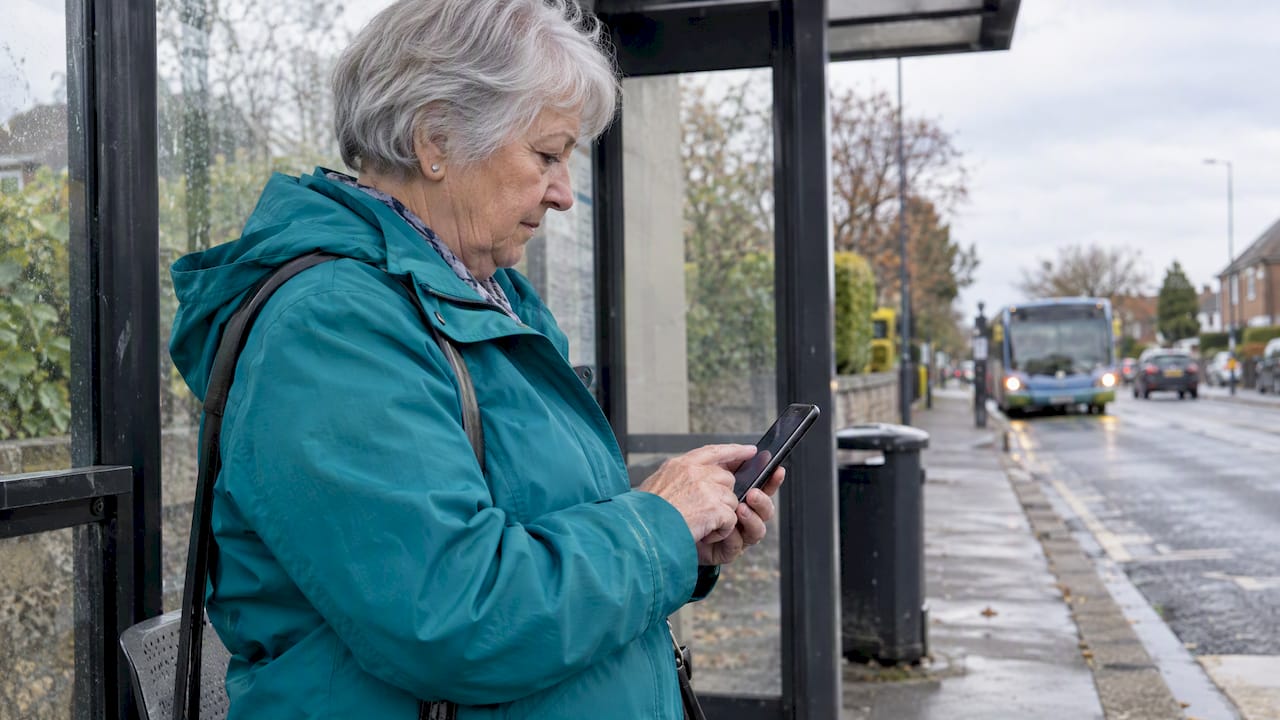
Yes, you can share your real-time location temporarily: on an iPhone, use Messages, Find My, or Maps; on Android, use location sharing in Google Maps. Both let you set a time limit instead of leaving your location visible indefinitely. The safest approach is always the shortest duration that gets the job done, whether that’s one hour, until you arrive, or a single snapshot.
TL;DR:
- On iPhone, send a one time snapshot, share an ETA, or set Live Location to expire; Check In may also reveal battery and network details.
- Google Maps requires a signed in Google account and enabled Location Services; contact sharing also requires the recipient to be saved in your address book.
- A Google Maps link can reach people without Google accounts, but anyone who obtains it can view your location during its active window.
- Choose the shortest expiry that meets the need, share only with the intended person, and ask for consent before enabling ongoing location visibility.
- After ending an iPhone Check In, the recipient may briefly see your last known location, so confirm the share has stopped.
Table of Contents
- How to share temporarily from an iPhone using Find My, Messages, or Maps
- How to share temporarily from Android using Google Maps
- Temporary shares without a named app: links, snapshots, and what to look for
- Privacy and safety: when a “temporary” share is still a risk
- How to stop sharing and what to do if it won’t end
- Connecting location sharing to emergency contacts and alerts
- How temporary sharing compares across WhatsApp, Snapchat, and other apps
- Why dignity matters as much as duration
- How Well-Check supports temporary location visibility for families
- FAQ
- Sources
How to share temporarily from an iPhone using Find My, Messages, or Maps
Apple’s support documentation outlines three distinct ways to share your location on iPhone, each suited to a different situation.
- Share once: Drop a pin or send your current location through Messages. Your recipient sees exactly where you were at that moment, nothing more.
- Share while en route: Use Maps to send your ETA, or start a Check In through Messages. Check In can also share diagnostic details like battery level or network signal if you experience an unexpected delay, so it’s worth knowing that extra information may go out under those conditions.
- Share ongoing Live Location: Open Find My or Messages and choose how long the share lasts, one hour, until the end of the day, indefinitely, or a custom window.
To confirm who currently sees your location, open Find My and check the People tab, or review active shares inside Messages. Make sure Location Services is turned on in Settings for the feature to work at all.
Pro Tip: Pick “until end of day” instead of “indefinitely” whenever you can. It expires on its own, so you never have to remember to turn it off.
Apple’s design intentionally separates these three modes, and the better habit is choosing the least revealing option that still solves your immediate need rather than defaulting to ongoing Live Location out of convenience.
How to share temporarily from Android using Google Maps
Google Maps handles temporary sharing through its own Location Sharing tool, which works whether your recipient uses Android or iOS.
- Open Google Maps, tap your profile icon, and select Location Sharing.
- Tap “New share,” choose a duration (a set number of hours or “until you turn this off”), and pick a contact or generate a shareable link.
- For people without a Google account, copy the link directly. Short-term links typically stay active only for the window you set, with some flows limiting this to about a day.
Sharing requires a signed-in Google account, Location Services enabled, and, for contact-based shares, that person already saved in your address book. Google’s settings page lists these prerequisites clearly, and they vary slightly depending on whether your recipient is on Android or iOS.
To stop a share early, return to Location Sharing and tap “Stop” next to that person’s name, or end it from your Google Account’s shared locations list, which also shows you every share currently active.
Pro Tip: If you’re meeting someone who doesn’t use Google Maps, send the link instead of inviting them to install the app. It solves the same problem with less friction.
Temporary shares without a named app: links, snapshots, and what to look for
Not every temporary share works the same way, and the format matters more than people assume.
- One-time snapshot: A single location sent once, useful for “I’m here” moments with no ongoing visibility.
- Trip or ETA share: Visibility lasts until you arrive, then it ends automatically.
- Time-limited live link: Continuous tracking for a set window, the most revealing option and the one that needs the most care.
A link is convenient because anyone can open it without an account, but that convenience cuts both ways: whoever has the link can see your location, full stop. Account-to-account sharing, by contrast, ties visibility to a verified person. Whichever method you choose, look for an expiration setting, some form of viewer authentication, a simple one-tap stop button, and a privacy policy that actually explains what happens to the data afterward. Never post a live-share link in a group chat or shared channel. Treat it like you would a password: anyone who has it has access.
Privacy and safety: when a “temporary” share is still a risk
A short duration helps, but it doesn’t eliminate every risk.
- Share only with the specific person who needs it, not a group, and pick the shortest expiry that actually solves the problem.
- Account compromise, unlocked devices, and stalkerware can all expose your location even when you never intended to share it that broadly.
- After the task is done, stop the share, check your app and account permissions, and delete any persistent links you no longer need.
The FTC warns that stalkerware and compromised accounts can let others track someone’s location without consent, and it recommends using a separate device and contacting an advocate if you suspect this is happening to you, according to the FTC’s consumer guidance on stalkerware. Privacy researchers at UC Davis make a similar point: precise location data is highly sensitive, so minimizing how long you share it and confirming consent both matter more than people assume. For caregivers checking in on a family member, that means documenting the reason for the share and respecting that the other person still has a say in how visible they are by using tools designed to coordinate allied health and care services for older adults.
How to stop sharing and what to do if it won’t end
Ending a share should be immediate, but a few quirks are worth knowing.
- In Messages or Find My, open the conversation or the People tab and tap “Stop Sharing.”
- In Google Maps, go to Location Sharing and tap “Stop” next to the recipient, or turn off Share My Location entirely from your account settings.
- Expect that a recipient may briefly still see your last known location right after you stop, since Apple’s own guidance notes that ending a Check In doesn’t always clear the most recent snapshot instantly.
- If sharing won’t turn off, check for managed-account restrictions or outdated app permissions in your device settings.
If you suspect someone is tracking you without your knowledge, use a different device to investigate or reach out for help, since a compromised phone may let the other person see what you’re doing. Contact a domestic violence advocate or local law enforcement if you believe this is happening.
Connecting location sharing to emergency contacts and alerts
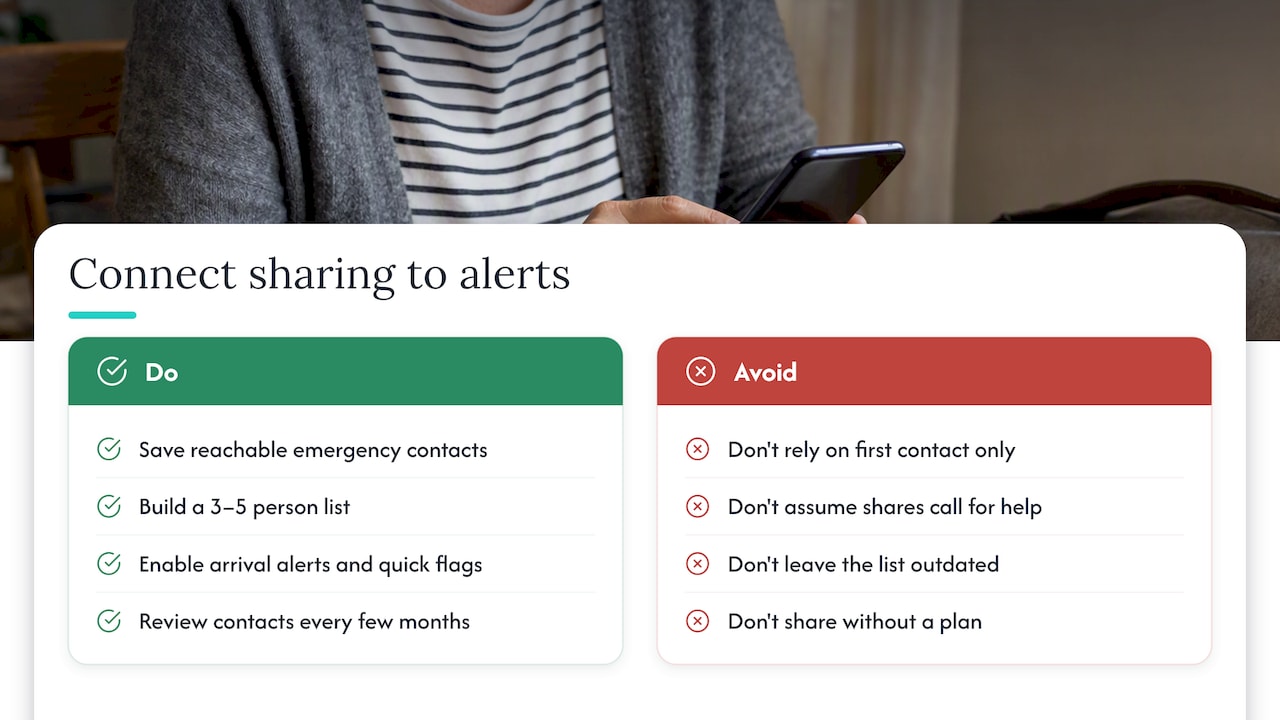
Temporary location sharing works best when it’s paired with a plan for what happens if something actually goes wrong, not just when things go fine. A share that simply shows your position doesn’t call for help on its own, which is why pairing it with an emergency contact list matters. Before you start a trip or a check-in window, make sure the people you’d actually want notified are saved and reachable, not just the first name in your contacts list.
Several platforms allow you to layer features together: Find My can trigger a notification if someone doesn’t arrive by an expected time, and some messaging apps let you flag a contact for quick access during an active share. Building a short, verified list of three to five people you’d contact in an emergency makes any sharing tool more useful, and keeping that list updated is worth revisiting every few months, as covered in our guide to building a verified emergency contact list. For iPhone users specifically, setting this up takes only a few minutes, something we walk through in our piece on setting emergency contacts on iPhone.
The point of combining these features isn’t redundancy. It’s making sure that if a location share reveals a problem, someone is actually positioned to respond to it.
How temporary sharing compares across WhatsApp, Snapchat, and other apps
Built-in phone tools aren’t the only places people share location, and the features vary more than most people expect. WhatsApp offers live location sharing inside a chat for a duration you choose, typically up to a set number of hours, and it ends automatically once that window closes. Snapchat’s Snap Map works differently: it updates your location to friends whenever the app is open unless you switch to Ghost Mode, which makes it less of a true “temporary share” and more of an always-on setting you have to actively limit.
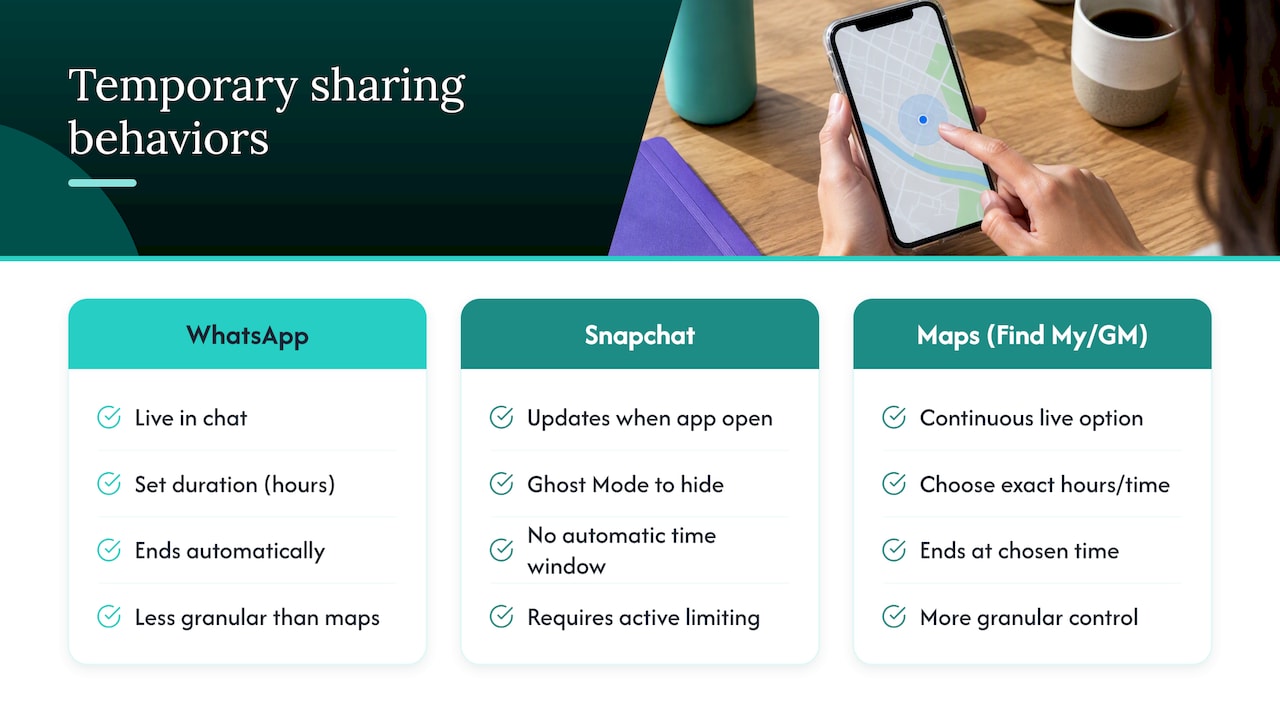
The common thread across these apps is that convenience usually comes at the cost of granular control. A messaging app’s live-location feature is quick to start but often lacks the same expiration precision as Find My or Google Maps, where you can choose an exact hour count or a custom end time. If you’re sharing with someone who doesn’t use your preferred platform, a generated link tends to be the most universal option, though it also means trusting that the link itself stays private. Whichever app you use, check how long the share actually lasts by default and whether stopping it removes your location immediately or leaves a trailing snapshot behind, since that detail differs by platform and isn’t always obvious until you’ve tested it.
Why dignity matters as much as duration
Most advice about temporary location sharing focuses on settings and timers, but the harder part is the conversation before you ever open an app. Sharing someone’s location, even briefly and with good intentions, changes the relationship if it’s not done with their knowledge. Caregivers in particular run into this: a daily check-in feels like care, but a surprise tracking request feels like surveillance, and the difference is almost entirely about consent and framing.
Our view is that the best temporary sharing habits involve three things: asking first, setting a clear time limit out loud, and writing down the reason, even if it’s just a mental note. Features like one-tap check-ins and GPS tracking work because they replace guesswork with a simple, expected signal, not because they track someone constantly. That distinction is the whole difference between a tool that respects independence and one that erodes it.
— Brian
How Well-Check supports temporary location visibility for families
We built Well-Check around the idea that checking in on someone you love shouldn’t feel like monitoring them. Instead of constant tracking, our app centers on daily “I’m okay” confirmations, GPS tracking tied to actual check-ins, and missed check-in alerts that notify a chosen emergency contact network, so visibility stays tied to a clear purpose instead of running in the background indefinitely.
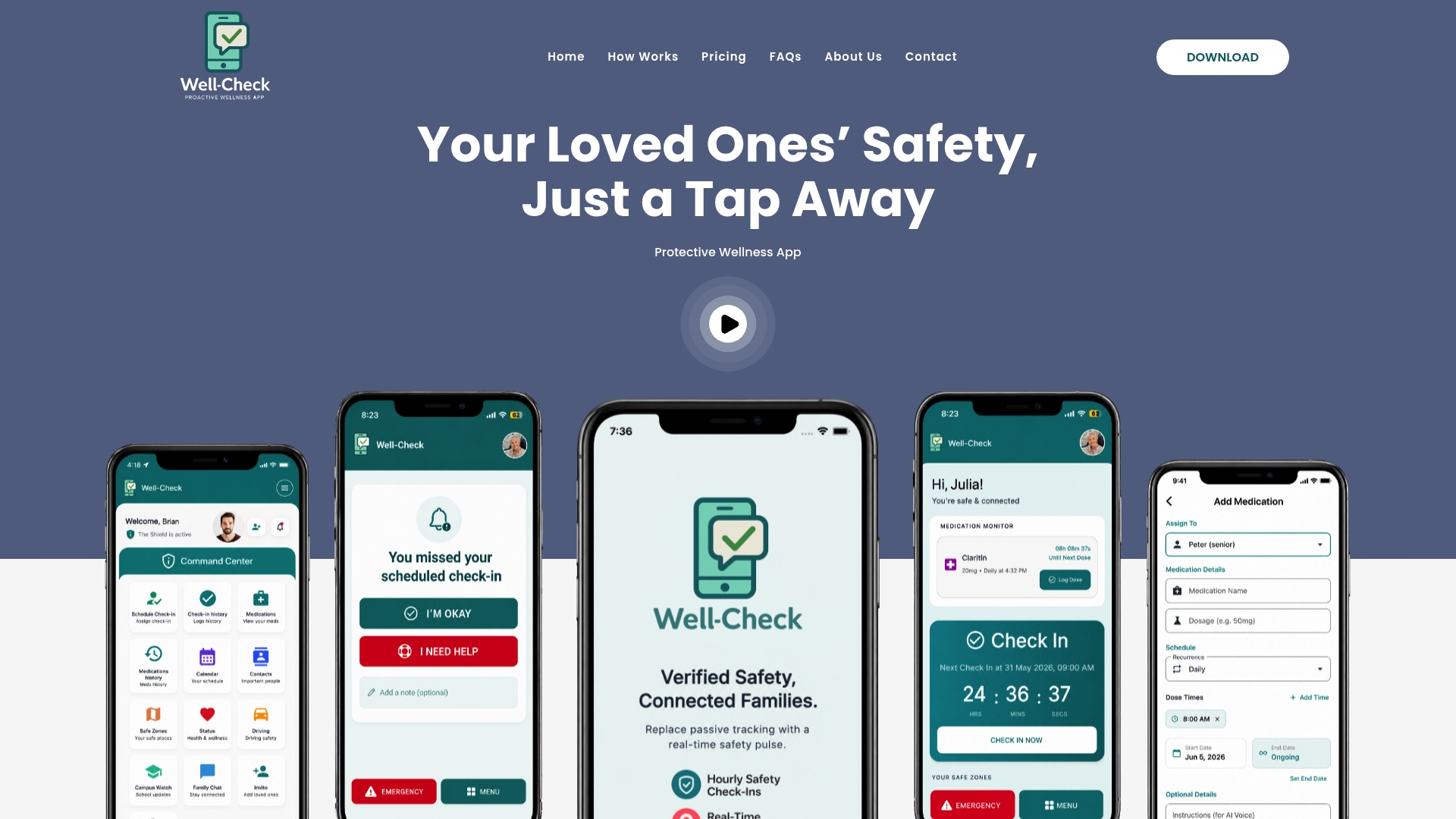
- Quick, simple check-ins replace the need for open-ended live tracking.
- Reminders and missed check-in alerts give families meaningful signals instead of raw location data.
- Tools help families notice patterns without requiring constant manual checking.
If this fits how your family wants to stay connected, you can compare our Essential and Complete plans and start with the option that matches your needs.
FAQ
Can I share my location temporarily?
Yes, both iPhone and Android offer built-in temporary sharing, including a one-time snapshot, an ETA while traveling, or a time-limited live share. Apple’s Find My and Messages and Google Maps both let you set a specific duration rather than sharing indefinitely.
How do I tell if a location share is temporary?
Check the sharing settings before you accept or send a share: a temporary one will show an end time, like “until end of day” or “for 1 hour,” rather than “until you turn off.” If no expiration is listed, treat the share as ongoing until you confirm otherwise.
How do I share my location without someone realizing it?
Sharing a location without a person’s knowledge is not something built-in tools are designed to support, and doing so can cross into unauthorized tracking if the person hasn’t consented. If you’re worried about someone’s safety, it’s better to set up a mutual check-in system or emergency contact plan they’re aware of, rather than a hidden share.
Can someone track your location without you knowing?
Yes, this can happen through a compromised account, an unlocked device, or stalkerware installed without your awareness. The FTC advises using a separate, uncompromised device to investigate or seek help if you suspect this, since your usual phone may no longer be private.
Sources
- Share your location with iPhone – Apple Support
- Share your real-time location with others in Google Maps – Google Support
- Stalkerware: What To Know | Consumer Advice
- Privacy and location-data guidance – UC Davis Privacy