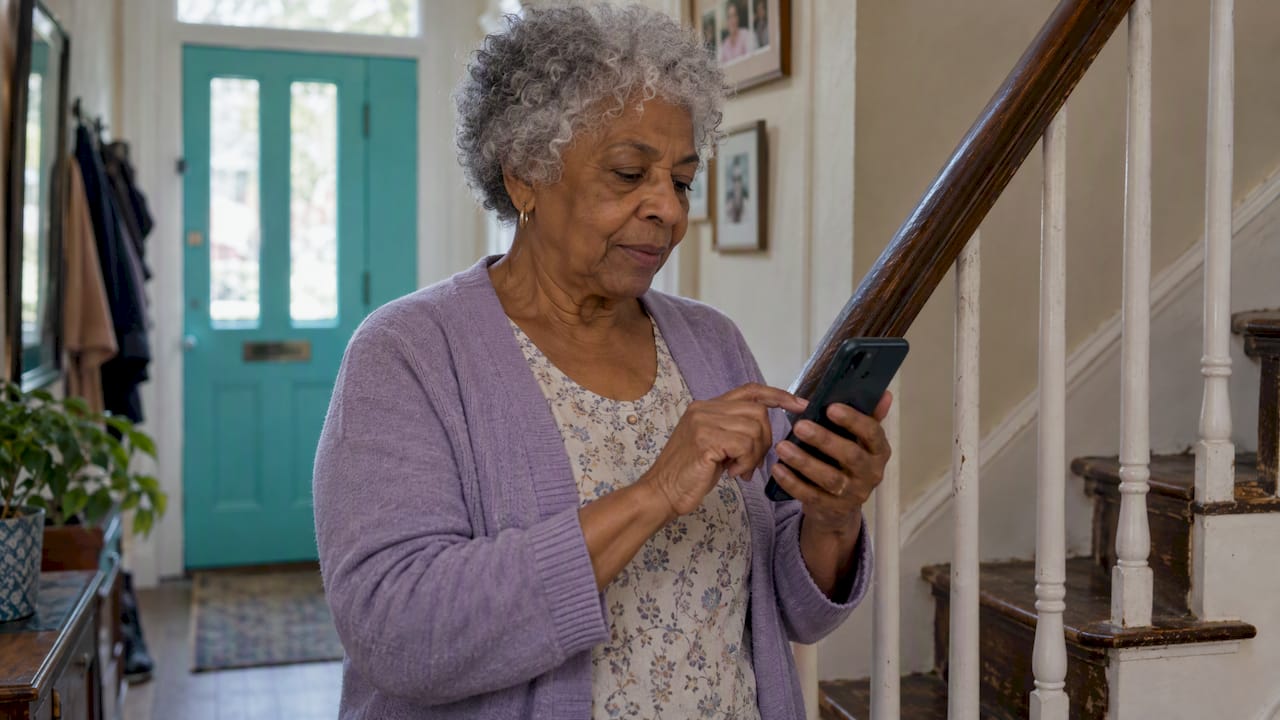
An inactivity alert tells a family member or caregiver when an older adult’s normal daily pattern stops, for example no movement at home, no phone activity or no check-in for longer than usual. It does not wait for the person to press a button or fall in front of a sensor. That makes it the right tool for the gap that pendants leave open: the person who is unable to ask for help, or who simply never wears the device. This guide explains how these alerts detect trouble, where they fail, and how to set one up so it protects your parent without taking over their life.
TL;DR
- An inactivity alert flags a break in routine. A medical alert button flags a request for help. A fall detector flags one specific event. They cover different risks.
- Alerts work best when the threshold is personal. Research on smart home monitoring finds that thresholds should reflect each person’s routines, timing and seasonal changes.
- False alarms are normal. Sensor failures, lost readings and slow internet can all cause them, so plan a calm first response rather than an emergency one.
- Get consent first. Monitoring that the older adult knows about and agrees to is safer, more respectful and far more likely to last.
- A daily check-in is the simplest inactivity alert there is: if the check-in does not arrive, the people you chose are notified.
Table of Contents
- What an inactivity alert is, and what it is not
- How inactivity alerts detect a problem
- Why the threshold must be personal
- How reliable are inactivity alerts?
- Privacy and consent come first
- Our perspective: independence without surveillance
- Setting up an inactivity alert step by step
- What to do when an alert arrives
- Match the features to the risk
- Well-Check plans
- FAQ
- Sources
What an inactivity alert is, and what it is not
Three tools often get lumped together, and they solve different problems.
| Tool | What triggers it | What it needs from the senior | Main gap |
|---|---|---|---|
| Medical alert button | The person presses it | Wearing the device and pressing in time | Useless if they are unconscious or the device is in a drawer |
| Fall detector | A sensor reads a fall-like movement | Wearing the device | Does not notice a medical event without a fall, or a slow decline |
| Inactivity alert | Expected activity does not happen | Nothing, or one tap a day | Can fire when there is no emergency, such as a long nap or a day out |
The idea is not new. A 2007 ACM study of four senior households built a model of normal activity from motion sensors and generated an alert when inactivity ran longer than usual for that home, without the resident wearing a device or pressing a button. The authors described alerts arriving within hours of unusual inactivity. Modern products use better sensors and phones, but the logic is the same: learn what normal looks like, then notice when it stops.
If you are still deciding between a wearable and an app, our guide to choosing a medical alert app or device by real habits walks through the trade-offs.
How inactivity alerts detect a problem
There are three common detection methods. Many families end up combining two of them.
Ambient sensors in the home
Motion sensors, door sensors and devices attached to beds, stoves, toilets, lighting or medication dispensers watch for activity. A Minnesota Department of Human Services review of in-home activity monitoring lists all of these, along with GPS tracking and mobile medical alerts with fall detection. The same report notes that newer systems aim to interpret functional changes over time and combine information from several devices.
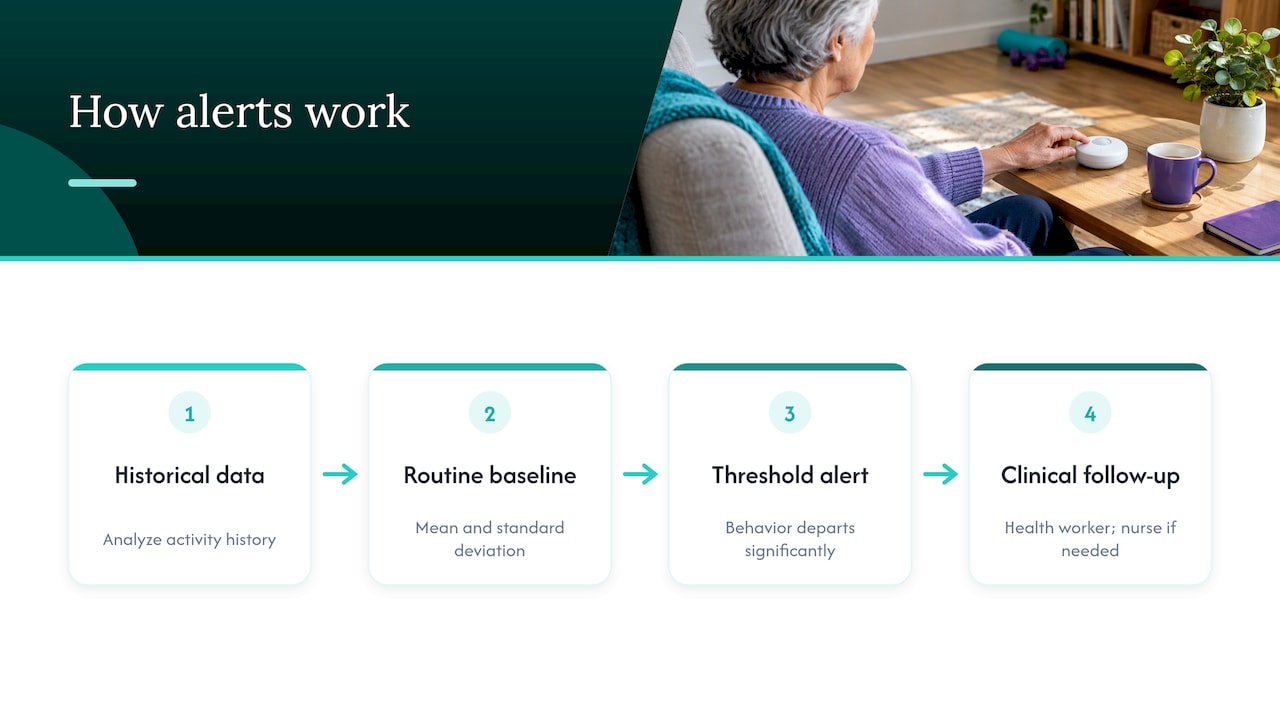
A 2022 study of daily activity routines in older adults from Sweden describes a typical approach: the system analyzes historical data, calculates the mean and standard deviation of how long activities usually last, and sends a notification when behavior departs significantly from that routine.
A 2026 JMIR Aging study in the United States shows how this works in practice. Ambient sensors and rules compare recent behavior with each participant’s own baseline. Alerts fired when deviations such as prolonged inactivity, reduced kitchen use, disrupted sleep or changed bathing patterns crossed a threshold. Unacknowledged alerts led to a follow-up by a community health worker and, when needed, escalation to a registered nurse.
Phone and app activity
A smartphone can serve as the sensor. No movement, no screen use or no app interaction over a set window can trigger a notice. This suits seniors who refuse cameras or sensors in their home, but it only works if they carry the phone.
Scheduled check-ins
The simplest method asks the person to confirm they are fine, usually with one tap, at a time they choose. When the confirmation does not come, the app notifies the emergency contacts. Nothing is inferred and nothing is watched. The person acts, or the silence itself is the signal. This is the approach Well-Check is built around, and we explain it further below.
Why the threshold must be personal
A rule like “alert after eight hours of no movement” will be wrong for someone. A retired night-shift nurse sleeps through the morning. A man who golfs all day is out of the house on purpose. Research on smart home sensor data makes this point directly: a JMIR mHealth and uHealth paper from Australia concludes that the right threshold should account for individual routines and preferences, the consistency and timing of activities, and cyclical and seasonal variation.
In plain terms, start with these questions and write the answers down:
- When do they usually wake up, and when do they go to bed?
- Which days are different (church, volunteering, appointments, a weekly lunch)?
- Do they spend long stretches outside or in another part of the house?
- Do the seasons change anything: gardening in summer, staying in during winter?
- What is the longest quiet stretch that would still look normal?
Set the first threshold generously, then tighten it after two or three weeks once you see how often it fires. A check-in time works the same way. If your mother has breakfast at 8, a check-in prompt at 9 with a grace window is gentler than a hard 8:01 deadline. Our article on how often caregivers should check in covers when to rely on calls and when to automate.
How reliable are inactivity alerts?
No monitoring technology is foolproof, and the experts quoted in the Minnesota review say so plainly. The same report names the usual causes of trouble: sensor failures, lost or duplicate readings that produce false positives, and inadequate internet speeds that can interrupt or delay alerts.
The professionals interviewed disagreed about how much false alarms matter. Some described them as a real distraction for caregivers. Others considered them tolerable as long as the system never misses a genuine emergency. In our experience, the second view is the right starting point for a family, with one condition: false alarms must be cheap to resolve. If every alert means a panicked drive across town, people start ignoring them.
Common causes of false alarms
- A long nap, a day out or a hospital visit that nobody logged
- A phone that died, was left on a table or lost signal
- A sensor with a dead battery or a moved device
- Wi-Fi or power outages at home
- Travel, holidays or a stay with relatives
Common causes of missed alerts
- Alerts sent to a single person who is asleep, in a meeting or on a flight
- Notifications silenced on the caregiver’s phone
- A threshold set so wide that a real problem fits inside it
- Monitoring that depends on a connection that fails during exactly the emergency you worry about
The fix for most of these is the same: name more than one contact, test the system on purpose, and give each person a role. Our guide on who to list as emergency contacts helps you choose, and the verified emergency contact list guide suggests three to five people so that someone always answers.
Privacy and consent come first
Monitoring that a parent discovers by accident feels like surveillance, and it usually gets switched off. Monitoring that they helped design feels like support.
The Minnesota review reports that privacy concerns persist around wireless transmission of data and the potential invasiveness of sensors in private spaces such as bedrooms and bathrooms. Guidance from La Crosse County, Wisconsin adds that GPS tracking for a person with dementia requires consent, should be discussed early while the person can still take part in the decision, and must never replace personal supervision or care. The same document notes that in Wisconsin video monitoring is generally legal in areas without a reasonable expectation of privacy, such as entryways or living rooms, while audio recording requires one-party consent. Laws differ by state, so check yours before installing anything with a camera or microphone.
A UK factsheet on technology-enabled care from Living Made Easy explains that under UK GDPR and the Data Protection Act 2018, organizations should collect only the data they need, store it securely and keep it no longer than the service requires. That is a UK rule, but the principle is a good question to put to any provider anywhere: what do you collect, where is it kept and for how long? For a plain-language walk through the questions to ask any digital health provider about data, this privacy checklist for patients is a handy reference.
We have written more on the family side of this:
- How to ask for and agree on senior tracking consent
- Privacy for senior tracking that protects dignity
- Three nonnegotiables for senior GPS apps
- Location sharing etiquette for caregivers
Our perspective: independence without surveillance
We built Well-Check on a simple belief: the best safety tool is the one an older adult is happy to keep using. Many inactivity systems start from the house and ask what the sensors saw. We start from the person and ask what they would like to share.
That is why the core of the app is a one-tap daily check-in. The person says “I’m okay” on their own terms. If they do not, the contacts they chose are alerted. There are no cameras, and nothing in the bathroom. For many families that is enough, and it respects the fact that Dad is an adult, not a patient.
Where a family wants more, there are optional layers: medication reminders, GPS for outings, and smart caregiver analysis that helps separate a real change in routine from a one-off, so a late check-in on a rainy Tuesday does not set off the whole family group chat. You can read how that works in our piece on stopping false alarms with smart caregiver analysis.
Our honest advice: begin with the lightest option that would have caught the last scare you remember, talk about it with your parent first, and add features only when a real need shows up.
— Brian
Setting up an inactivity alert step by step
- Talk first. The National Institute on Aging recommends discussing care responsibilities before an emergency, naming a primary caregiver, involving the older person and reviewing the arrangement as needs and availability change. An alert plan is part of that conversation.
- Choose the signal. A daily check-in, phone activity, home sensors, or a mix. Match it to what your parent will tolerate, not to the longest feature list.
- Set the threshold from their routine. Use the five questions above. Start wide.
- Pick the people. At least three contacts, ordered, with one primary. Decide who calls, who drives over and who calls the doctor.
- Write the escalation plan. For example: first alert, call within 10 minutes; no answer, call a neighbor or second contact; still nothing, ask for a wellness visit or call emergency services. Put it on paper and on the fridge.
- Test it. Miss a check-in on purpose and see who is notified, how fast and on which device. Check notification permissions on every caregiver phone. Our senior safety checklist and living alone safety checklist include monthly tests you can repeat.
- Review after a month. Count the false alarms. Adjust the time window or the contacts.
What to do when an alert arrives
Stay calm and be curious, not accusatory. Researchers in the 2022 Swedish study argued that working out the cause of an anomaly by digging through sensor data would be too intrusive. They preferred that caregivers simply talk to the older adult about the unusual behavior to get context. That fits how most alerts end: with a phone call and a laugh.
A sensible sequence:
- Call the senior directly. Let it ring, then try again a few minutes later.
- Text, since some people answer messages faster than calls.
- Call the next contact on the list, such as a neighbor, a friend or a building manager.
- If you still cannot reach them and the pattern is truly unusual, ask for a welfare check or go in person. If you suspect a medical emergency, call 911.
- Afterward, ask what happened and whether the threshold needs to change.
If you are unsure how a wellness check works, see what a wellness check means for caregivers. For seniors with dementia who may wander, inactivity alerts are not enough; read about preventing wandering in dementia.
Match the features to the risk
| Your main worry | Useful feature | Note |
|---|---|---|
| Mom lives alone and could be down for hours | Daily check-in with missed-check-in alerts | Simple and low intrusion |
| Missed pills | Medication reminders | See how to schedule reliable reminders |
| Dad walks to the park every day | GPS sharing | Check how GPS accuracy is read and how often it updates |
| A fall with no one nearby | Fall detection or a wearable button | An inactivity alert is a backup, not a substitute |
| Several siblings sharing the load | Emergency contact network | Agree on roles; see caregiver roles and responsibilities |
No single tool does everything. The Minnesota review’s list of devices is long precisely because each one covers a different slice of risk.
Well-Check plans
Well-Check gives you the daily check-in, missed check-in alerts to your emergency contact network, medication reminders and GPS in an app your parent can use with one tap. The Essential plan costs $5.99 per month and the Complete plan costs $7.99 per month. See the Essential and Complete plans to choose what fits.
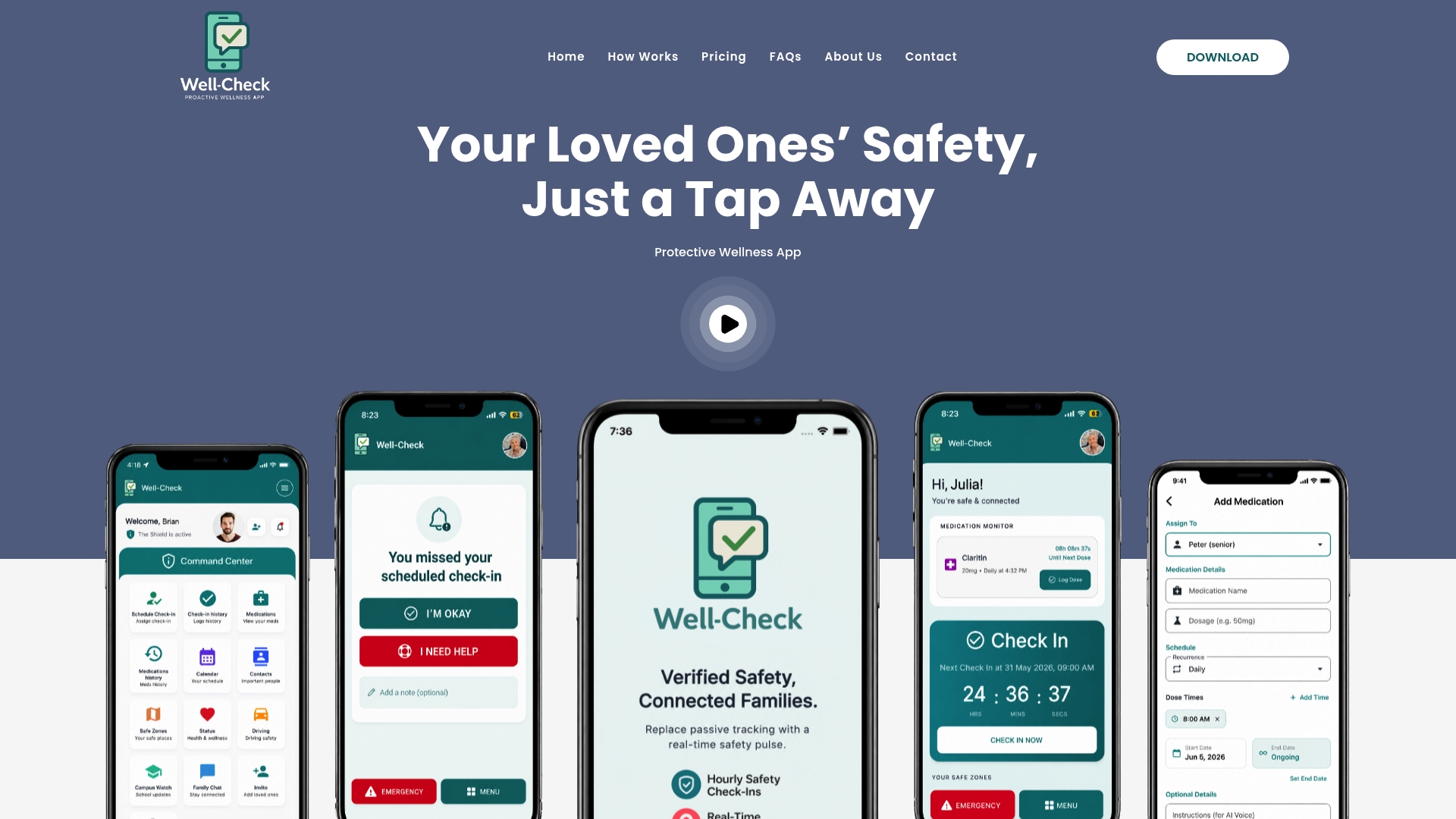
If you would like to see the experience before committing, the older adult check-in app page shows how it looks from your parent’s side.
FAQ
What is an inactivity alert for seniors?
It is a notification sent to family or caregivers when an older adult’s usual activity does not happen within an expected window. The trigger might be a missed check-in, no movement from home sensors or no phone use. It covers situations where the person cannot press a help button.
How long should the inactivity threshold be?
There is no universal number. Research suggests the threshold should reflect the person’s routines, the timing of their activities and seasonal changes. Start with a generous window based on their typical day, then tighten it after a few weeks of real data.
Do inactivity alerts replace a medical alert button or fall detector?
No. A button or fall detector reacts to a specific event within seconds or minutes, while an inactivity alert notices that something is off over hours. Many families use an inactivity alert or daily check-in alongside a wearable, especially if the senior sometimes forgets to wear it.
Do I need my parent’s permission?
Yes, and it is also practical. Guidance on GPS and monitoring technology stresses consent and early conversations while the person can take part. Laws on cameras and audio vary by state, so check local rules before using either.
What should I do about false alarms?
Expect some. Name several contacts, widen the time window if alerts fire on normal days, and keep the first response to a simple call. If alerts keep firing without cause, review the schedule with your parent and check phone settings, batteries and connectivity.
Sources
- Algorithm to automatically detect abnormally long periods of inactivity (ACM, 2007)
- Detecting Anomalies in Daily Activity Routines of Older Persons (PMC, 2022)
- A Community-in-the-Loop Approach to Smart Home Monitoring (JMIR Aging, 2026)
- Understanding Smart Home Sensor Data (JMIR mHealth and uHealth, 2017)
- A Review and Assessment of Advanced In-Home Activity Monitoring Systems (Minnesota DHS)
- Tools and Technology for Safety and Wandering Prevention (La Crosse County)
- Choosing Technology Enabled Care (Living Made Easy)
- Sharing Caregiving Responsibilities (National Institute on Aging)