
A subscription daily check-in app is the most practical senior isolation solution for families who want continuous, low-effort safety monitoring without hovering over an aging parent. Well-Check delivers this through one-tap “I’m OK” check-ins, missed-check-in alerts sent to family, medication reminders, GPS location sharing, and caregiver analytics that flag problems before they become emergencies.
TL;DR:
- A senior check-in app must reliably escalate missed check-ins to family and ensure GPS accuracy outside the home for seniors who go out.
- Effective use depends on easy-to-navigate interfaces, simplified setup, and shared onboarding between seniors and family members to build consistent habits.
- Subscription plans typically range from basic check-ins to advanced caregiver analytics, with organizational plans including admin dashboards and bulk management.
- Proper setup involves testing alert delivery, GPS accuracy, medication reminders, and adjusting notification settings during the first month for optimal reliability.
- The key to success is confirming the escalation path and alert functioning during the trial period before committing to a subscription.
Table of Contents
- What Makes a Senior Daily Check-In App Actually Work
- Why Some Seniors Actually Use the App (and Others Abandon It)
- What Subscription Plans Typically Include
- How to Set Up the App and Test It Properly
- What I’ve Learned Watching Families Choose Safety Tools
- Ready to Try Well-Check? Here’s What to Test First
- Sources
What Makes a Senior Daily Check-In App Actually Work
A daily check-in app earns its place on someone’s phone by doing five jobs well, not fifty jobs poorly. The core function is a digital safety net: a senior taps a button once a day to confirm they’re fine, and if that tap never happens, the app escalates to family automatically. AARP’s testing of medical alert and check-in systems puts heavy weight on this exact loop, plus GPS accuracy and caregiver-facing features, when evaluating which tools are worth a family’s money.
Here’s what separates a genuinely useful app from a glorified reminder widget:
- One-tap “I’m OK” confirmations with missed-check-in alerts you can configure by time window, not a fixed default that doesn’t match how the person actually lives.
- Medication reminders tied to scheduled check-ins, so a missed pill and a missed check-in surface together instead of as two separate problems.
- GPS location sharing that caregivers can check when a check-in is late or a fall seems possible, rather than a feature that only works in theory.
- Emergency contact networks with a clear escalation order. Who gets called first, second, third, and after how long.
- Smart caregiver analytics that summarize patterns over days and weeks, cutting down on false alarms triggered by one late nap or one dead phone battery.
- Privacy controls that let the senior see exactly what’s shared, with whom, and give the family confidence the data isn’t being sold or repurposed.
GPS matters most for seniors who still drive, walk to a store, or attend regular activities outside the home. For someone who rarely leaves the house, missed-check-in alerts and medication reminders do most of the heavy lifting, and GPS becomes a secondary safety layer rather than the main event.
Why Some Seniors Actually Use the App (and Others Abandon It)
Every safety app faces the same hurdle: it only works if the senior opens it. Call this the compliance-usability loop. Every extra tap, every confusing menu, every tiny font shrinks daily use, and shrinking use means the safety net has holes in it. A systematic review of mobile health app design for older adults analyzed 74 studies and distilled what actually keeps seniors engaged, grouping the winning strategies into nine interface fixes and five persuasive features.
Interface accommodations often target three types of challenges seniors face:
- Perceptual — larger text, high contrast colors, simplified icons that don’t require squinting.
- Motor — bigger tap targets, fewer required gestures, no reliance on precise swipes.
- Cognitive — linear navigation, consistent button placement, minimal steps between opening the app and completing the check-in.
Common persuasive features include reminders, social features, personalization, gamification, and health education, each one nudging continued use rather than one-time novelty.
Getting a parent to adopt this daily habit works better as a shared project than a solo instruction manual. Set up the app together the first time. Practice two or three check-ins while you’re both in the room. Agree out loud on what “missed” means, whether that’s two hours late or not checked in by dinnertime, so nobody panics over a nap. Adjust font size, notification volume, and login steps before you leave, since a forgotten password kills compliance faster than any design flaw.
Pro Tip: Turn the login into a one-time setup, not a recurring hurdle. If the app supports biometric or simplified sign-in, use it. Every extra password prompt is a chance for the habit to break.
What Subscription Plans Typically Include
Most senior check-in apps split their pricing into tiers, and the split usually runs along one line: basic check-ins and alerts on the lower tier, advanced analytics and multi-user administration on the higher one. AARP’s 2026 review of medical alert and check-in services notes that free trials are now standard practice, letting families test usability before paying anything.
A single family monitoring one parent needs less than a retirement community managing dozens of residents. Organizational buyers should look for admin dashboards, bulk user management, and reporting features that individual family plans skip entirely. Well-Check’s pricing structure separates these needs by tier so a caregiver isn’t paying for enterprise features they’ll never touch, and an organization isn’t stuck without them.
During any free trial, test these specifically:
- Whether the one-tap check-in is genuinely fast, not buried under three menus.
- How alerts route. Does a missed check-in actually reach the right contact within a reasonable time?
- GPS accuracy in more than one location, not just at home.
- Whether caregiver notifications arrive reliably, without lag or duplicate spam.
Before subscribing to any plan, ask directly about cancellation terms, how long check-in data is retained, and what the app assumes about emergency response. Some tools notify family only. Others integrate with emergency services, and that distinction changes what happens in a true crisis.
How to Set Up the App and Test It Properly
Getting this right in the first week matters more than picking the “perfect” plan. Before installing anything, confirm the senior’s device has enough storage and a current operating system, gather two or three emergency contacts, and have an honest conversation about why you’re doing this. Framing it as independence support rather than surveillance changes how willingly someone uses it daily.
- Install and grant permissions. Location, notifications, and background activity all need to be enabled, or the safety features quietly fail.
- Add emergency contacts in the order they should be alerted, and set the check-in window to match the person’s actual daily rhythm.
- Run a normal check-in test together so the senior sees exactly what a successful tap looks like.
- Simulate a missed check-in on purpose to confirm the alert actually reaches the family member’s phone.
- Test GPS outside the home. Practical app guides recommend checking accuracy at a store, a park, and a parking lot, since signal quality varies more than most people expect.
- Test a medication reminder end to end, from the notification firing to the senior marking it complete.
After setup, check in weekly for the first month. Adjust notification cadence if alerts feel too frequent or too sparse, and revisit the escalation timing once you’ve seen how the person actually behaves day to day.
What I’ve Learned Watching Families Choose Safety Tools
Brian here. Most senior isolation solutions fail for a boring reason: nobody tests the escalation path before they need it. A well-designed app with the right feature set still falls apart if a family never confirms who gets called first or whether a “missed check-in” means two hours late or not checked in until midnight. That gap between what the app promises and what a family actually configures is where most of these tools quietly fail.
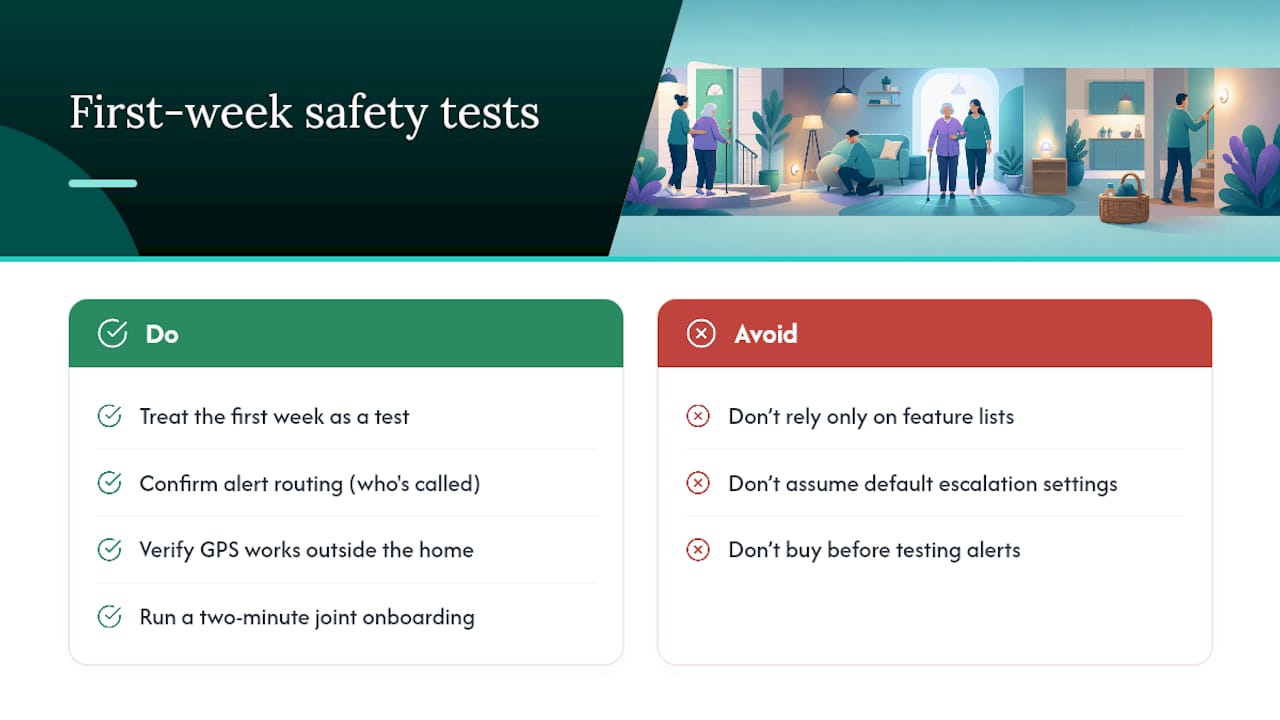
The conventional advice tells families to focus on comparing feature lists side by side. That’s the wrong first question. The right one is whether the senior will actually tap the button every day, because a feature-rich app nobody opens protects nobody. Interface simplicity and a two-minute joint onboarding session do more for real-world safety than any analytics dashboard.
If you take one thing from this, treat the first week like a test, not a purchase. Confirm the alert routing works, confirm GPS holds up outside the house, and only then decide the subscription earns its place on the phone.
— Brian
Ready to Try Well-Check? Here’s What to Test First
Well-Check fits the exact problem this article has been describing: a family that wants daily proof of safety without turning it into a full-time monitoring job. The app combines one-tap check-ins, missed-check-in alerts, medication reminders, GPS tracking, and caregiver analytics into a single subscription, so you’re not stitching together three separate tools to cover one senior’s day.
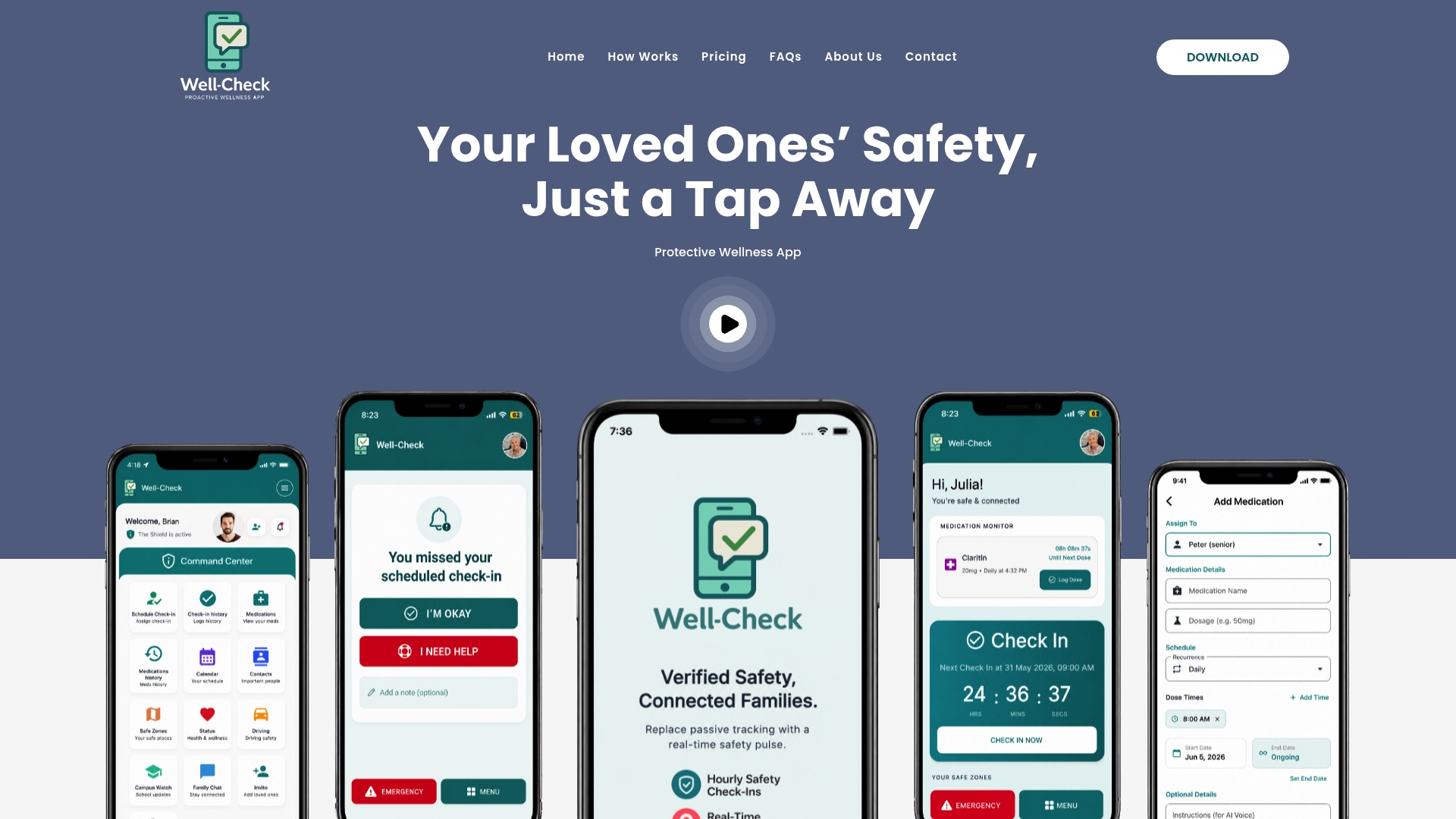
What makes it worth trying isn’t a long feature list on its own. It’s that the interface was built around the compliance problem this article covers: fewer taps, clearer alerts, and analytics that reduce false alarms instead of creating notification fatigue. You can review exactly how Well-Check works and compare pricing plans before committing to anything.
During your trial, run the onboarding tests from this guide: confirm a missed check-in actually reaches your phone, verify GPS accuracy somewhere other than home, and check that medication reminders fire on schedule. If those three things work reliably, the subscription has already earned its cost. Start with Well-Check and see how it fits your family’s routine.
Sources
- 5 Best Medical Alert Systems of 2026
- Mobile health applications for older adults: a systematic review of interface and persuasive feature design
- 10 Apps for seniors living alone