
Commute safety check-ins, in the context that matters most for aging parents living alone, means a daily “I’m okay” tap that triggers an alert to family if it’s missed. Well-Check builds this around three things caregivers actually need: instant alerts when a check-in doesn’t happen, a caregiver dashboard to see what’s going on, and GPS for the moments a phone call isn’t enough. If you’re choosing between apps, prioritize missed-check-in escalation, a real caregiver view, and flexible reminder timing rather than flashy extras.
TL;DR:
- Missed check-in escalation rules should be customizable to ensure timely alerts and multiple contact responses.
- Caregiver dashboards need to show device battery and wear status in real time to quickly assess emergency validity or technical issues.
- False alarms are common and can be mitigated through adjustable reminder timing, easy reset flows, and building good charging habits.
- Phone-based systems are helpful for low-risk, tech-savvy seniors but are limited in coverage for high fall risk or dementia, requiring additional sensors.
- Privacy concerns involve data retention, access permissions, and control, so verify the vendor’s data policies before choosing an app.
Table of Contents
- What a Daily Safety Check-In App Actually Does
- Key Features to Prioritize When Choosing an App
- How to Set Up Check-Ins and an Emergency Response Plan
- Common Problems and Fixes: False Alarms, Missed Devices, and Reliability
- Privacy, Data Permissions, and Device Choices
- When a Check-In App Is Enough, and When It Isn’t
- Why Well-Check Fits This Checklist
- Sources
- FAQ
What a Daily Safety Check-In App Actually Does
A daily check-in app asks the user, usually your parent or another older adult living alone, to tap a button once a day confirming they’re fine. Miss that tap, and the app notifies a preset list of contacts, typically after a grace window you control. That’s the core loop. Everything else, GPS, medication reminders, SOS buttons, fall detection, sits on top of it.
Here’s the part families often misunderstand: these apps monitor the phone, not the person. A phone sitting untouched on a nightstand looks identical to a phone belonging to someone who fell in the shower. Phone-based systems are inexpensive and noninvasive, but that convenience comes with a real gap in coverage, especially overnight or when the phone isn’t within reach.
That gap doesn’t make the category useless. It just sets expectations correctly. These apps work well for:
- Independent seniors who are mobile, mentally sharp, and just want a low-friction daily check-in
- Adult children who live far away and need a fast signal something’s wrong, not a full monitoring system
- Anyone easing into safety tech gradually before considering a wearable or in-home sensor
- Tech-comfortable older adults who can remember (or be reminded) to tap once a day
If your parent has advanced dementia, a high fall risk, or rarely carries their phone, a check-in app alone won’t cover the risk. Treat it as the first layer, not the only one.
Key Features to Prioritize When Choosing an App
Not every feature matters equally. Some are the backbone of the system; others are nice extras that rarely get used. Rank them in this order:
- Missed check-in escalation rules. You want control over how long the app waits before alerting contacts, and whether it escalates through multiple people if the first doesn’t respond.
- Caregiver dashboard access. A companion app that shows battery level, whether the device is being worn, and location history tells you whether a missed alert is a real emergency or a dead phone.
- SOS routing. Some apps connect straight to 911; others route through a monitored dispatcher first. Decide which your parent needs based on how quickly they’d want a human voice on the line.
- GPS and geofencing. Useful for tracking outings or catching wandering behavior in early dementia, though it works best paired with a plan for what happens after a location alert fires.
- Device compatibility. Confirm the app runs smoothly on the actual phone your parent owns, not just flagship models, and check real-world battery drain before trusting it daily.
Pro Tip: Ask before you subscribe whether the dashboard shows device battery and wear status in real time. That single feature answers the question “is this a real emergency or a dead battery?” faster than anything else in the app.
How to Set Up Check-Ins and an Emergency Response Plan
Setting this up right takes about twenty minutes, and it’s the twenty minutes that determines whether the system actually protects anyone.
- Enroll the user and pick a check-in cadence. Once a day is standard; some situations call for two, especially right after a hospital discharge.
- Turn on multiple notification types. Push notifications alone can get missed. Add SMS and phone call alerts as backups so a caregiver never misses the signal.
- Order your emergency contacts. List who gets notified first, second, and third, and set how long the app waits between each escalation step.
- Run a test drill. Have your parent do a mock missed check-in on purpose. Watch how fast the alert actually arrives and confirm everyone in the contact chain gets it.
- Walk through the SOS button together. Make sure your parent knows exactly what happens when they press it, so it doesn’t feel intimidating in a real emergency.
- Build a one-page backup sheet. Include a neighbor’s number, a spare house key location, current medications, and a backup contact in case the primary caregiver is unreachable.
Skipping the test drill is the most common mistake. An app that works perfectly on paper but has never been tested live is a guess, not a plan.
Common Problems and Fixes: False Alarms, Missed Devices, and Reliability
False alarms happen. A phone left in another room, a check-in tapped too early, or a fall detector triggered by dropping the phone on tile all produce the same panicked notification. Fall detection and GPS tracking can miss real events or trigger false ones, so building in tolerance matters as much as building in sensitivity.
- Adjust reminder timing so check-ins land during a routine moment, like right after breakfast.
- Choose apps with unlimited false alarms or an easy reset flow. Punishing false alerts with fees or lockouts just makes people distrust the system.
- Build good charging habits. A phone at 15% battery overnight is the single biggest cause of missed morning check-ins.
- If false alarms or missed devices keep happening despite fixes, that’s a signal to add a wearable or monitored service rather than abandon check-ins entirely.
Pro Tip: A clear, no-penalty false-alarm policy matters more than almost any other feature on this list. Families stop trusting apps that make a mistake feel like a failure.
Privacy, Data Permissions, and Device Choices
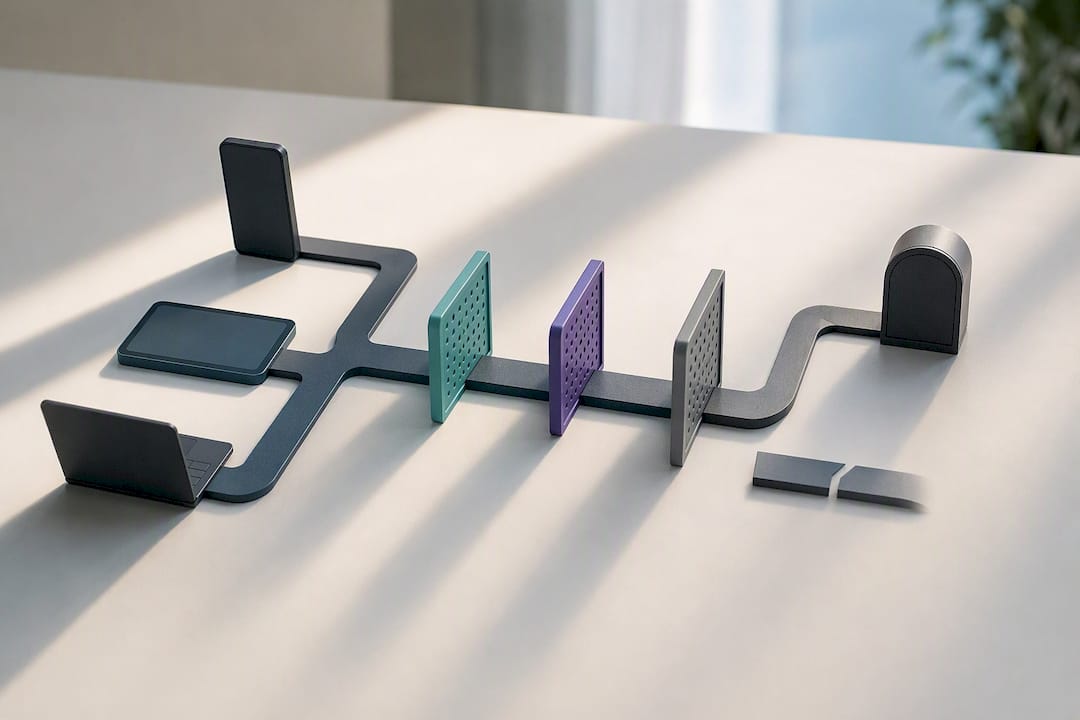
Check-in apps collect location, motion sensor data, app usage patterns, and battery status. Each one exists for a reason: location supports GPS alerts, motion data can flag falls, and battery data tells caregivers whether a missed check-in is mechanical or medical.
Before subscribing, ask the vendor directly:
- How long is location and sensor data retained, and who besides family contacts can see it?
- Does the app ever request camera or microphone access, and if so, why?
- Can the senior review and control exactly what’s being shared?
Phone apps, wearable pendants or watches, and ambient home sensors each solve different problems. Wearables tend to offer more reliable automatic fall detection when worn consistently, while ambient sensors cover overnight and in-home gaps without cameras or microphones, which some seniors find easier to accept than a device on their body. Start with the least invasive option that still covers the actual risk, and add hardware only when the phone-only approach leaves a real gap.
When a Check-In App Is Enough, and When It Isn’t
A daily check-in app is the right main safety layer for seniors who are mobile, cognitively sharp, and simply want someone to notice if something’s wrong. It’s not enough on its own for high fall risk or moderate to advanced dementia, where a wearable with automatic fall detection or an ambient sensor closes gaps a phone tap can’t. Treat the setup as incremental. Start simple, revisit the plan every few months, and add hardware only when a real gap shows up, not because it’s available. Independence and safety aren’t opposites here. They’re a dial, not a switch.
— Brian
Why Well-Check Fits This Checklist
The app is built around missed-check-in escalation, a caregiver dashboard, GPS, and a low-friction daily routine. It provides families one daily “I’m okay” tap, immediate alerts if that tap doesn’t happen, one-tap SOS for emergencies, medication reminders, and a caregiver dashboard that shows activity status.
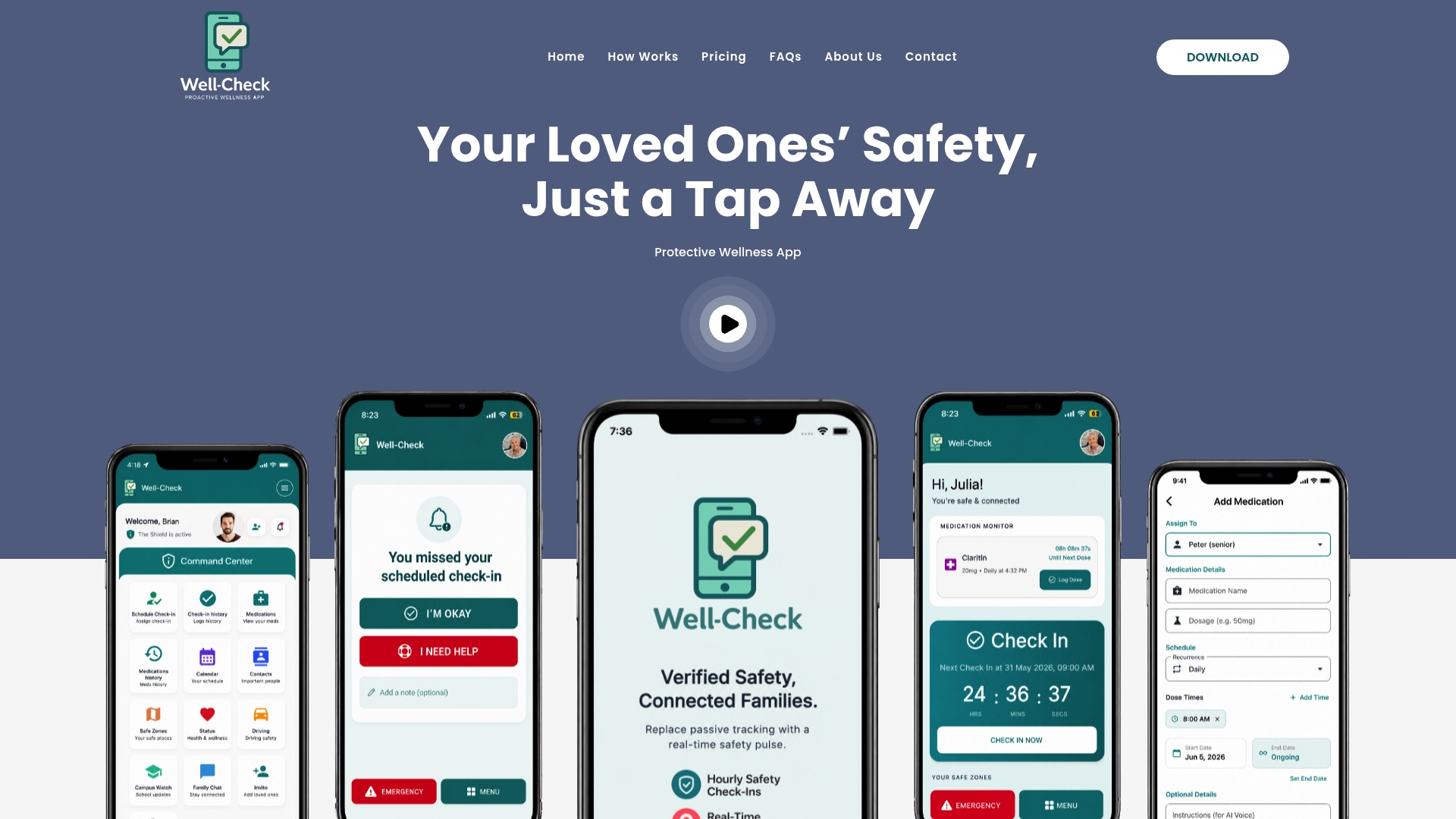
It fits families who want a subscription app that’s simple enough for daily use, and thorough enough to reduce worry about missed check-ins. See exactly how the check-in and alert flow works before you commit, then compare subscription plans to find the tier that matches your family’s needs.
Sources
For more on device capabilities and safety planning, AARP’s guide to personal emergency response systems covers wearables and monitored dispatch in depth. Senior Monitoring Systems: A Clear Guide for Families compares phone apps, wearables, and ambient sensors. Phone Activity Monitoring Apps for Seniors breaks down how daily check-in mechanics typically work.
- Choose the Best Personal Emergency Response System
- Phone Activity Monitoring Apps for Seniors: How They Work
FAQ
How Do Daily Check-In Apps Notify Family Members?
Most apps send push notifications, texts, or phone calls to a ranked list of contacts if a check-in is missed within a set window, with paid plans often adding dispatcher follow-up.
What Causes False Alarms in Fall Detection?
Dropping a phone, sudden movements, or motion sensor sensitivity can trigger a false alert, which is why apps with unlimited false alarms and easy reset options reduce frustration.
Should I Choose a Phone App or a Wearable?
Phone apps work well as a low-friction first step for tech-comfortable seniors, but wearables offer more reliable automatic fall detection for anyone with a higher fall risk who will wear the device consistently.
Does Well-Check Include a Caregiver Dashboard?
Yes. Well-Check gives caregivers a dashboard view alongside daily check-ins, missed-check-in alerts, GPS tracking, and medication reminders.
What Data Do These Apps Collect?
Most collect location, motion sensor activity, battery status, and app usage, all used to power check-in accuracy, fall alerts, and caregiver visibility, so ask any vendor about retention and sharing before signing up.