
Share location only with informed consent, using the least intrusive mode that meets the actual safety need, and always pair it with a written escalation plan. Skip any of those three pieces and you get either a false sense of security or a parent who feels spied on. The right approach starts with a conversation, not a download.
TL;DR:
- Using the least intrusive location sharing method, such as scheduled check-ins and alert-based lookups, generally provides sufficient safety without overstepping privacy.
- Explicit, written consent that specifies the purpose, scope, and review timeline of location sharing builds trust and prevents misunderstandings over time.
- Continuous GPS tracking should be reserved for documented wandering risks or specific incidents, not as a default setting for all older adults.
- Assigning clear responsibilities for device upkeep and establishing a structured escalation plan helps ensure missed check-ins are handled calmly and reliably.
- When selecting a device or app, verify data storage policies, retention periods, access controls, and easy withdrawal procedures before committing.
Table of Contents
- What Is the Etiquette for Sharing an Older Adult’s Location?
- How Do You Start the Consent Conversation?
- What Are the Least-Intrusive Sharing Settings?
- How Do You Handle a Missed Check-In?
- What Should You Ask a Location-Sharing App or Device Provider?
- When Should You Change or Stop Location Sharing?
- Scripts and a One-Page Agreement You Can Copy
- Balancing Safety and Dignity: A Caregiver’s Perspective
- See How Well-Check Puts This Etiquette Into Practice
- Sources
- FAQ
What Is the Etiquette for Sharing an Older Adult’s Location?
Location sharing etiquette for caregivers boils down to three commitments: get explicit, documented consent before turning anything on; default to the least invasive setting that still catches a real problem; and know exactly what happens, step by step, when a check-in gets missed. Here’s a practical checklist you can act on today, or print and stick on the fridge.
- Get explicit, purpose-specific consent and write down what was agreed, not just a verbal “sure, fine.”
- Choose the least-intrusive mode that solves the actual safety concern, not the one with the most features.
- Limit who sees the data to named people, and explain to your parent or relative exactly why each person is on that list.
- Assign device-wearing and battery-check responsibilities to a specific person, not “someone will handle it.”
- Write down the missed-check escalation plan before you need it, not while you’re panicking.
- Avoid tracking unrelated errands or sensitive visits (doctor’s offices, religious services) unless that’s specifically agreed.
- Revisit the arrangement after any health or living change — a fall, a diagnosis, a move.
- Make consent withdrawal easy and documented, the same way you documented the opt-in.
Pro Tip: Put the agreement on paper, even a single index card, and keep a copy where both you and your relative can find it. Verbal agreements get renegotiated in someone’s memory six months later; written ones don’t.
How Do You Start the Consent Conversation?
The consent conversation goes better when you lead with the benefit and the choice, not the technology. Nobody wants to hear “we’re putting a tracker on you.” They respond better to “we want a way to know you’re okay without calling three times a day.” AARP’s caregiving guidance is blunt about this: respectful monitoring starts with an open conversation and an opt-in agreement, never a surprise installation.
Work through these steps in order:
- Open with the “why,” not the “how.” Frame it as a shared safety tool, not surveillance you’re imposing.
- Define the specific triggers that will notify anyone (a missed check-in, an SOS button, leaving a set area) and name exactly who gets each alert.
- State retention and review terms out loud. How long is data kept, how can consent be withdrawn, and when will you revisit the arrangement?
- Bring in a clinician, geriatric care manager, or legal surrogate if there’s any doubt about decision-making capacity, and document that step.
- Write the agreement down and store it somewhere both of you can find it, not buried in an app settings menu.
What Are the Least-Intrusive Sharing Settings?
Start with scheduled check-ins and on-demand location lookups triggered only by a missed check-in. That combination catches almost every real emergency without asking anyone to live inside a live tracking map. Continuous GPS tracking has a place, but it belongs in narrower situations: documented wandering risk, a diagnosis where disorientation is a known symptom, or a specific incident that already happened.
A 2025 scoping review of assisted-living technologies found that privacy protection and respect for autonomy are the two biggest factors in whether older adults actually accept monitoring tools. Default settings that ignore that finding tend to get switched off or ignored within weeks.
A workable tiering system looks like this:
- Geofences for known wandering risk, sending alerts only to named contacts, not a broad group.
- Location history retention kept short, with sensitive visits excluded by default rather than logged automatically.
- Primary contact gets full access for emergencies; secondary contacts get read-only status updates, not live tracking.
- Continuous tracking reserved for cases with a documented, specific reason, reviewed periodically rather than left on indefinitely.
How Do You Handle a Missed Check-In?
Reliability comes down to boring, repeatable habits, not clever technology. The most common failure caregivers run into isn’t a bad signal or a glitchy map. It’s a phone left in another room, uncharged, or a device that got left in a coat pocket after laundry day.
Assign the upkeep explicitly:
- Name one person who verifies the device is charged and worn each day, not a vague “we all keep an eye on it.”
- Run a weekly live test and log the result, even if it’s just a text thread that says “test passed, 9am.”
- Follow a fixed escalation sequence when a check-in is missed: a reminder alert first, then a direct call to the older adult, then a call to the backup contact, then a check of the last known location (with a visit if warranted), and finally emergency services if a set time threshold passes.
- Designate one incident coordinator for each missed check-in so three family members aren’t calling 911 at once while nobody actually drives over.
- Practice the sequence once or twice when nothing is wrong, so everyone acts calmly instead of freezing when it counts.
Pro Tip: Write your escalation thresholds in minutes, not vague terms. “Call backup contact if no response within 20 minutes” beats “call if it’s been a while” every time someone is actually staring at a silent phone.
The National Institute on Aging is direct about this: GPS and emergency-alert systems reduce risks like falls or getting lost, but only when set up correctly, kept charged, and treated as a supplement to human contact rather than a replacement for it.
What Should You Ask a Location-Sharing App or Device Provider?
Before you pick any app or wearable, ask the provider these questions directly, and don’t settle for a vague privacy policy link as an answer.
Ask who stores the location data, how long it’s retained, and exactly who inside that company can access it. Ask whether sensitive locations, like a therapist’s office or a place of worship, get filtered or redacted from logs automatically. The FTC’s guidance on consumer location data makes clear that consent for location tracking needs to be specific, separate from other permissions, and genuinely easy to withdraw, not buried three menus deep.
Request the vendor’s retention schedule and breach-notification policy in writing. Favor tools that let you limit which contacts see what and let you audit the access history yourself, rather than trusting a company’s word for it.
When Should You Change or Stop Location Sharing?
Include your relative in these decisions for as long as they have the capacity to weigh in, full stop. An advance directive or written care agreement can record their preferences about future tracking before a crisis forces a rushed decision. If capacity later declines, involve clinicians and legal surrogates, and make decisions using a best-interest standard rather than convenience.
A 2026 review of ethical considerations in home monitoring found that privacy and autonomy concerns show up consistently across the research, and that person-centered design is the strongest mitigation available. Reassess the arrangement after a hospital discharge, a fall, or a new diagnosis, and document what changed and why. Time-limited measures with a scheduled review date beat open-ended tracking every time, because “we’ll revisit this” without a calendar date rarely happens.
Scripts and a One-Page Agreement You Can Copy
Two short scripts work in most conversations. The empathic version: “I’d feel better knowing you’re okay without calling three times a day. Would you be open to a simple check-in app?” The direct version, for higher-risk situations: “Given the fall last month, I want us to agree on a safety plan together, before anything happens again.”
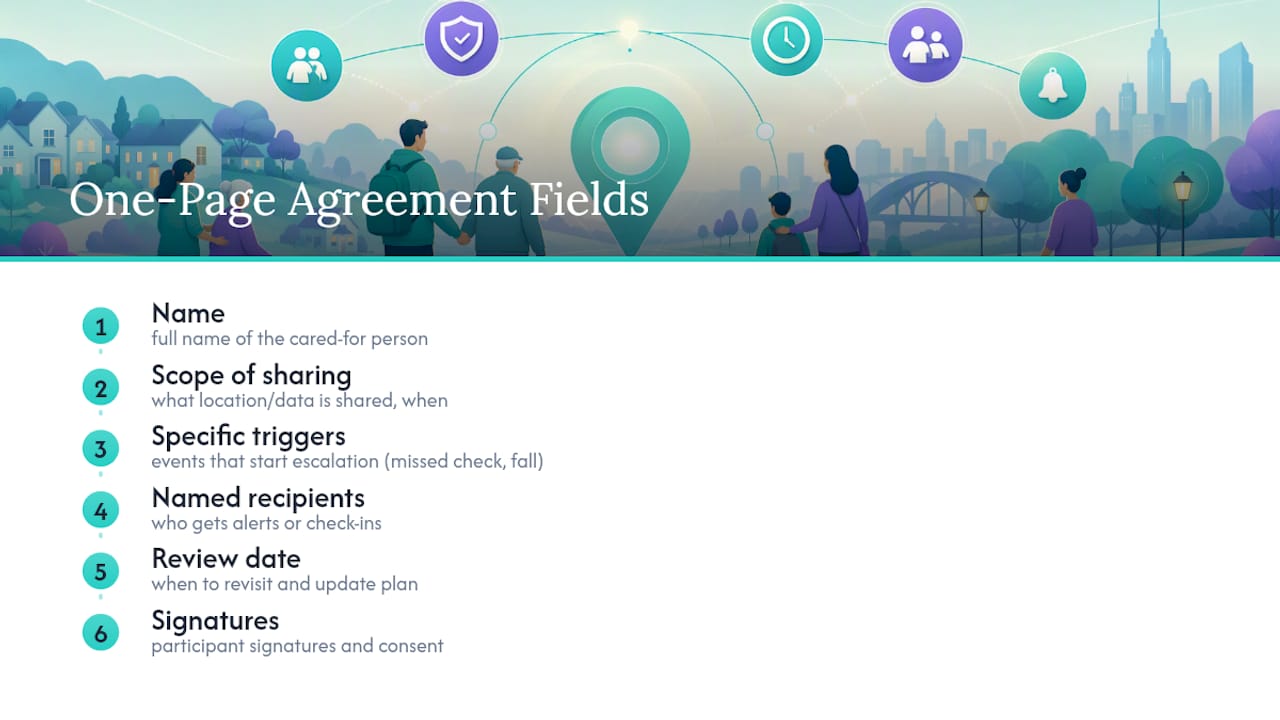
Your one-page agreement needs six fields: name, scope of sharing, specific triggers, named recipients, review date, and signatures. Pair it with a printable missed-check checklist and a weekly device-test log. The Well-Check app maps directly onto this structure: configurable check-in windows, named emergency contacts, and reminders that support exactly the escalation plan outlined above.
Balancing Safety and Dignity: A Caregiver’s Perspective
We piloted a two-week check-in trial with my mother before committing to anything permanent, and that small window built more trust than any sales pitch could have. My mistake the first time around was turning on GPS tracking without asking, thinking I was just “being careful.” She noticed within a day and asked, flatly, why I didn’t trust her. We backed it out, had the actual conversation, and restarted with her input on every setting. Lead with empathy and transparency, always, and treat the tech as something you build together, not something you deploy.
— Brian
See How Well-Check Puts This Etiquette Into Practice
Well-check is built around the same principle this whole guide rests on: check in, don’t spy. Instead of continuous tracking by default, Well-Check uses daily “I’m okay” confirmations, configurable sharing triggers, and a named emergency contact network, so families get real peace of mind without treating a parents whereabouts like a surveillance feed.
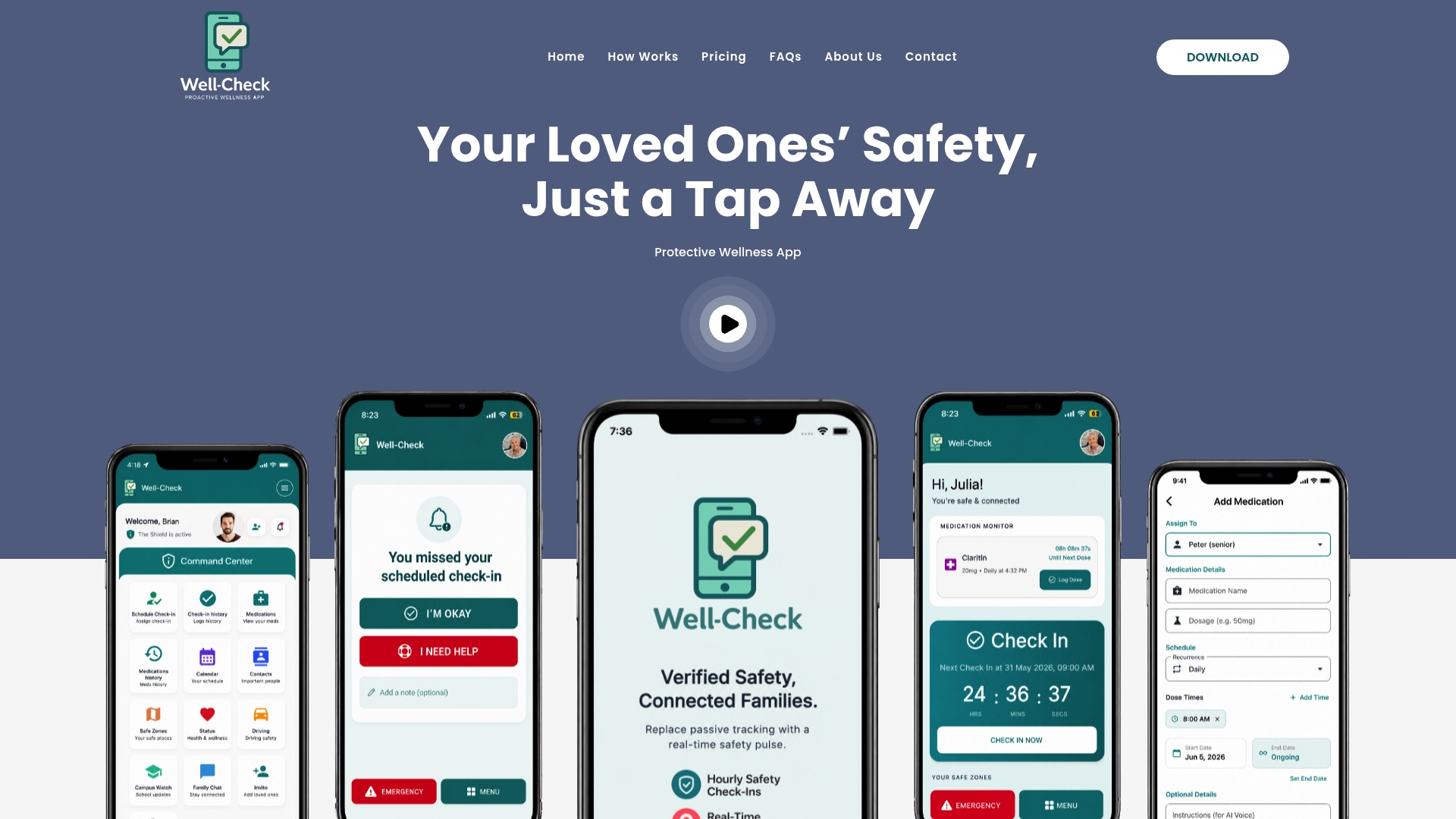
Medication reminders and battery prompts handle the operational upkeep this article keeps circling back to, so nobody’s relying on memory to keep a device charged. You can see exactly how the check-in and alert workflows fit together on the how Well-Check works page, or watch a quick walkthrough on the app demo. Two plans are available: Essential at 5.99 USD per month and Complete at 7.99 USD per month, both detailed on the pricing page. Compare the plans, pick the one that matches your family’s escalation plan, and set up your first check-in today.
Sources
- Services for Older Adults Living at Home | National Institute on Aging
- Preventing those with dementia from getting lost: use GPS tracking (AARP)
- Scoping review of older adults’ views on assisted-living technologies (2025) – PubMed Central
- Ethical considerations in home monitoring technologies for persons living with cognitive impairment (2026) – PubMed
For readers weighing broader care arrangements alongside location sharing, this comparison of senior care options in Washington covers how location tools fit into a wider care plan.
FAQ
Is it legal to track an older adult’s location without asking?
Consent standards from regulators like the FTC require that location tracking be based on clear, informed, and specific consent, not a hidden default. If your relative has full decision-making capacity, tracking without their knowledge raises both legal and ethical problems, and it damages trust fast.
What’s the least intrusive way to keep tabs on a parent living alone?
Scheduled daily check-ins paired with on-demand location lookup after a missed check-in cover most real safety needs without full-time tracking. Well-Check’s daily “I’m okay” confirmations and missed-check alerts follow exactly this model.
How often should we review a location-sharing agreement?
Review the arrangement after any major health event, hospital discharge, or fall, and set a routine review date even if nothing changes. Open-ended tracking without a scheduled check-in tends to drift into arrangements nobody actually agreed to.
What should be in a written consent agreement?
A solid one-page agreement includes the person’s name, the exact scope of what’s shared, the specific triggers for alerts, named recipients, a review date, and signatures from everyone involved. Keeping it written avoids the “I don’t remember agreeing to that” problem months later.
Does Well-Check support this kind of consent-based approach?
Yes. Well-Check is built around daily check-ins, configurable alert triggers, and named emergency contacts rather than continuous default tracking, and plans start at $5.99 per month for Essential.