Smart caregiver analysis is the software layer inside a wellness app, like Well-Check, that reads daily check-ins, medication reminders, GPS pings, and missed-alert patterns to flag real risk instead of noise. The payoff for caregivers is fewer false alarms and a shorter list of alerts that actually deserve attention. Well-Check applies this analysis automatically, so families get a prioritized signal instead of a raw feed of every tap and missed button press.
TL;DR:
- Smart caregiver analysis relies on activity signals like check-in timing, medication responses, and GPS patterns to prioritize alerts and reduce false alarms.
- The system buffers notifications with a configurable delay, typically around 30 minutes, to prevent unnecessary alerts from minor delays or false positives.
- It effectively flags routine disruptions early, helping families intervene before crises develop, but cannot diagnose medical conditions or guarantee wellness.
- Success depends on proper setup, including easy check-ins, tailored alert buffers, clear notification routing, and privacy controls for GPS sharing.
- Long-term engagement is driven by design choices that emphasize dignity and independence, with real-world evidence showing older adults stay engaged for nearly two years.
Table of Contents
- What Counts as Smart Caregiver Analysis (and What Doesn’t)
- How the Alerts Actually Get Triggered
- What This Feature Can and Can’t Do for You
- How to Evaluate or Set Up an App’s Analysis Features
- Why Dignity-First Defaults Matter More Than Feature Lists
- Setting Up Smart Caregiver Analysis in Well-Check
- Sources
- FAQ
What Counts as Smart Caregiver Analysis (and What Doesn’t)
This term gets used loosely online, so a clear line matters. In this article, smart caregiver analysis refers strictly to software analytics inside a wellness app, not physical bed alarms, fall sensors, or wireless nurse-call hardware sold under similar names. Those are different products for a different buyer. What’s described here is the analytics engine that watches behavior patterns from a phone app and decides who needs to know what, and how urgently.
The engine draws on a handful of signals:
- Daily check-in timestamps and whether they happen on schedule
- Patterns in missed check-ins over hours, days, or weeks
- Medication reminder responses (confirmed, skipped, ignored)
- GPS location pings, when location sharing is enabled
- The content and frequency of past alerts, used to spot trends
From those inputs, the system produces three kinds of outputs a caregiver actually sees: a risk flag (something looks off), a prioritized contact list (who gets notified first), and a suggested next step (call, check in person, or escalate to emergency contacts). Well-Check builds this directly into its core features, pairing one-tap “I’m okay” check-ins and medication reminders with GPS tracking and a configurable emergency contact network, so the analysis has real data to work from instead of a single daily ping.
How the Alerts Actually Get Triggered
The mechanics matter more than the marketing. Here’s the actual sequence from a missed check-in to a family notification.
- Event. The scheduled check-in window opens and the senior doesn’t respond.
- Retry. The app sends a follow-up nudge or reminder after a short interval.
- Buffer. If there’s still no response, the system holds off on alerting anyone for a set grace period rather than firing off an alarm immediately.
- Analysis. The smart caregiver analysis layer checks context: is this a one-off delay, or part of a pattern with missed medication or an unusual GPS location?
- Routing. Based on that context, the app sends a single consolidated alert to the right person, not everyone on the list at once.
That buffer step is the whole point. Vendor implementations commonly use something like a 30-minute delay window with configurable retries, so caregivers get one clear alert after reasonable attempts instead of a flood of “cry wolf” notifications that get ignored over time. A missed medication reminder or an unexpected GPS jump raises the urgency of that alert; a single late check-in on a normal day usually doesn’t.
On a normal day, the flow is quiet: check-in happens, medication is confirmed, nothing escalates. On an escalated day, a missed check-in plus a skipped medication reminder plus no GPS movement stacks up fast, and that combination is what pushes the system to notify a primary contact, then a secondary one, then an emergency contact if there’s still silence.
Pro Tip: Run a “dry run” day when you first set up alert buffers. Pick a day everyone’s available, deliberately let a check-in slide by ten minutes, and watch how the escalation actually plays out before you trust it during a real emergency.
What This Feature Can and Can’t Do for You
Smart caregiver analysis is genuinely useful for catching a broken routine before it becomes a crisis. It’s not a medical device, and treating it as one sets you up for disappointment.
What it does well:
- Flags missed routines early, often before a family member would notice on their own
- Cuts down on manual “just checking in” calls that can feel intrusive to an independent senior
- Prioritizes notifications so you’re not guessing which alert matters
- Builds a simple history that’s useful to share with a doctor or care coordinator
Older adults engage well with this kind of technology when it’s designed thoughtfully. One real-world cohort found a median retention of 595.5 days among older users of an mHealth app that included social and gamified features, evidence that seniors will stick with a tool when it respects their time and doesn’t feel like surveillance.
What it can’t do: it won’t diagnose a medical condition, it can occasionally produce a false positive (a dead phone battery isn’t a fall) or a false negative (a confirmed check-in doesn’t guarantee wellness), and it depends on the senior being comfortable using a smartphone. GPS tracking also raises legitimate privacy questions. Turn on location sharing only for the hours or situations where it adds real safety value, not around the clock by default.
How to Evaluate or Set Up an App’s Analysis Features
Whether you’re comparing apps or configuring one for a parent, work through this in order:
- Check-in ease. Can they confirm safety with one tap, or does it require multiple steps?
- Alert buffer and retries. Is the grace period before an alert fires configurable to your family’s routine?
- Notification routing. Can you set who gets alerted first, second, and last?
- Medication reminder verification. Does it confirm the reminder was actually acknowledged, not just delivered?
- GPS controls. Can location sharing be limited to specific times or turned off entirely?
- History and export. Is there a log you can share with a doctor or care team?
- Caregiver roles. Can multiple family members or a professional caregiver have different permission levels?
- Support and trial access. Is there a way to test the app before committing to a paid plan?
Families managing one parent usually care most about items one through three: simple check-ins, a sane buffer, and knowing who gets called first. Professional caregivers managing multiple clients tend to weight items six and seven higher, since logging and role permissions are what make the job scalable.
By the numbers: In a real-world study of an mHealth app built around social features and streak tracking, older adults stayed engaged for a median of 595.5 days. That’s nearly two years of sustained use, a strong argument for choosing an app that makes daily engagement feel light instead of clinical.
Why Dignity-First Defaults Matter More Than Feature Lists
Most coverage of caregiver apps obsesses over feature counts. That’s the wrong lens. The apps that actually work long-term are the ones that default to presence over proof, checking that support exists rather than demanding a senior justify that they’re fine every few hours.
The strongest argument for analytics-first design isn’t safety alone. It’s that a well-buffered alert system lets an older adult keep living independently without feeling monitored every minute, which is the actual thing families are trying to protect.
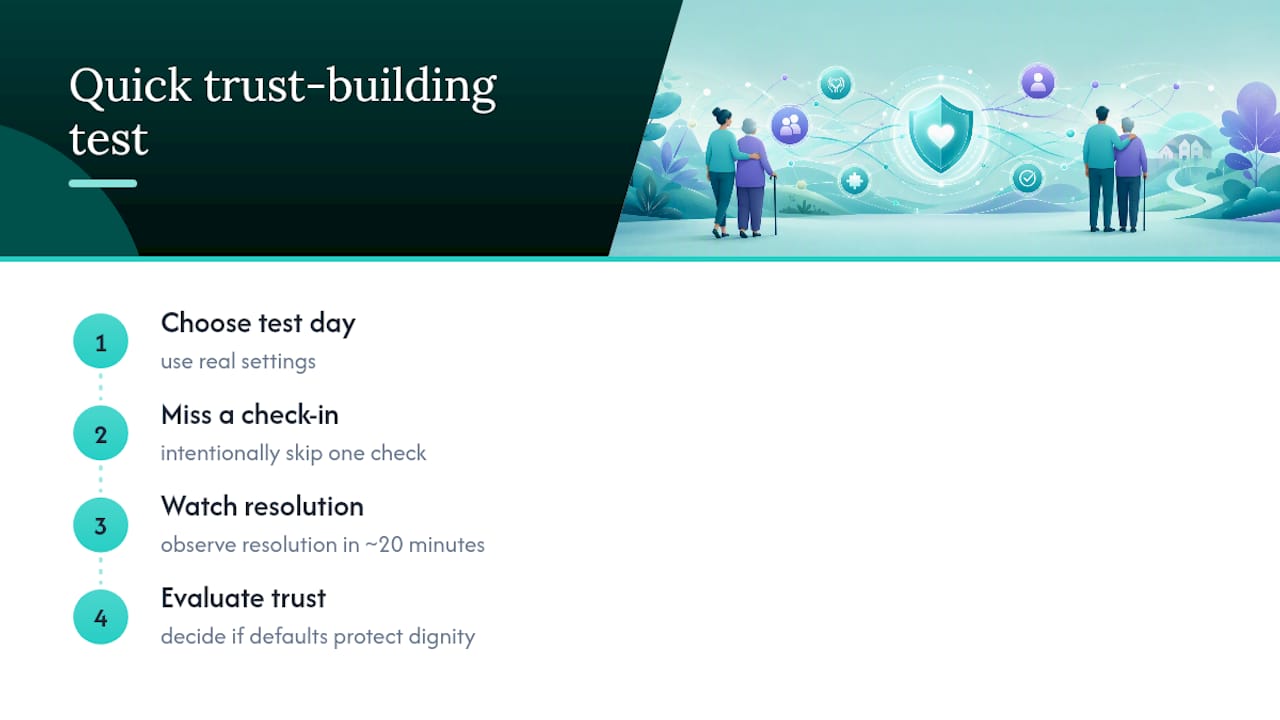
If you’re setting this up for a parent or client, the fastest way to build trust in the system is a short test: pick one day, use your real settings, and watch how an intentionally missed check-in resolves. It takes twenty minutes and tells you more than any feature comparison will.
— Brian
Setting Up Smart Caregiver Analysis in Well-Check
Well-Check builds smart caregiver analysis directly into its daily workflow instead of bolting it on as an add-on feature. The app tracks one-tap check-ins, missed-check alerts, medication reminders, and GPS location, then routes alerts through a configurable buffer to your emergency contact network so the right person hears about the right thing at the right time.
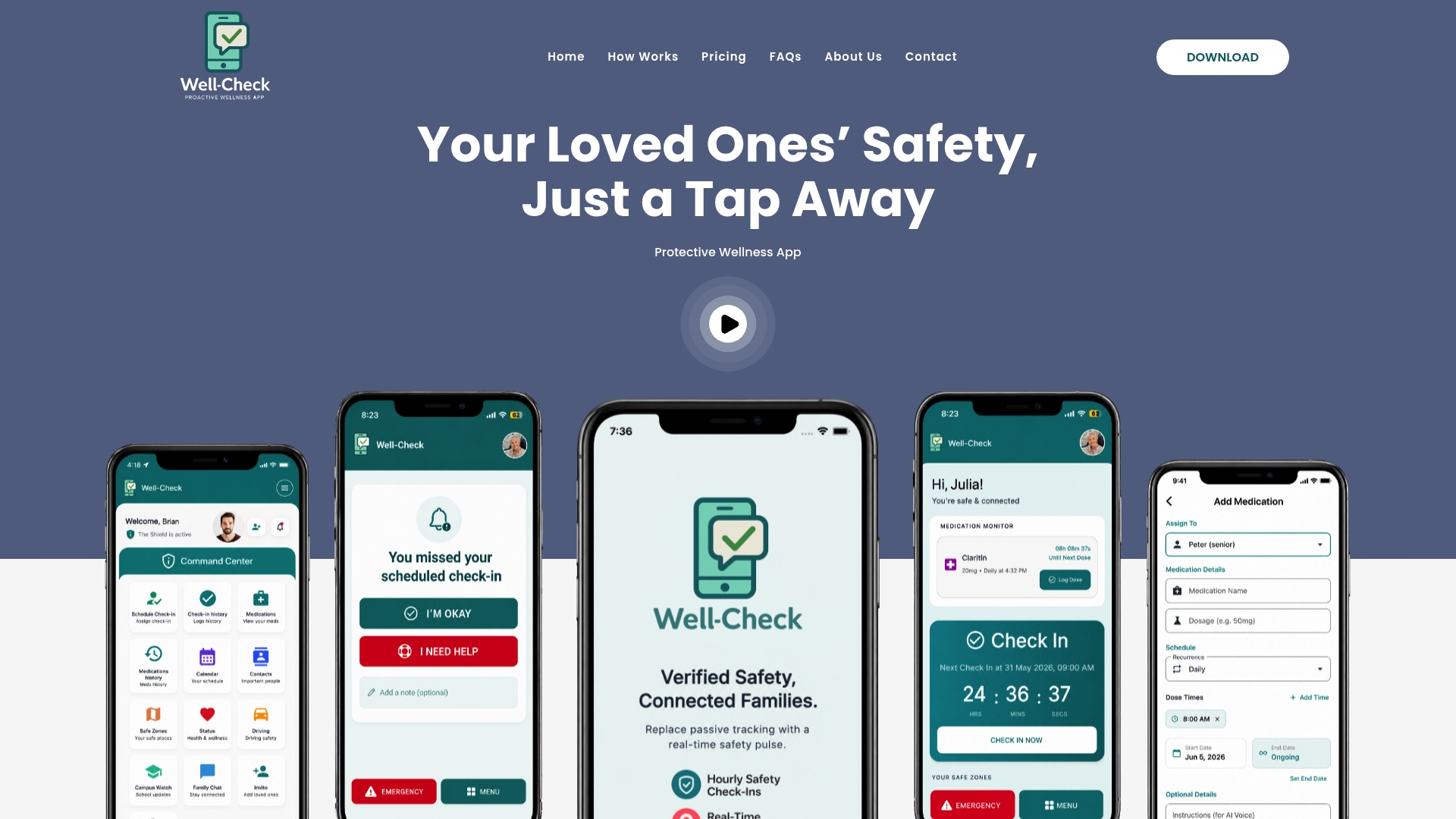
Getting started takes about ten minutes. Pick check-in times that match your loved one’s actual routine, not an arbitrary schedule. Set an alert buffer that gives room for a slow morning without sitting on a real problem too long. Add two or three emergency contacts in the order you want them notified. Then run a one-day test, the same dry run described earlier, before you rely on it for real.
You can see the full check-in and alert flow on the how Well-Check works page, or watch the product walkthrough if you’d rather see it in action first. Well-Check offers two plans, Essential at $5.99 per month and Complete at $7.99 per month, both built around the same check-in and analysis engine described in this guide. Pick a plan and set up your first check-in today.
Sources
FAQ
What Is Smart Caregiver Analysis in a Wellness App?
It’s the analytics feature inside an app like Well-Check that reads check-in timing, medication reminder responses, and GPS patterns to flag real risk and decide which contact to notify. It’s software analysis, not a physical monitoring device.
How Does the Alert Buffer Prevent False Alarms?
The app waits a set grace period and attempts a retry before sending any alert, so a brief delay doesn’t trigger an unnecessary notification. This buffer approach is a common vendor pattern used to avoid alert fatigue while still catching real problems.
Can Smart Caregiver Analysis Replace Medical Monitoring?
No. It’s designed to catch missed routines and unusual patterns early, not to diagnose or treat a medical condition. Pair it with regular checkups and share its check-in history with a doctor if patterns raise concern.
What Does Well-Check Cost?
Well-Check offers an Essential plan at $5.99 per month and a Complete plan at $7.99 per month. Both include daily check-ins, medication reminders, and configurable alert routing.
Will This Feature Work if My Parent Isn’t Tech-Savvy?
Most check-in flows are built around a single tap, which keeps the learning curve low even for a first-time smartphone user. Studies on personalized mHealth apps for older adults found high acceptability after moderate use over several weeks, see this study for more details.