Critical Alerts are notifications that can light your screen and play a sound even when your iPhone is muted or in Do Not Disturb. Open Settings > Notifications, pick the app, and look for a Critical Alerts switch. If a permission prompt is stuck, a force restart or an update to iOS and the app usually clears it.
TL;DR:
- An app needs Apple’s entitlement and your permission, then must send alerts at the critical level; enabling the switch alone does not make notifications critical.
- If the Critical Alerts switch is missing, update iOS and the app, check app settings, and ask its developer whether it has Apple’s entitlement.
- For a stuck prompt, force restart first, update iOS and the app, then reinstall; resetting settings is a last resort and does not erase data.
- Government and Emergency Alerts are separate from app Critical Alerts: carriers and authorities send them, and availability depends on your region, carrier, and iPhone model.
- Allow Notifications must also be on; test an app provided alert with the ringer silent and a Focus active to confirm it breaks through.
Table of Contents
- What Critical Alerts do on your iPhone
- How to enable Critical Alerts for an app
- Fix a stuck Critical Alerts permission prompt
- Why Apple requires a developer entitlement
- How app Critical Alerts differ from Government and Emergency alerts
- Quick checklist before you dig deeper
- Why we think Critical Alerts belong to real emergencies
- FAQ
- Sources
What Critical Alerts do on your iPhone
Apple’s developer documentation says a Critical Alert is presented immediately, lights the screen, and can play a sound despite the mute switch. Here is how that plays out in daily use:
- The notification breaks through Focus modes and Do Not Disturb when the app sends it at the critical level.
- The app can pick a custom sound and volume. If it doesn’t, the system uses a default critical-alert sound.
- Apple designed the feature to be disruptive on purpose, so it is not a setting every app can use.
Think of a glucose monitor warning or a safety app telling a caregiver that a check-in was missed. Those are moments where a silent banner is not good enough. An ordinary notification respects your mute switch. A Critical Alert does not, which is exactly why Apple guards it.
How to enable Critical Alerts for an app
Before you start, make sure the app actually supports Critical Alerts, that its regular notifications are allowed, and that iOS is current. Then:
- Open Settings on your iPhone.
- Tap Notifications.
- Scroll to the app and tap its name.
- Confirm Allow Notifications is on.
- Turn on Critical Alerts if the switch appears.
- Trigger a test alert from inside the app, if it offers one, with your ringer switched to silent.
Turning the switch on does not make every notification critical. Apple Support notes that the app itself must send a notification at the critical level, so check the app’s own alert categories too.
If the Critical Alerts switch is missing, update the app and iOS, look through the app’s internal settings, and contact the developer. A missing switch is often expected, and the entitlement section below explains why.
Pro Tip: Run your test with the ringer on silent and a Focus active. If the alert still sounds, you know it can reach you even when your phone is muted or a Focus is active.
Fix a stuck Critical Alerts permission prompt
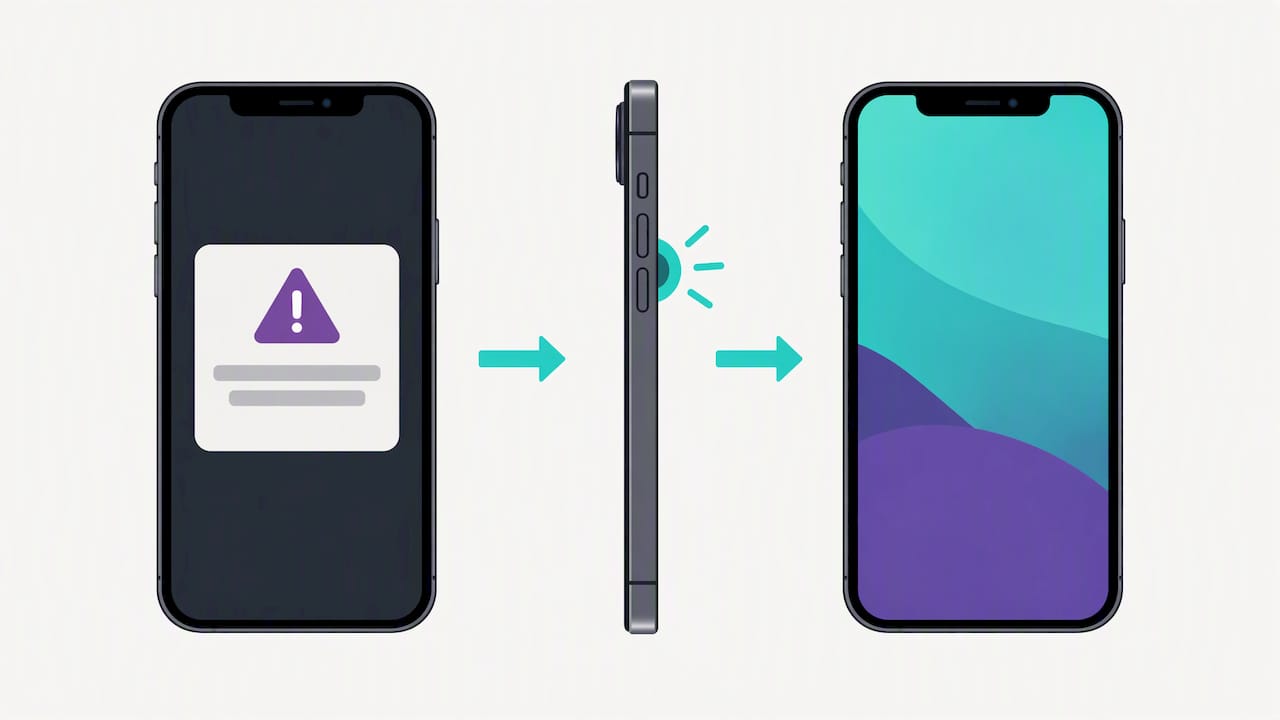
Sometimes a prompt such as “Home wants to send you Critical Alerts” freezes, ignores your taps, or keeps coming back. Work through these in order and test the prompt after each step:
- Force restart. Press and release Volume Up, press and release Volume Down, then hold the side button until the Apple logo appears.
- Update iOS. Go to Settings > General > Software Update and install anything pending.
- Update the app. Check the App Store for a newer version.
- Reinstall the app. If the prompt keeps misbehaving, delete the app and install it fresh to refresh its notification registration.
- Nudge the notification system. Toggle a Focus or the Silent switch, then open Settings > Notifications and briefly change another app’s setting.
- Reset settings. As a last resort, use Settings > General > Transfer or Reset iPhone > Reset and choose Reset All Settings. This restores system settings such as Wi-Fi passwords, wallpaper and notification preferences to defaults, but it does not erase your data.
If nothing works, contact the app developer or Apple Support. The problem may sit on the app’s side.
Pro Tip: Do the force restart before anything else. It is a quick first step to try when a prompt is stuck.
Why Apple requires a developer entitlement
Apple’s entitlement documentation says only apps holding the com.apple.developer.usernotifications.critical-alerts entitlement can request Critical Alerts authorization. Developers must ask Apple for it. That has a few practical consequences for you:
- If an app lacks the entitlement, the Critical Alerts switch will not appear, and nothing on your iPhone can add it.
- A missing switch usually points to the app’s status, not a fault with your phone.
- Your best move is to update the app and iOS, then ask the developer whether they support Critical Alerts.
Apple gates the feature because it overrides your mute and Focus choices. Limiting it to approved apps keeps that power from turning into constant noise.
How app Critical Alerts differ from Government and Emergency alerts
These are separate systems, and mixing them up leads to a lot of wasted troubleshooting. Apple Support explains the split:
- App Critical Alerts come from third-party apps, depend on the app’s entitlement, and need your permission.
- Government and Emergency Alerts come through carriers and regional authorities, and availability depends on your country or region, carrier and iPhone model. You manage them under Settings > Notifications in the Government Alerts section.
- Enhanced Safety Alerts depend on region and iOS version. Apple’s current guidance lists the United States and Taiwan and requires iOS 26.2 or later. That requirement does not apply to ordinary app Critical Alerts.
Quick checklist before you dig deeper
Run through this short list first. It may help with troubleshooting:
- Install any available iOS update, since some alert behavior depends on recent versions.
- Update the app from the App Store, or reinstall it to refresh its notification registration.
- Confirm Allow Notifications is on for the app.
- Check whether a paired Apple Watch is mirroring the alert and swallowing the sound.
- If the problem is Messages rather than a third-party app, Apple has a separate Messages guide, and message filters in iOS 26 can hide messages too.
Why we think Critical Alerts belong to real emergencies
Our view is simple: Critical Alerts earn their place only when something truly cannot wait. An app that fires them for sales or streaks teaches people to switch them off, and then the one alert that mattered gets muted. For caregivers, the better question is whether an app has a clear emergency flow, tested notification behavior, and a way to escalate to another contact if the first one does not respond. We bring daily check-ins, emergency contacts and caregiver alerts together in Well-Check. The alert is only one link in the chain, and the chain is what protects someone living alone.
— Brian
FAQ
How do I fix critical alerts on my iPhone?
Start with a force restart, then update iOS and the app. If the prompt is still stuck, reinstall the app or reset notification settings. If the switch never appears, the app may lack Apple’s required entitlement.
Why did I get a critical alert on my iPhone?
An app you allowed sent a notification at the critical level, which can sound and light the screen even when your phone is muted. It may also have been a Government or Emergency alert, which is a separate system sent through carriers and authorities.
Why did I get a critical out of security warning on my iPhone?
Apple does not document a notification by that exact name in the sources we use. It is most likely an app alert or a system warning, so open it, note which app sent it, and check that app’s notification settings. If it looks suspicious, contact Apple Support.
What are critical alerts on iPhone messages?
Messages does not use app-style Critical Alerts the way a safety app does. If you are missing message notifications, check Allow Notifications, Apple Watch behavior and message filters, as covered in Apple’s Messages notification guide.
Sources
- UNNotificationInterruptionLevelCritical | Apple Developer Documentation
- How to get notifications on your iPhone and Apple Watch – Apple Support