A phone’s GPS chip can fix its position about once per second (1 Hz), but almost no app should ask for that. For most tracking, including keeping an eye on an older parent, an update every 1 to 5 minutes, plus a fresh fix when something looks wrong, gives you useful answers without draining the battery or feeling like surveillance.
This guide explains what the numbers mean, why the dot on your map sometimes jumps or lags, and how to pick a setting for a person rather than a vehicle.
TL;DR
- Consumer phones top out at roughly 1 Hz, one fix per second. Faster rates need specialized hardware.
- Shorter intervals cost battery. Apps and operating systems deliberately batch or skip updates, so the interval you set is not always the interval you get.
- Frequency is not accuracy. Open-sky GPS is typically good to about 16 feet (4.9 m), and indoors it can be much worse.
- For safety, a reliable daily check-in plus alerts on a missed one beats a constant stream of pings.
Table of Contents
- What “GPS update frequency” actually means
- How fast can GPS update?
- What is the GPS update frequency on an iPhone or Android phone?
- Common update intervals and what they cost
- Why the interval you set is not the interval you get
- Frequency is not accuracy
- Choosing a frequency for a person, not a vehicle
- Privacy: more pings means more exposure
- What if a location alert leads to an emergency?
- Our perspective
- Where Well-Check fits
- Testing your setup before you rely on it
- FAQ
- Sources
What “GPS update frequency” actually means
Three different things hide behind the phrase, and mixing them up causes most of the confusion.
- Receiver rate. How often the chip calculates a position. On phones this is generally capped near once per second.
- Request interval. How often an app asks the operating system for a location. This is the setting you see in tracker apps: every 10 seconds, every minute, every 5 minutes.
- Reporting interval. How often that location is sent to a server and shown to you. This is what you actually experience, and it can lag behind the other two.
When someone says “my tracker updates every minute,” they usually mean the second one. Whether the map on your screen moves every minute depends on the third.
How fast can GPS update?
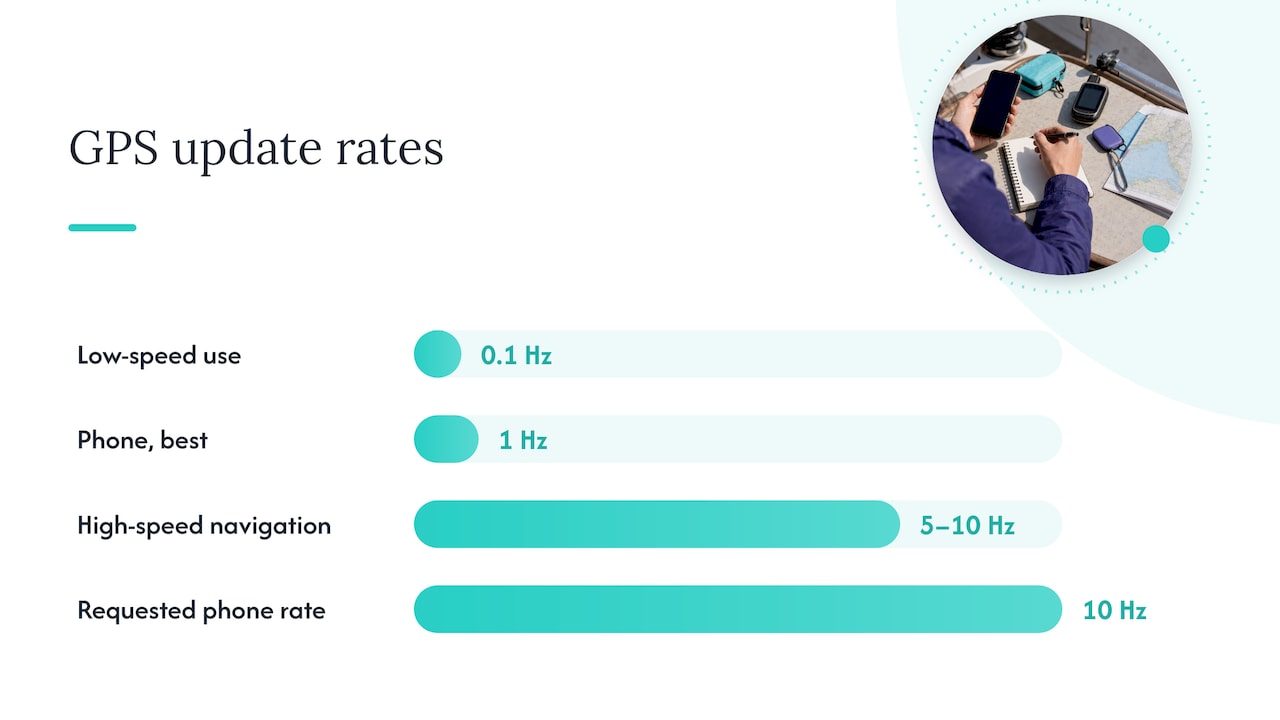
A GIS Stack Exchange discussion on smartphone sampling rates makes the practical point: a developer who asked for a 10 Hz reading by requesting updates every 100 milliseconds did not get one. Phones deliver about one fix per second at best. Specialized receivers can go faster, and a paper on receiver update rates notes that around 0.1 Hz can be fine for low-speed uses while 5 or 10 Hz matters for high-speed navigation.
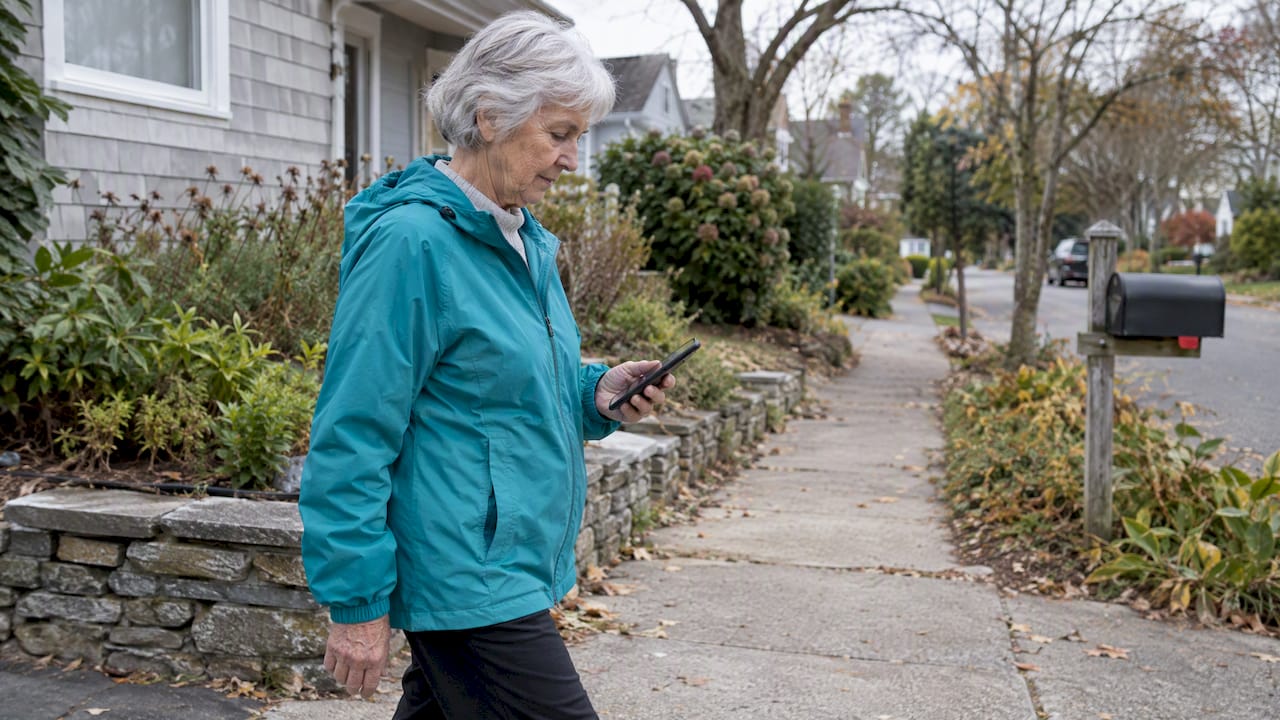
A person walking to the mailbox is a very low-speed use. Even a person driving rarely needs more than the 1 Hz the phone already provides.
What is the GPS update frequency on an iPhone or Android phone?
There is no single number, because the phone adapts to what each app requests and to how the phone is being used.
iPhone. Apps can request continuous updates while in use, or ask for lower-power modes in the background. Apple’s developer guidance, as quoted in an Apple developer forum thread, describes significant-change updates as waking an app roughly once every 15 minutes at minimum, and in that thread the same mode was observed to trigger after moving about 500 meters. In other words, a background app on an iPhone may hear from the location system only occasionally unless you allow more. Apple also explains in its Location Services support page that accuracy depends on how many satellites are visible and can improve over several minutes.
Android. Google’s location battery guidance tells developers to set timeouts, batch requests and use passive updates, so that an app receives locations only when other apps already triggered them. That is good for battery life, and it is why a requested interval can stretch.
If you manage an older adult’s phone, two settings matter more than any number in an app: location permission (always versus while using) and background refresh. We cover those here:
Common update intervals and what they cost
Tracking services commonly offer intervals from about 10 seconds to several minutes. The table below pulls together the typical trade-off. The battery figures come from one controlled test summarized by a phone-tracking blog, so treat them as an illustration, not a promise for your device.
| Interval | Typical use | Battery impact | What you see |
|---|---|---|---|
| 10 seconds | Live navigation, vehicle tracking | High: about 14.8% per hour in the test | A smooth, near-live path |
| 60 seconds | General tracking, geofence alerts | Moderate | Reliable arrival and departure alerts |
| 5 minutes | Power-saving, all-day tracking | Low: about 1.2% per hour in the test | A sparse path with gaps |
| Once per check-in | Daily wellness routine | Minimal | A location tied to a moment that matters |
The same test reported that moving from 10-second to 5-minute updates cut hourly drain by more than 90%. That matters for an older adult who may forget to charge a phone. A phone that is dead at 4 p.m. tells you nothing.
Why the interval you set is not the interval you get
Phones are built to save power, and location apps work inside that system.
- Batching. The operating system may hold several locations and deliver them together. A one-minute request can show up as a clump every five to ten minutes, which looks like a jump on the map.
- Stationary phones. If the phone is sitting still on a nightstand, the system often has no reason to wake the GPS.
- Network fallback. Indoors, a phone with poor satellite visibility switches to Wi-Fi and cell-tower positioning. The marker can hop between a precise GPS fix and a rough network fix. The GPS.gov accuracy page explains that accuracy degrades near buildings, bridges and under tree cover.
- Interpolation. Some services connect sparse points with a line. A study of GPS refresh rates in police patrol data is a reminder that this path is an estimate, not a record of where someone walked.
So a marker that “jumped” is usually the phone doing its job, not a broken app.
Frequency is not accuracy
You can poll every second and still be wrong by a block. The U.S. government’s GPS site gives typical open-sky civilian accuracy of about 4.9 meters (16 feet). Under real-world conditions it is worse, and a faster interval does not fix it. Research on GPS receivers in health studies notes that the effect of changing the collection interval on positional accuracy is poorly understood.
For caregivers, this means reading a fix by its radius and timestamp, not just the dot. A dot with a 100-meter circle from 20 minutes ago is a clue, not an address. Our guide on reading GPS fixes by radius and timestamp shows how.
Choosing a frequency for a person, not a vehicle
When the thing being tracked is a delivery truck, you want a dense trail. When it is your mother, the questions are different:
- Is she up and moving today as she usually is?
- Did she leave the house, and did she come back?
- If she misses a check-in, where was she last?
None of these needs a ping every 10 seconds. Researchers who monitor mobility in older adults argue that the best approach is capturing enough daily data across a full week to show normal patterns, rather than dense bursts that show a small, unrepresentative window. The same logic applies at home: you want to know what normal looks like so you can notice a change.
A practical starting setup
- Daily check-in at a set time. One tap on “I’m okay” confirms she is fine, in her own words, with no map needed.
- A grace period. Wait a reasonable window before alerting, so a late breakfast does not trigger a family call. We explain ours in what a wellness check means and how the grace period works.
- Moderate location updates, around 1 to 5 minutes, only when needed. Researchers writing on geofencing found that intervals around 60 seconds can still support reliable arrival and departure alerts.
- Temporary live sharing for specific moments. A doctor’s appointment or a first solo drive after surgery is a good time for it. See temporary location sharing, one hour and not forever.
- Battery rule. Charge overnight and agree on what happens if the phone is at 15%.
Privacy: more pings means more exposure
Precise location is among the most sensitive data a phone produces. A Consumer Reports advocacy letter supporting California’s location privacy bill states that 95% of people can be uniquely identified from just four location points. A high-frequency history is therefore a detailed diary of someone’s life.
Before choosing any app, ask:
- How long is location history kept?
- Is it ever sold or shared with advertisers?
- Can the older adult see who is looking and when?
- Can the person pause sharing?
Our three nonnegotiables for senior GPS apps and our piece on privacy for senior tracking go deeper. Agree on the rules together too: the location sharing etiquette agreement is a short conversation starter.
What if a location alert leads to an emergency?
A good location fix can shorten the time to help, and it can also start a chain of costs nobody planned for. Families sometimes learn only afterward that ground ambulance transport can leave Medicare beneficiaries with large bills. It is worth reviewing coverage before you need it, at the same time you set up your emergency contacts.
Our perspective
We built Well-Check around a simple belief: the most useful signal is a person telling you they are fine, not a dot telling you where a phone is. A location update is supporting evidence. It becomes important when a check-in has been missed and the family needs a place to start.
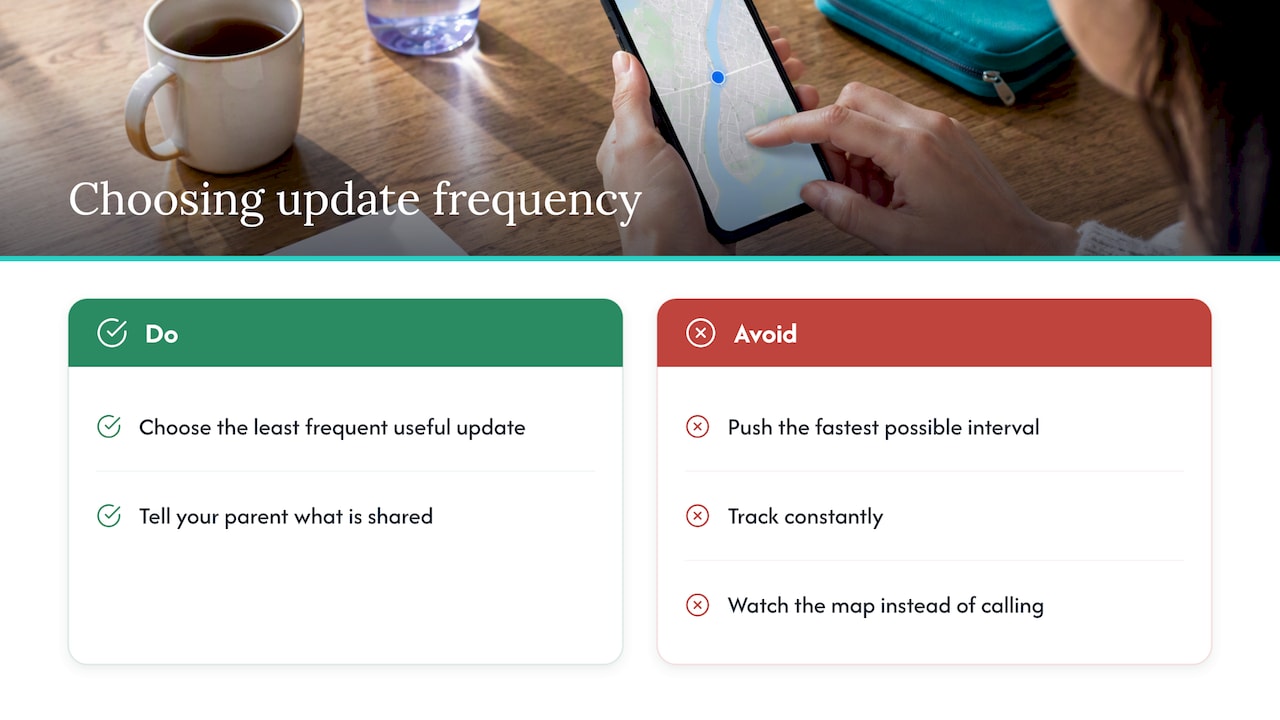
That is why we do not push the fastest possible interval. Constant tracking drains batteries, creates a trail that most older adults never agreed to, and trains families to watch a map rather than call. We aim for independence without surveillance: one-tap check-ins, customizable contact networks, medication reminders, and GPS used as a tool at the right moment.
If you take one thing from this article, take this: decide what question you want answered, then choose the least frequent update that answers it. Then tell your parent exactly what is shared, with whom, and when.
— Brian
Where Well-Check fits
Well-Check combines daily check-ins, medication reminders, missed check-in alerts to your emergency contacts, an emergency contact network and GPS location in one app. Plans are published on our pricing page: Essential is 5.99 USD per month and Complete is 7.99 USD per month. If you are still deciding between an app and a dedicated device, start with how to choose a medical alert app or device by real habits.
Testing your setup before you rely on it
Settings on paper are not the same as behavior in daily life. Run these tests in one afternoon:
- Leave the phone stationary for an hour, then check how stale the last location looks.
- Walk to a point a few blocks away with the phone in a pocket, and note how long the update takes.
- Go indoors and check how the accuracy circle changes.
- Turn on battery saver and repeat. Many phones reduce background activity in this mode.
- Miss a check-in on purpose and confirm the right people are alerted.
The family emergency alert test walks through step five in under an hour.
FAQ
How often does a GPS tracker update location?
Most consumer trackers update somewhere between every 10 seconds and every 5 minutes, and some budget devices report much less often to save battery. The right choice depends on the use: shorter for vehicles, longer for people. For an older adult at home, 1 to 5 minutes during outings is usually plenty.
How fast can GPS update?
Phones generally deliver about one fix per second, or 1 Hz. Specialized receivers can reach higher rates, but that matters mostly for fast-moving uses like vehicles and sports. Faster does not mean more accurate.
Why does my location jump around on the map?
Often the phone is switching between satellite GPS and Wi-Fi or cell-tower positioning, or the operating system is delivering batched updates. Poor satellite view near tall buildings or indoors makes it worse. Check the accuracy radius and timestamp before concluding the person has moved.
Does a faster update rate drain the battery?
Yes. In one controlled test, 10-second updates used about 14.8% of the battery per hour, versus about 1.2% for 5-minute updates. Your results will vary by phone and signal conditions, but the direction is consistent.
Sources
- Maximum GPS-based location sampling rate of smartphones (GIS Stack Exchange)
- GPS Accuracy (GPS.gov)
- The Suitability of GPS Receivers Update Rates for Navigation Applications (WASET)
- Significant-Change Location Updates (Apple Developer Forums)
- About privacy and Location Services in iOS (Apple Support)
- Optimize location use for battery life (Android Developers)
- The effect of GPS refresh rate on measuring police patrol in micro-places (Crime Science)
- Dynamic Accuracy of GPS Receivers for Use in Health Research (PMC)
- Mobility monitoring in older populations (Sensors, MDPI)
- California Location Privacy Act of 2025 support letter (Consumer Reports)