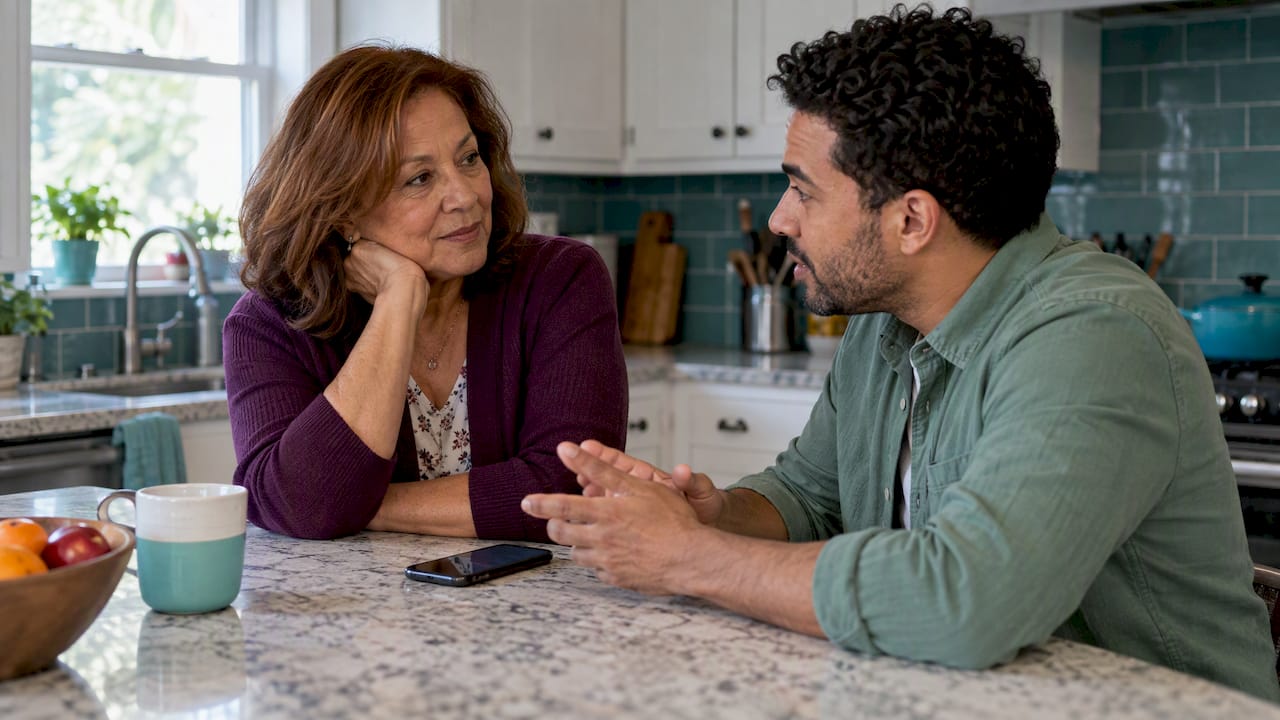
You can’t convince a parent to share their location by arguing that it is safer. You do it by making it their decision: tell them honestly what worries you, offer the smallest kind of sharing that solves it, and agree on who sees what and how to turn it off. If you do that, many parents say yes. If they still say no, you have other ways to stay reassured, and the relationship matters more than the dot on the map.
This guide is for adult children and caregivers of older parents, especially parents who live alone. It covers what to say, the objections you will hear, the ground rules to settle before anything is switched on, and what to do when the answer is no.
TL;DR
- Open with your worry, not with the app. Say what you are afraid of and ask what would make them comfortable.
- Offer small, reversible choices first: sharing for an hour, a day, or one trip, rather than “always on.”
- Agree before you start on who can see the location, for how long, what alerts exist, and how your parent can stop sharing at any time.
- Location sharing supports safety but doesn’t replace human contact, and no system is perfectly accurate.
- A firm no deserves respect. Offer an alternative, such as a daily check-in, and revisit the topic later.
Table of Contents
- Start by accepting that it is their call
- What to say: a conversation that works
- The objections you will hear, and honest answers
- Agree on the rules before you switch anything on
- Start small: temporary sharing is an easy yes
- When the concern is memory, not privacy
- Our perspective: independence without surveillance
- If your parent says no
- A gentler option: daily check-ins with Well-Check
- FAQ
- Sources
Start by accepting that it is their call
Most failed conversations about location sharing fail in the first minute. The parent hears “I want to track you,” and what they feel is a loss of independence. They have run their own lives for decades, and a request that sounds like supervision can feel like the first step toward being managed.
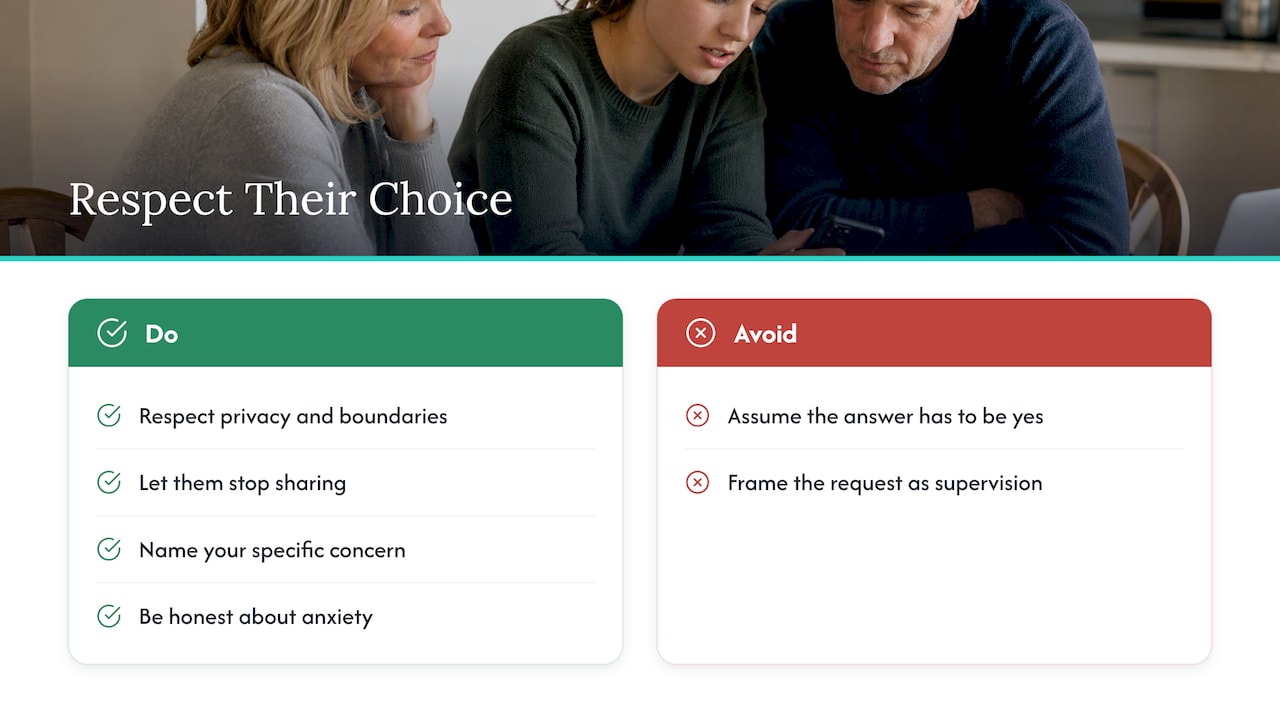
AARP’s family technology guidance puts the principle plainly: respect everyone’s trust, privacy and boundaries, and let family members choose not to share or stop sharing at any time. That is a good rule for the whole conversation. If you walk in believing the answer has to be yes, you will push. If you walk in ready to hear no, you will listen, and parents who feel listened to are far more likely to agree.
It also helps to be honest with yourself about your motive. Is it a specific event, like a fall, a scare while driving, or a bout of confusion? Or is it general anxiety? Specific reasons are easier to explain and easier to solve with a narrow tool. General anxiety is worth naming too, because “I worry and it would help me sleep” is a real and sympathetic reason.
What to say: a conversation that works
Pick a calm moment, in person or on a call you didn’t spring on them. Not right after an incident, and not with siblings piling in. Here is a structure that tends to work.
1. Say what you are afraid of
Be concrete. “When you go for your walk and I can’t reach you, I picture you on the ground somewhere” lands better than “it’s for your safety.” Naming the fear makes it about you and your worry, which is hard to argue with, and it doesn’t imply they are failing.
2. Explain what it does, and what it doesn’t
Location sharing can help family members know loved ones are safe and find them in an emergency, as AARP explains. Be just as clear about the limits. The Alzheimer’s Association notes that GPS and location sharing can support safety, including reducing the risk of wandering, but no system is 100% accurate and tracking is not a substitute for a 24-hour companion. Telling your parent this up front builds trust. You aren’t promising to watch over them every second, and you aren’t asking for the right to.
3. Ask a question
“What would make you comfortable with this?” turns a request into a negotiation they have a say in. Parents often have a very specific objection, such as “I don’t want you seeing every time I go to the doctor.” You can solve that. You can’t solve a worry you never heard.
4. Offer two or three options
People resist being given an order and accept being given a choice. Offer a few versions of the arrangement (see the next sections) and let them pick. Even choosing between two options gives them back some control.
5. Propose a trial
“Let’s try it for two weeks and then talk about whether it’s working” is far easier to agree to than a permanent change. It signals that you will honor their verdict.
The objections you will hear, and honest answers
Most resistance falls into a few patterns. Treat each as a legitimate concern, not an obstacle.
| What your parent says | What is usually behind it | A respectful response |
|---|---|---|
| “I don’t need to be watched.” | Fear of being treated as frail | “I’m not watching. I want to know you’re okay if I can’t reach you. You decide when it’s on.” |
| “You’ll know everywhere I go.” | Privacy and personal dignity | Offer approximate location, sharing only during outings, or a single check-in instead |
| “You’ll worry more, not less.” | They don’t want to cause anxiety | Agree on when you will and won’t look, for example only after a missed call |
| “I don’t trust apps with my data.” | Distrust of companies that sell data | Pick a service with clear privacy terms, name who can see the data, and keep history short |
| “I can’t work the phone.” | Fear of looking incompetent | Set it up together, then practice stopping and restarting the sharing |
The data concern is not paranoia. In December 2024, the FTC proposed an order barring a data broker from using, selling, or disclosing sensitive location data from specified sensitive locations, which shows regulators take the commercial trade in location data seriously. A parent who asks “who else gets this?” is asking a smart question. Have an answer ready: who the contact is, whether the app sells data, and how long history is kept.
Privacy regulators elsewhere make a related point. France’s data protection authority, CNIL, says in its guide for parents and teachers that geolocation can affect freedom of movement and privacy. Treat your parent’s location as intimate information, not something the family is entitled to. That framing changes your tone for the better.
If you want a deeper look at what a trustworthy app should and shouldn’t do, our privacy playbook for senior GPS apps and our piece on protecting dignity in senior tracking are good next reads.
Agree on the rules before you switch anything on
A yes without ground rules tends to turn into a fight three weeks later. Settle these points in the same conversation, and ideally write them down in a few lines both of you can see.
- Who can see it. Name the people. Not “the family,” but you and perhaps one sibling. Fewer viewers means fewer worries.
- When it is on. Always on, during outings only, or only on request. Phones on iPhone can share for an hour, until the end of the day, or indefinitely, so the tool already supports different levels.
- How precise. Android and Apple devices let people share with selected contacts and choose precise or approximate location. Approximate may be enough for reassurance.
- What you will do with it. For example: “I’ll only look if you miss a call and I can’t reach you after an hour.” Not casual browsing, and no “why were you at the pharmacy?” texts.
- How long history is kept. If the service stores past locations, decide whether that is necessary at all.
- How to stop. Practice together. If your parent can’t turn it off with confidence, it isn’t truly their choice.
Our six-point agreement on location sharing etiquette gives caregivers a template to adapt. It also helps to know the line you should never cross: if sharing is imposed or used to control, it can become harmful, which we cover in when location sharing becomes stalking.
Start small: temporary sharing is an easy yes
The biggest mistake is asking for permanent, always-on sharing as the opening bid. Start with the smallest arrangement that solves the actual problem.
- A one-time pin when you are meeting somewhere and need to find each other.
- Time-limited sharing for a specific outing, such as a long drive to a new place or a doctor’s appointment across town.
- Trip progress while they travel, so you know when they arrive.
This works because each step is reversible and the benefit is obvious. Your parent sees that you used it for the purpose you named and stopped looking when it ended. That is how trust builds. We wrote about this approach in temporary location sharing: one hour, not forever.
If your parent is active and out of the house often, such as on the court or on long walks, a short share for the outing fits naturally, and a senior pickleball safety checklist can help with the safety side of the sport itself.
Once a few of these go well, your parent may offer to share more themselves. Let that come from them.
When the concern is memory, not privacy
The conversation is different when a parent has dementia or early memory loss. Wandering is a real risk, and location tools can help, but consent gets more delicate as judgment changes. The Alzheimer’s Association stresses that technology should support independence and be used alongside other safety measures, not instead of them. Talk with your parent’s doctor and, where appropriate, involve your parent early while they can still express their wishes. Our guide to preventing wandering in dementia covers practical steps.
If you want to understand how precise phone location is, what GPS accuracy looks like outdoors and how often location updates are worth reading before you promise your parent anything the technology can’t deliver.
Our perspective: independence without surveillance
We build a safety app for older adults who live alone, and the most important thing we have learned is that the technology is the easy part. The hard part is the conversation. Most seniors don’t object to being safe. They object to being watched.
That is why we think the right starting point is often not a map at all. A daily check-in, where your parent taps once to say “I’m okay,” tells the family what they most need to know without revealing where anyone has been. If a check-in is missed, emergency contacts are alerted, and location can be part of a more complete setup that the parent understands and agrees to. The parent stays in charge of the routine, and the family hears only when something may be wrong.
We also think families should treat location as a tool for specific moments, not a permanent feed. Reassurance that costs your parent their sense of privacy tends to cost the relationship too. If a feature can’t be explained to a skeptical 80-year-old in two sentences, we think it shouldn’t be on by default.
And we’d say this to every adult child reading: if your parent says no, the conversation is not over, but it is theirs to continue. You can keep asking how they feel about it, and you can find other routes to peace of mind.
— Brian
If your parent says no
A no is information, not a defeat. Here is how to respond so the door stays open.
- Say you heard them. “Okay. I don’t want you to feel watched.” Then stop. Pushing in the moment hardens the position.
- Ask what the objection is. Privacy, pride, technology, trust in the company? Each has a different fix.
- Offer an alternative that gives you what you actually need. If your need is “I want to know you’re okay each day,” a daily check-in or a regular call solves it without any location data. See our guide on choosing between a medical alert app and a device if emergencies are the concern.
- Agree on a safety floor. For example, a neighbor who has a key, an emergency contact list on the fridge, or emergency contacts set up on the iPhone.
- Revisit later. After a fall, a hospital stay, or a friend’s experience, people’s views change. Ask again, gently, in a few months.
Resist workarounds like secretly enabling sharing or installing something on their phone. Beyond the ethics, it tends to backfire badly when discovered, and it can edge into the territory we describe in our piece on location sharing and stalking.
If the phone itself is a barrier, our calm guide to grandparents using smartphones can help you make the technology feel less intimidating.
A gentler option: daily check-ins with Well-Check
If your parent wants independence and you want to know they are okay, Well-Check was built for exactly that middle ground. Your parent confirms they’re fine with one tap, can call for help from the same screen, and gets medication reminders. If a check-in is missed, the people on their emergency contact list are alerted. Location features are there for families who choose them, and the parent remains part of the decision.
Plans start at $5.99 per month for Essential and $7.99 per month for Complete. You can compare them on our pricing page, and our senior safety checklist walks you through a setup you can finish in one sitting.
FAQ
How do I bring up location sharing without my parent feeling controlled?
Start with your own worry rather than with a request, and ask what would make them comfortable. Make clear they can stop sharing whenever they choose, which fits AARP’s guidance on trust, privacy and boundaries. Offering a short trial helps, because it shows you will honor their verdict.
What is the smallest amount of sharing I can ask for?
A one-time pin or a share that ends after an hour or a day. These cover most real needs, like a long drive or a medical appointment, without a standing record of where your parent goes. You can always agree on more later if your parent suggests it.
Does location sharing keep my parent safe?
It helps, but it isn’t a guarantee. The Alzheimer’s Association says GPS can support safety yet no system is perfectly accurate and it can’t replace a human companion. Pair it with regular contact and an emergency plan.
What if my parent refuses completely?
Accept it for now and ask what is behind the refusal. Then propose something that meets your real need, such as a daily check-in or a trusted neighbor, and revisit the subject after a few months. Never enable tracking without their knowledge.
Sources
- Should Our Family Share Our Location with One Another (AARP)
- Technology Safety for Older Adults (Alzheimer’s Association)
- FTC Takes Action Against Mobilewalla (Federal Trade Commission)
- Un océan de données, adult booklet (CNIL)
- Senior pickleball safety checklist