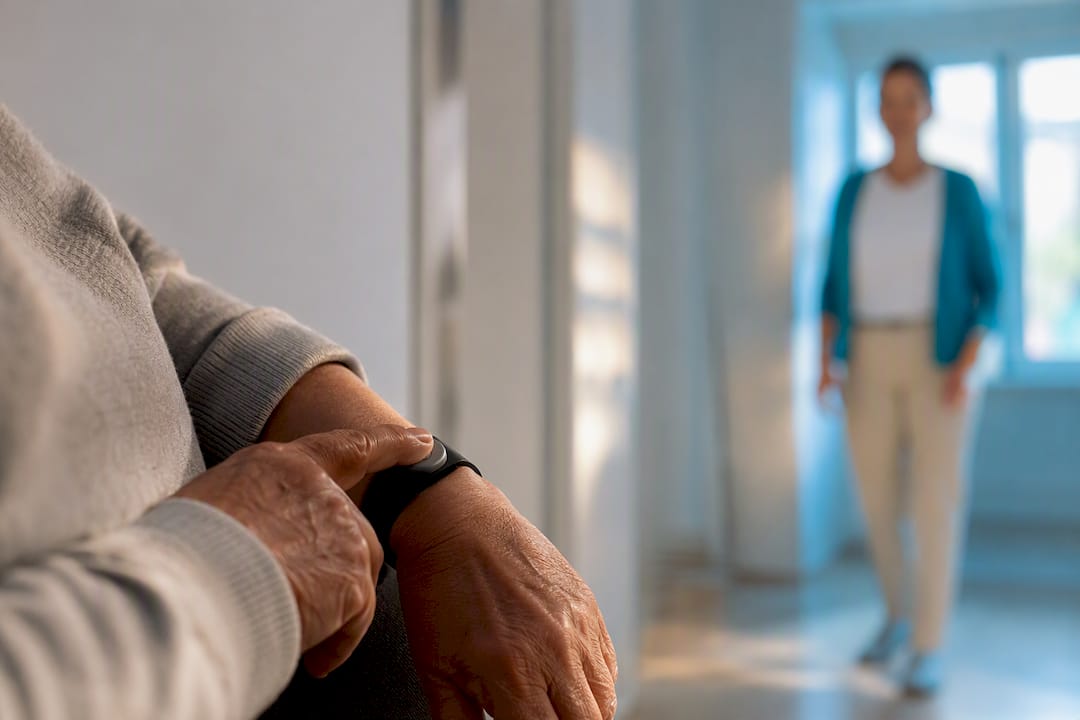
For seniors with a fall history, unsteady balance, or a serious health condition, a monitored medical alert system is the safer primary choice. For seniors who are mobile and independent but isolated or forgetful, a daily check-in app usually covers the real risk at a fraction of the cost. Most families end up happiest running both.
TL;DR:
- Monitored medical alert systems cost between $20 and $60 per month and provide immediate response with trained responders dispatching emergency services within about a minute.
- Check-in apps are significantly cheaper, often under $40 annually, and rely on family or friends to respond after missed check-ins, which can delay emergency assistance.
- Fall detection accuracy is imperfect, and in-home base stations or smartphones need reliable power and signal for effective coverage and response.
- For high fall or mobility risks, pairing a monitored alert with a check-in app offers comprehensive safety coverage; for low-risk seniors, a check-in app might suffice.
- The critical factor in choosing is what happens when the user cannot press a button or tap a screen, making monitored alerts essential for most serious physical emergencies.
Table of Contents
- Check-In vs Medical Alert: How Each One Actually Responds
- What Are the Pros and Cons of Each Option?
- How Do You Decide Between the Two?
- What Do These Services Actually Cost?
- How Reliable Is Fall Detection and Location Tracking?
- How Does Well-Check Fit Into This Framework?
- Ready to Try a Check-In System? Start Here
- The Real Decision Isn’t Features, It’s the Worst-Case Scenario
- Get Started with Well-Check for Daily Peace of Mind
- Sources
Check-In vs Medical Alert: How Each One Actually Responds
The real difference between these two categories isn’t the gadget. It’s what happens in the sixty seconds after something goes wrong.
A medical alert system is built around a trigger and a trained responder. The senior presses a button (on a pendant, wristband, or base unit), or a fall sensor detects a hard impact, and the signal routes to a professionally staffed monitoring center. A live agent gets on the line through two-way talk, confirms what’s happening, and dispatches EMS or a family contact if needed. Monitored medical alert systems typically run $20 to $60 a month and connect to 24/7 dispatch capability, which is the entire point of paying for the service.
A check-in app works on a different logic entirely. Instead of waiting for an emergency signal, it asks the user to confirm they’re okay on a schedule, once a day, twice a day, whatever the family sets. If that check-in doesn’t happen, the app escalates, not to a call center, but to whichever people the family designated: a daughter in another state, a neighbor, a home health aide. Check-in apps are often far less expensive than a monitored subscription because there’s no trained staff sitting behind the alert. It’s a social safety net, not a dispatch service.
That distinction drives everything else:
- Trigger type: manual button press or automatic fall detection (medical alert) versus a missed scheduled check-in or a manually tapped “I’m okay” (check-in app).
- Who responds: a trained monitoring agent with dispatch authority versus a family member or friend who has to decide what to do next.
- Coverage while out and about: mobile GPS-enabled alert devices track location on the go, while an in-home base station only covers a fixed radius around the house.
- Hardware: alert systems typically need a wearable pendant or wristband; most check-in apps run entirely on a smartphone the person already owns.
Response flow matters here more than most buying guides admit. With a monitored alert, a fall or button press can reach a live agent and EMS dispatch within roughly a minute. With a check-in app, the “response” only starts once a check-in window closes, which could be hours after something actually happened. Neither model is wrong. They’re built for different kinds of risk, and mixing them up is where families get burned.
What Are the Pros and Cons of Each Option?
Medical alert systems
- Direct line to trained professionals who can dispatch emergency services without a family member having to make that call.
- Automatic fall detection catches events the user can’t report themselves, including loss of consciousness.
- Two-way talk lets a monitoring agent assess the situation in real time.
- Works without a smartphone, which matters for seniors who don’t carry or use one reliably.
- Monthly fees, equipment costs, and sometimes activation fees or contracts add up over years of use.
- Only works if the device is actually worn. A pendant sitting in a nightstand drawer protects no one.
Daily check-in apps
- Dramatically lower cost than a monitored subscription, often free or under $40 a year for basic tiers.
- No extra hardware to charge, wear, or replace. It runs on the phone already in someone’s pocket.
- Alerts route to chosen family or friends, which feels far less clinical than a call-center relationship.
- Bundles wellness extras like medication reminders and activity tracking that alert systems don’t touch.
- Escalation is slower by design. If the check-in window is 12 hours, that’s the best-case delay.
- Depends on the user actually engaging with the app, and a missed check-in can be a false alarm just as easily as a real emergency.
How Do You Decide Between the Two?
Start with the medical picture, not the technology. A history of falls, fainting spells (syncope), seizures, or serious mobility limitations pushes hard toward a monitored medical alert, because those events can leave someone unable to act on their own behalf. A check-in app assumes the person can tap a screen. Someone unconscious on the kitchen floor can’t.
Next, look at daily habits. Does this person carry a phone consistently, or does it live in a purse in another room? Do they leave the house often and travel unpredictable routes, or stay close to home with visitors dropping by regularly? Frequent, unsupervised outings favor a mobile GPS alert device over a home base station.
Budget shapes the decision too, but not in isolation. A $20 to $60 monthly alert subscription buys a trained responder. A near-free check-in app buys peace of mind about routine wellness. Comparing them on price alone misses what each dollar is actually paying for.
A few operational questions round out the checklist:
- How long does the device battery last, and is there backup power during an outage?
- What’s the actual coverage range of the base station versus the mobile unit?
- Where is the monitoring center located, and is it accredited?
- How quickly does the check-in app escalate, and can that window be shortened?
Pro Tip: Run through this checklist with the senior in the room, not just about them. Compliance with a wearable device drops fast when someone feels like a decision was made for them instead of with them.
For high fall risk, pair a monitored alert as the primary layer with a check-in app as a low-cost backup that catches slower declines, like skipped meals or missed medication. For lower-risk, socially isolated seniors, the check-in app alone often does the job.
What Do These Services Actually Cost?
The sticker price only tells part of the story. What you’re really comparing is a monitoring model against a notification model, and the features stacked on top of each.
- Monitored medical alert plans generally run $20 to $60 per month, with fall detection, mobile GPS, and activity monitoring usually sold as add-ons rather than included by default.
- Some providers also sell optional daily wellness check-in calls as an add-on to a device subscription, which blurs the line between the two categories.
- Check-in apps typically use a freemium structure: a free or low-cost basic tier for simple check-ins, with premium tiers adding medication reminders, GPS tracking, and caregiver analytics.
- Watch for upfront equipment fees, multi-year contracts, and whether the provider offers a trial period or refund window before you commit.
Add it all up before comparing two providers side by side: monthly fee, device cost, activation charges, and any add-on you’d actually use. Ask sales reps directly what happens if you cancel mid-contract. That answer tells you more about the company than the feature sheet does.
How Reliable Is Fall Detection and Location Tracking?
Automatic fall detection uses accelerometers to sense sudden, hard motion consistent with a fall. It’s a genuinely useful feature for anyone at risk, but it isn’t foolproof. Fall detection accuracy is imperfect and can miss slow-motion falls, like sliding out of a chair, or trigger false positives from something as simple as sitting down too fast.
Network setup matters just as much. In-home base stations connect over landline, Wi-Fi, or cellular and generally include a backup battery for outages. Mobile units rely on cellular and GPS signals for on-the-go accuracy, which means coverage can weaken in rural areas or thick-walled buildings.
The real-world failure modes deserve equal attention:
- The pendant sits unworn in a drawer because it felt uncomfortable or embarrassing.
- The smartphone battery dies right when a check-in was due.
- Nobody in the family escalation chain is actually free to respond that day.
Redundancy fixes most of this. Test the button press, the fall-detection trigger, and the missed-check escalation before relying on any of it, and write down the emergency instructions somewhere a first responder can find them fast.
How Does Well-Check Fit Into This Framework?
Well-Check was built as a check-in solution, not a medical alert replacement, and that distinction shapes how we recommend it. The app centers on daily check-ins, medication reminders, GPS tracking, and caregiver analysis that flags patterns like missed doses or a drop in activity before they become emergencies.
A check-in app can’t replace a trained monitoring agent for an unconscious fall, but it can catch the slower problems, skipped medication, declining activity, a missed check-in three days running, that a medical alert device never sees at all.
Well-Check also publishes clear terms of use so families know exactly how data is handled and what the app is and isn’t responsible for.
Practical fit looks like this:
- Good as a primary solution for seniors who are mobile, cognitively sharp, and mainly need routine wellness oversight and family peace of mind.
- Best paired with a monitored medical alert for anyone with a fall history, seizure risk, or early cognitive decline, where unconsciousness or confusion could prevent a check-in entirely.
Ready to Try a Check-In System? Start Here
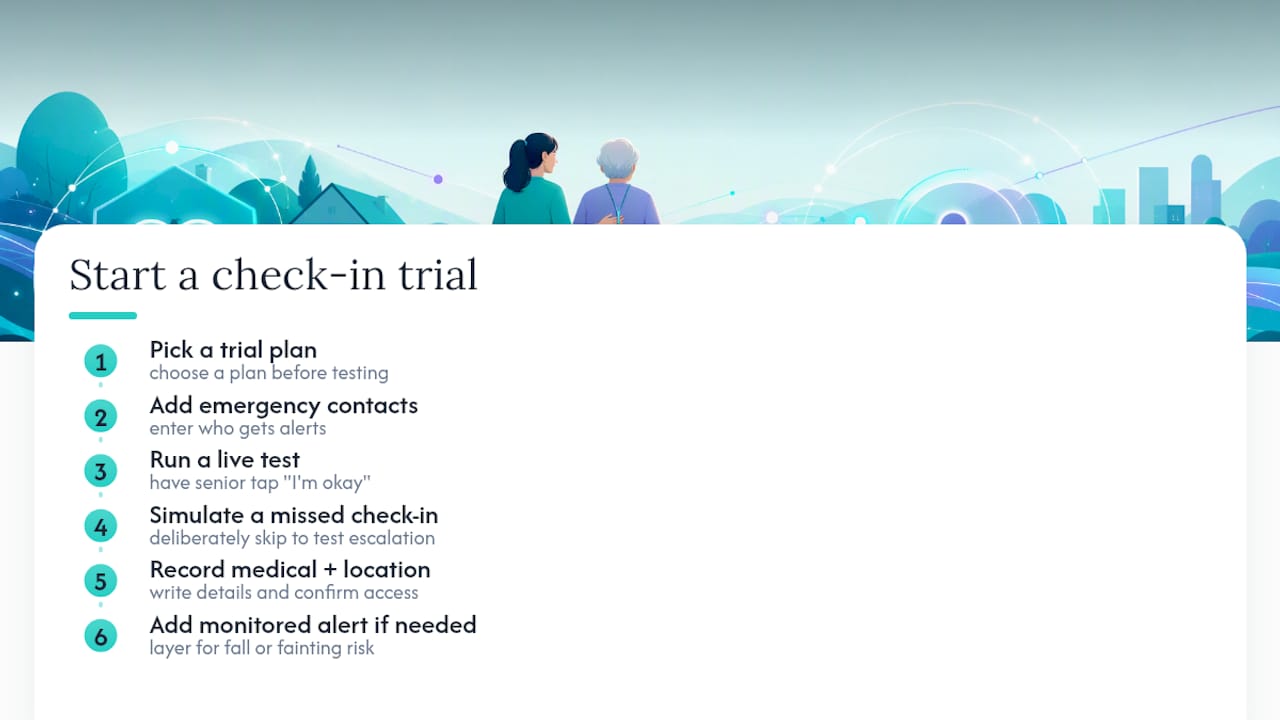
Pick a trial plan, add emergency contacts, and run a live test before day one matters. Have the senior tap “I’m okay,” then deliberately skip a check-in to see how the missed-alert escalation actually feels to the family receiving it. Write down medical details and confirm location access works. If falls or fainting are a real risk, layer a monitored alert on top rather than treating either tool as the whole plan.
The Real Decision Isn’t Features, It’s the Worst-Case Scenario
Most comparison guides walk you through feature checklists, GPS versus no GPS, two-way talk versus text alerts, as if the decision were about specs. It isn’t. The decision is about one question: what happens if this person can’t press a button or tap a screen?
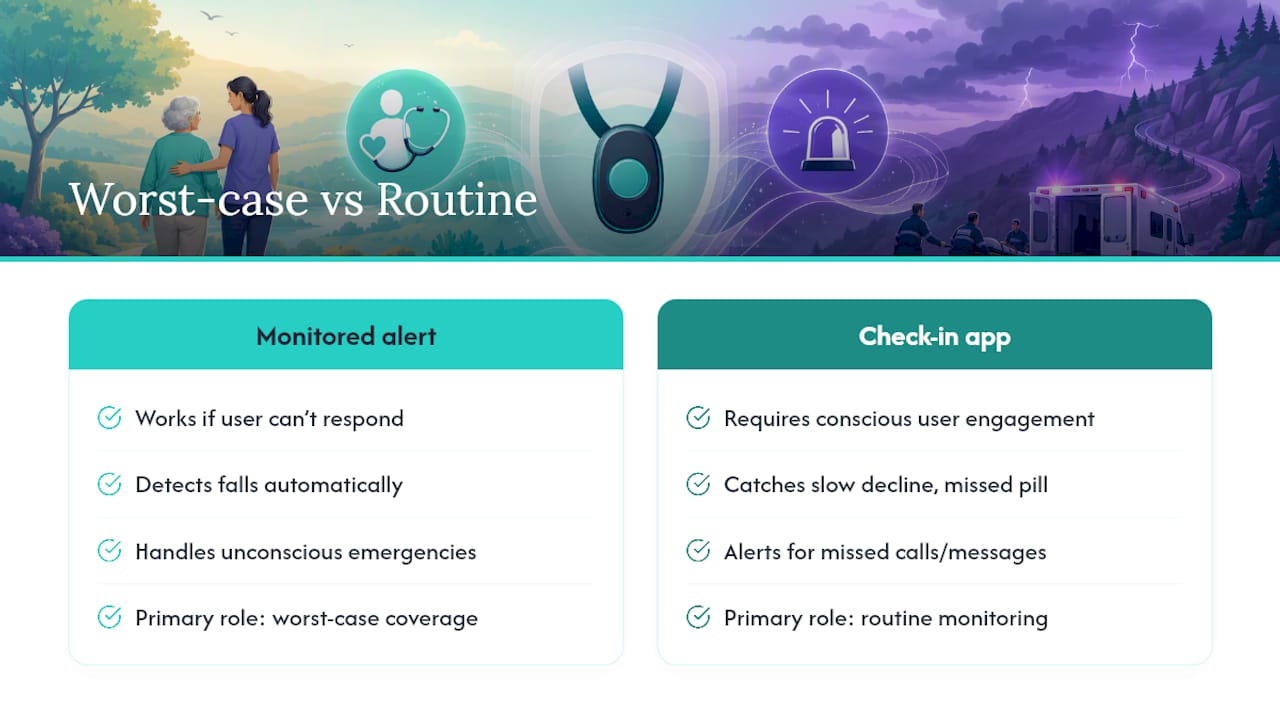
That’s where check-in apps have a hard ceiling. They assume the user is conscious, coherent, and willing to engage. A senior mid-seizure, unconscious after a fall, or in the fog of a cognitive episode can’t complete a check-in, no matter how well-designed the app is. That’s not a knock on the category. It’s just the honest boundary of what a notification-based system can do, and it’s the exact scenario a monitored medical alert with fall detection exists to cover.
Where conventional advice falls short is treating this as an either-or purchase. The households that get the best outcomes usually run a monitored alert for the worst-case physical emergency and a check-in app for everything else: the slow decline, the missed pill, the three-day stretch without a phone call home. Start by being honest about the worst case, then build outward from there.
— Brian
Get Started with Well-Check for Daily Peace of Mind
Well-Check is the practical starting point for families who need routine wellness oversight without committing to a monitored hardware contract. It gives caregivers a way to see, in real time, whether a parent or loved one checked in, took their medication, and moved around normally that day, all from a mobile app.
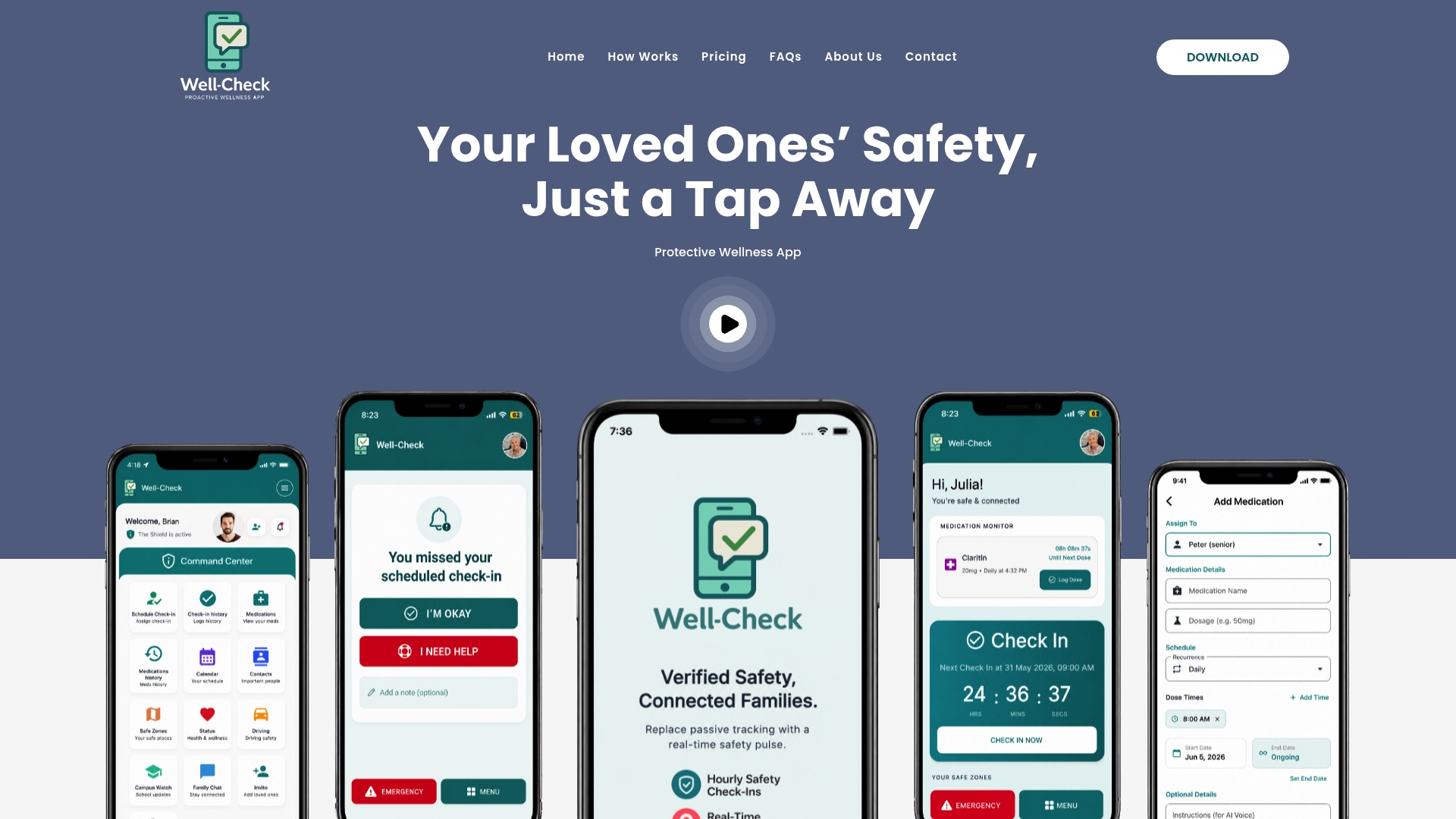
If falls, fainting, or serious mobility issues are part of the picture, pair Well-Check with a monitored medical alert and let each tool do the job it’s actually built for. But if the concern is isolation, forgetfulness, or simply wanting a daily signal that everything’s fine, Well-Check covers that ground on its own. Compare Well-Check’s pricing plans against a monitored subscription, and start a trial to see how missed check-in alerts actually reach your family before you decide what else you need.