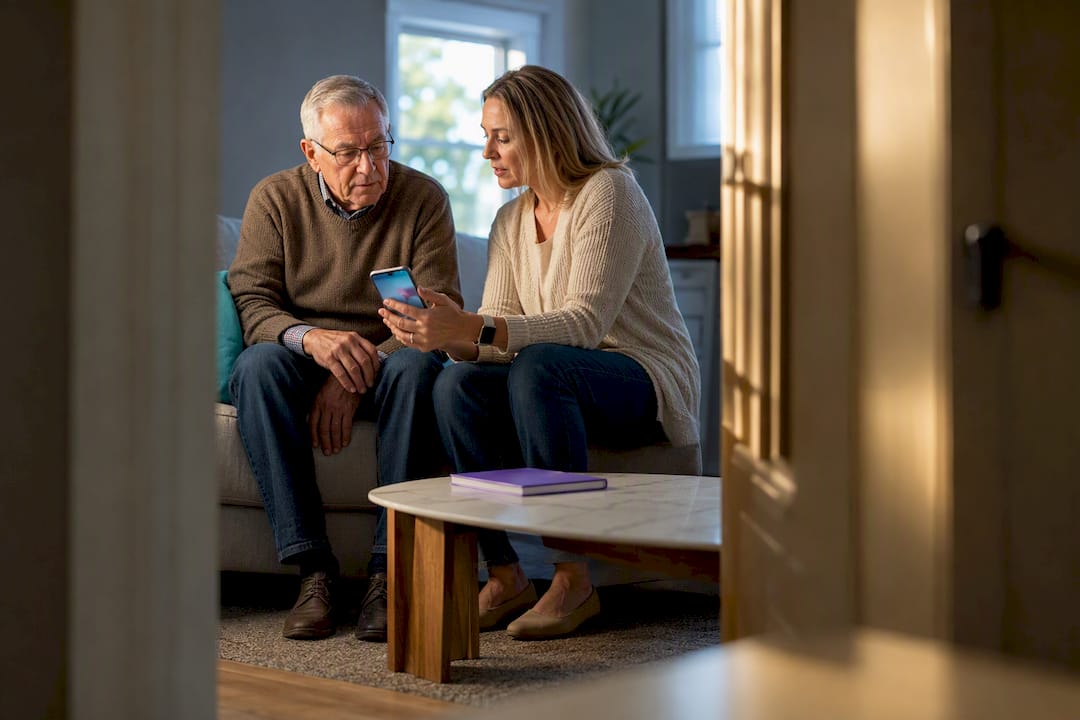
Choose a privacy-first, consent-based approach. Give a senior the choice of opt-in location sharing, short data retention, and a real conversation about why you’re asking, and save always-on GPS tracking for cases where a diagnosis like dementia makes wandering a genuine risk. Three things are non-negotiable no matter which app or device you pick: informed consent, opt-in rather than default-on sharing, and a short retention window with an easy way to delete the data. An app built around daily check-ins with GPS as an option rather than a requirement is a reasonable starting point for families trying to thread that needle.
TL;DR:
- Continuous GPS tracking is justified only for seniors with documented wandering episodes or recent disorientation issues, not for general safety.
- Location sharing must be opt-in, with clear, short data retention periods, and on-device processing to protect privacy and prevent data leaks.
- Reversible, trial-based consent with limited access, such as daily check-ins instead of constant tracking, fosters trust and long-term adoption.
- Family caregivers should verify privacy policies for third-party data sharing and ensure secure access controls, including separate logins and easy data deletion.
- Escalate to continuous tracking only after documented incidents or physician advice, with a review timeline to prevent default permanent monitoring.
Table of Contents
- What Does Privacy-First GPS Tracking Look Like for Seniors?
- Privacy Features to Require: A Caregiver’s Checklist
- How Do You Get Meaningful Consent Without Damaging Trust?
- What Are the Alternatives to Always-On GPS Tracking?
- What Security Settings Should You Change Today?
- Why Do Caregivers Trust Privacy-First Designs Like Well-check?
- Deciding When to Move From Opt-In to Continuous Tracking
- Try Well-check for Privacy-Aware Safety Monitoring
- Sources
What Does Privacy-First GPS Tracking Look Like for Seniors?
Not every safety tool that mentions “location” works the same way, and the differences matter more than most families realize before they start comparing options.
Continuous GPS tracking pings a device’s location constantly, sometimes every few minutes, and stores a running history that a caregiver can pull up anytime. Opt-in location flips that model: the senior decides when to share their location, for how long, and the app doesn’t log a permanent trail unless they choose to turn it on. Daily check-ins skip location entirely in favor of a simple, scheduled confirmation, an “I’m okay” tap that tells you someone is alert and functioning without revealing where they are. SOS-only sharing sits in between, staying silent until the senior presses a button, at which point location transmits just for that emergency.
The gap between these models isn’t just technical. It’s about who feels watched and who feels supported.
Research from the University of Waterloo’s Aging and Innovation Research Program found that seniors are far more likely to keep using a locator device long term when it’s framed as personal support rather than surveillance. Uninstall rates and outright refusal climb sharply once a person feels tracked rather than helped. That single distinction, support versus surveillance, predicts adoption better than almost any feature list.
Dignity plays a bigger role here than most tech reviews admit. A senior who has decades of independent decision-making experience doesn’t want to feel like a parolee wearing an ankle monitor. Privacy-first designs respect that history. They put the senior in control of the “on” switch, which paradoxically makes them more willing to use the tool at all.
That said, continuous tracking has a real place. It’s the right call when:
- A diagnosis of dementia or Alzheimer’s includes documented wandering episodes.
- A senior has already gotten lost or disoriented in a familiar area at least once.
- A physician or care team has flagged declining orientation as a safety concern.
- The family has discussed the change with the senior, or with their designated decision maker if capacity is in question.
Even then, continuous tracking doesn’t have to mean unlimited exposure. Geofencing narrows the scope to alerts only when someone leaves a defined safe zone, rather than a location ping every few minutes. That’s a meaningful difference in both privacy and battery life, since locator devices remain accurate outdoors but lean heavily on cellular networks and frequent charging, which limits how “always on” any GPS system can realistically be anyway.
The healthiest way to think about it: match the intensity of monitoring to the actual risk, not to the anxiety level of whoever is setting up the app. A cognitively sharp senior who just wants backup during hikes needs something very different from a parent with moderate dementia who has wandered twice this year. Treating both cases the same, usually by defaulting to maximum tracking “just in case,” is how families end up with a senior who resents the app and eventually just leaves their phone at home.
Privacy Features to Require: A Caregiver’s Checklist
Before you enable any location feature, whether it’s a standalone GPS tracker or a wellness app with GPS built in, run it through this checklist. Skipping this step is how families end up with an app that technically works but quietly leaks more data than anyone agreed to.
- Opt-in permissions, not default-on. Location sharing should require an active choice from the senior, not a pre-checked box buried in setup. If the app turns GPS on automatically during installation, that’s a red flag.
- Data minimization. The app should collect only what it needs for the stated safety function. If a check-in app is also logging browsing history or contacts for no clear reason, ask why.
- Short retention windows. Location history should not accumulate indefinitely. Look for a stated retention period, ideally days or weeks, not “forever” by default.
- On-device processing where possible. Some modern apps use behavior-learning that stays local to the device, flagging anomalies like a missed usual wake-up time without uploading a detailed movement log to a server. That’s a meaningfully smaller privacy footprint than constant cloud tracking.
- No unexplained third-party sharing. Read the data-handling disclosure before you agree to anything. Google Play and the App Store both require developer privacy summaries that spell out what data types get shared and whether that data is encrypted in transit.
- Transparent, accessible deletion. There should be a clear path to delete an account and its stored data, not a support ticket queue that goes nowhere. If you can’t find a deletion option in under two minutes, that’s a real problem.
Access controls deserve their own line item. A caregiver account and a senior’s account should be separate logins, each with its own password, not a shared credential that anyone in the family can use to check location whenever curiosity strikes. Strong access control also means limiting who in a family network can see live location. A daughter managing medication reminders doesn’t necessarily need the same visibility as a spouse handling emergencies.
Pro Tip: Before enabling any location feature, search the app name plus “privacy policy” and skim for the words “third party” and “retention.” If either term is missing or vague, treat that as a warning sign, not an oversight.
Manufacturer language is worth reading skeptically but not dismissing outright. Vendors like Invoxia consistently emphasize that consent is central to legitimate use of a tracker, and that framing shows up across the industry for good reason: a device used without the senior’s knowledge creates legal exposure and destroys trust the moment it’s discovered. Trust, once broken over a hidden tracker, rarely comes back at the same level.
One more thing worth checking: does the app let a senior see their own data the same way a caregiver does? Genuine privacy design isn’t just about restricting outside access, it’s about making sure the person being monitored isn’t the last one to know what’s being collected. An app that hides its own dashboard from the senior while showing everything to the caregiver has already tipped the relationship toward surveillance, whatever the marketing copy says.
How Do You Get Meaningful Consent Without Damaging Trust?
Consent isn’t a one-time checkbox. It’s a conversation you’ll likely have more than once, and how you frame it in the first five minutes shapes whether the senior sees this as help or as losing control.
Here’s a script that tends to work better than the alternative:
- Open with the concern, not the solution: “I’ve been worried since you mentioned getting lost near the pharmacy last month.”
- Name the specific tool and what it actually does, without overselling: “This app just needs a daily tap to say you’re okay. It doesn’t watch you constantly.”
- Offer a trial, not a commitment: “Can we try it for two weeks and then talk about whether it’s helping or annoying?”
- Ask directly: “Are you comfortable with this, or is there a version of this you’d prefer?”
That trial framing matters more than it sounds. Short trial periods, roughly seven to fourteen days, followed by a real consent review consistently produce better long-term acceptance than flipping a feature on indefinitely and hoping the senior gets used to it. People resist permanence. They’re far more open to something reversible.
Start limited on purpose:
- Enable location sharing only during specific windows, like a daily walk, rather than around the clock.
- Use a temporary share link instead of a permanent account-level connection where the app supports it.
- Set a calendar reminder to revisit the arrangement in 30 to 90 days rather than assuming today’s setup is permanent.
Document the conversation, even informally. A quick note in a shared family document, “Mom agreed to daily check-ins on March 3, 2026, revisit in June,” protects everyone if a disagreement comes up later and gives the senior a paper trail showing their voice was part of the decision.
Capacity gets complicated when a senior has cognitive decline severe enough to make informed consent genuinely uncertain. In those cases, loop in whoever holds power of attorney or health care proxy, and where possible, a physician who can speak to the person’s current understanding. That’s not a substitute for legal advice, but it’s a reasonable first move before anyone unilaterally decides on someone else’s behalf.
Resistance drops when a senior knows they can say no later, not just now. Building in an explicit, easy revocation path, “you can turn this off anytime, here’s how,” often does more for adoption than any feature on the checklist.
What Are the Alternatives to Always-On GPS Tracking?
GPS isn’t the only tool in the safety kit, and for a lot of families it shouldn’t be the first one they reach for.
Daily check-ins remain the lowest-intrusion option that still catches real problems. A missed “I’m okay” tap by mid-morning tells a caregiver something is wrong without ever knowing where the person is standing. Pair that with behavior-anomaly detection, apps that learn a senior’s typical patterns and flag deviations, like a missed morning routine, and you get an early warning system that never requires constant location sharing at all.
Wearables built specifically for fall detection or SOS alerts fill a different gap. They’re complements, not replacements, for a broader safety plan. A fall-detection pendant paired with two-way voice can summon help in seconds without any location history accumulating in the background, since most only transmit location the moment an SOS triggers.
And sometimes the right answer isn’t technology at all. When a senior’s privacy concerns run deep, or when cognitive changes make any tracking ethically murky, human supports close the gap better than an app ever could:
- A scheduled daily phone call from a family member or friend.
- A part-time companion visit, even just two or three times a week.
- A community wellness check program through a local senior center or Area Agency on Aging.
None of these options is inherently superior. The right mix depends on the person’s actual risk profile, and healthcare experts consistently recommend matching the tool to cognitive and mobility needs rather than defaulting to whichever device has the most features on the box.
What Security Settings Should You Change Today?
A handful of settings changes take fifteen minutes and meaningfully cut the odds of exposed location data.
- Turn on two-factor authentication for every account tied to the app, both the senior’s and the caregiver’s.
- Give each caregiver their own login instead of sharing one password across the family.
- Turn off continuous location history if the app offers a toggle, and set retention to the shortest window available.
- Require re-authentication before anyone can view live location, not just a saved session that stays open indefinitely.
- Review the list of who currently has sharing access and remove anyone who no longer needs it, an ex-spouse, a former aide, a sibling who’s no longer involved in care.
App-store disclosure pages are worth a second look here too. Developer privacy summaries on Google Play list exactly what data types an app collects and whether that data is encrypted in transit, information most people never scroll down far enough to read.
If you ever suspect an account has been compromised, or a location share went to the wrong person, act in order: revoke all active sharing links immediately, change the password and re-enable two-factor authentication, request full data deletion from the provider in writing, and tell every emergency contact on the account what happened and when. Waiting to see if it’s “really a problem” only widens the exposure window.
Why Do Caregivers Trust Privacy-First Designs Like Well-check?
Some wellness apps build around daily check-ins as the core safety signal, with GPS tracking available as an add-on rather than a default. That structure lines up with nearly every item on the checklist above: the senior taps “I’m okay” or requests help, missed check-ins trigger alerts to an emergency contact network, and caregiver analysis surfaces patterns worth a phone call without requiring anyone to watch a live map all day.
The apps seniors keep using long term are the ones that feel like a daily habit of independence, not a leash. A check-in you control beats a location ping you didn’t ask for, almost every time.
Medication reminders and unlimited check-ins can round out the picture without adding surveillance. That combination tends to lower resistance precisely because the senior stays in the driver’s seat: they decide to tap “okay,” they decide whether to enable location for a specific outing, and the family gets peace of mind without a permanent tracking log running in the background. Individual results vary by household, and no single app fits every risk profile.
Deciding When to Move From Opt-In to Continuous Tracking
Escalating from opt-in to continuous GPS should never happen on a hunch. Treat it as a decision with evidence behind it, not an emotional reaction to one bad phone call.
Reasonable clinical and behavioral triggers include a confirmed wandering incident, a new dementia or cognitive-decline diagnosis, a fall combined with disorientation, or a physician’s direct recommendation after an evaluation. One missed check-in or a single confused phone conversation usually isn’t enough on its own.
Once you escalate, document the reasoning and set a review date, 30, 60, or 90 days out, so continuous tracking doesn’t quietly become permanent by default. Mission creep is real: what starts as “just until things stabilize” has a way of never getting revisited.
When capacity is genuinely unclear, involve a physician or, where relevant, an attorney familiar with elder law before making the call unilaterally. That’s general guidance, not legal advice, but a documented, reversible decision protects both the senior’s dignity and the family’s peace of mind if anyone ever questions it later.
— Brian
Try Well-check for Privacy-Aware Safety Monitoring
Well-check gives families the safety net without the always-on tracking most GPS apps default to. Location sharing stays optional, check-in data doesn’t pile up indefinitely, and the senior controls the daily “I’m okay” tap instead of being passively watched on a map all day.
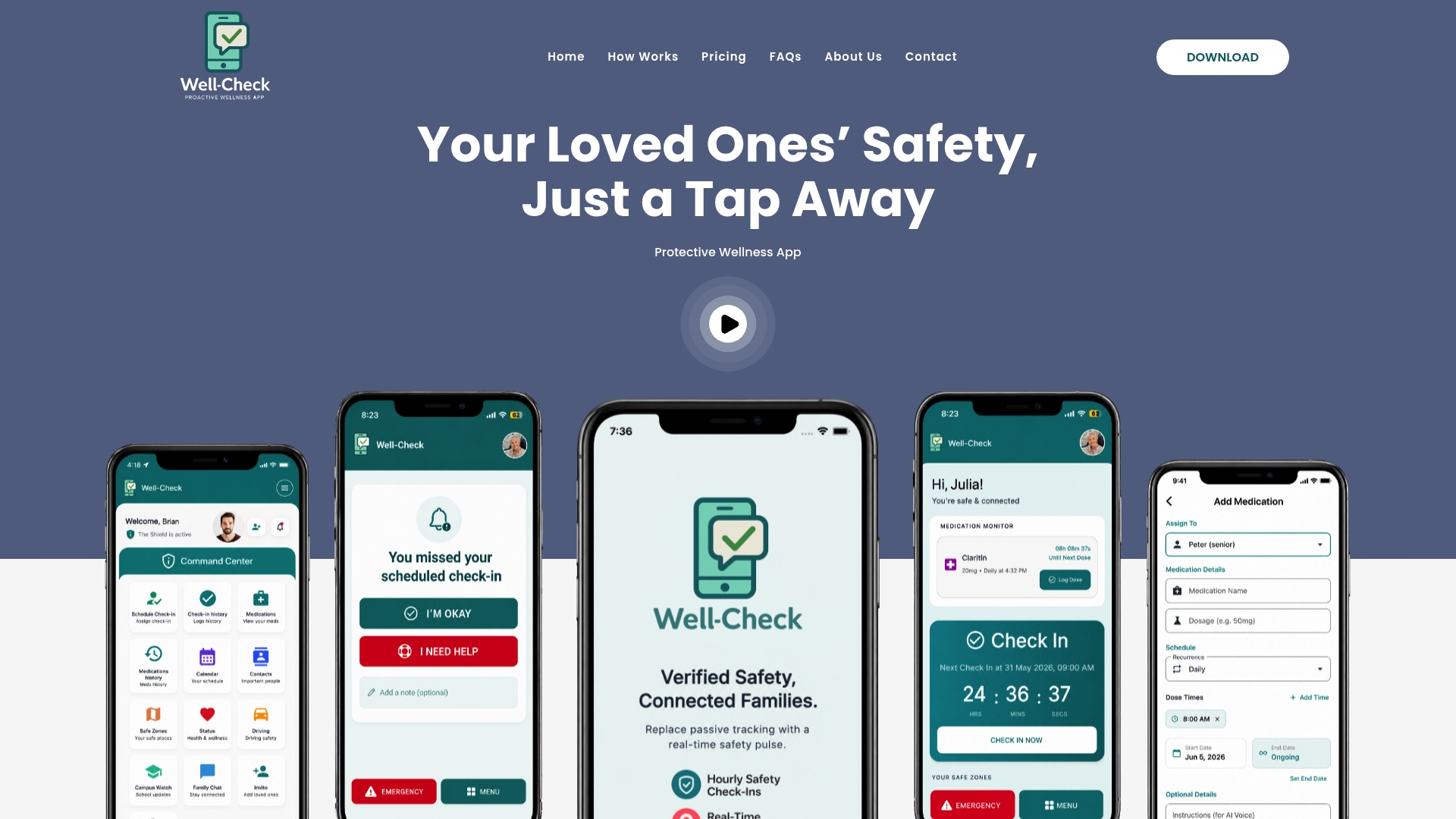
That structure directly answers the three non-negotiables covered above: consent built into the daily habit, opt-in rather than default-on location, and a design that doesn’t ask a senior to hand over a permanent activity log just to get help when they need it. Missed check-ins alert your emergency contact network automatically, medication reminders run in the background, and caregiver analysis flags patterns worth a conversation, all without requiring constant location visibility.
If you’re ready to see how the setup works in practice, visit how Well-check works for a walkthrough of the check-in and alert flow, or head straight to Well-check’s pricing plans to start a trial and set it up with your family this week.
Sources
- Locator devices for older people at risk of going missing | Aging and Innovation Research Program (AIRP) | University of Waterloo
- GPS trackers for dementia safety — best options to consider in 2026 | LTC News
- GPS tracker for the elderly | Invoxia