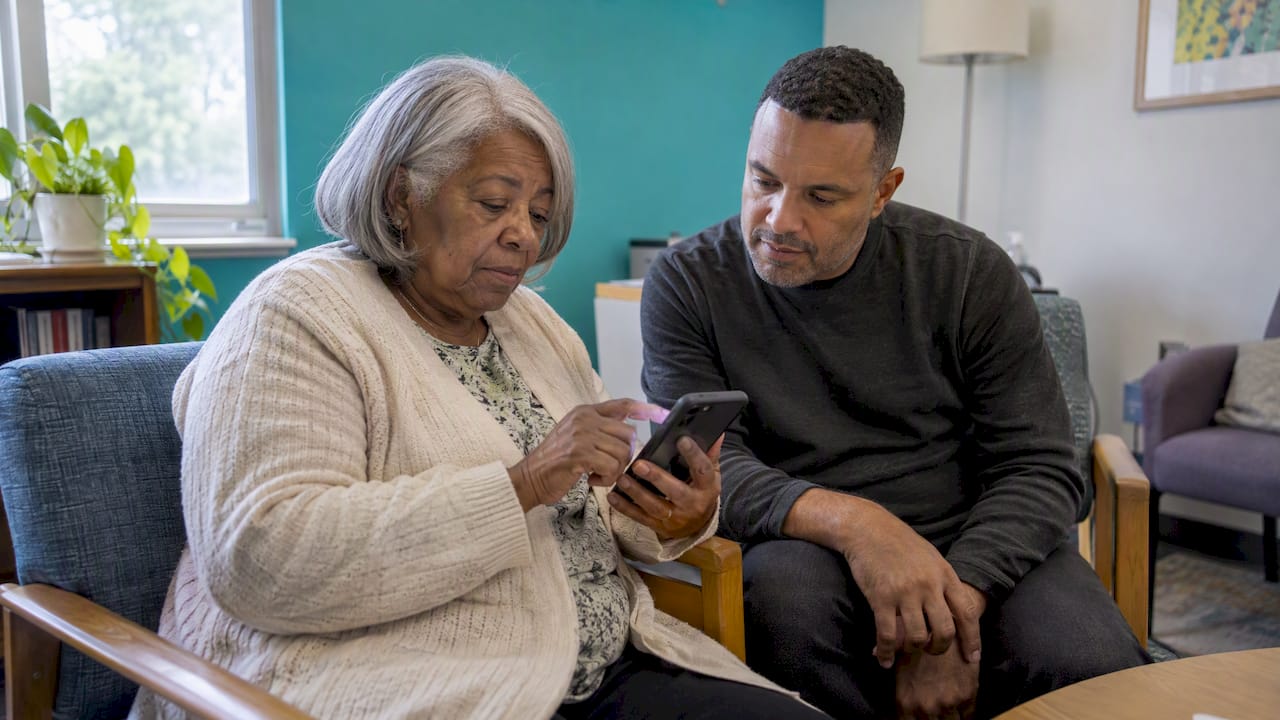
GPS tracking is safe when three things are true: the person being tracked knows about it and agrees, the app or device is secured and collects only what it needs, and everyone understands what the technology cannot do. It becomes unsafe when it is hidden, when the data is poorly protected, or when a family treats a dot on a map as a substitute for care. This guide walks through each risk and shows how to reduce it, with a focus on families who want to look out for an older adult without taking away their independence.
TL;DR
- GPS tracking is generally safe for the person being tracked when it is consensual, transparent and limited to what is needed. Secret tracking is where the legal and personal harm starts.
- The main technical risks are weak account security, excess app permissions, and spyware. Updates, multifactor authentication and careful permissions cut most of them.
- GPS is not perfect: it can drift, struggles indoors and is no replacement for a 24-hour companion.
- For seniors, the best setups pair agreed location sharing with a daily check-in, so the family hears from the person and does not just watch them.
- Laws on tracking people vary by state, so get consent in writing when in doubt.
Table of Contents
- What “safe” actually means for GPS tracking
- The security risks of location data
- When tracking turns into stalking
- Is it legal to track someone’s location?
- What GPS cannot do: accuracy and reliability
- Do the benefits justify the risk?
- How to use GPS tracking safely with an older parent
- Our perspective: location is the supporting actor
- Where Well-Check fits
- Frequently asked questions
- Sources
What “safe” actually means for GPS tracking
When people search this question they usually mean one of four different things, and the answer differs for each.
- Is the signal itself harmful? No. GPS is a receive-only system: your phone or device listens to satellite signals and works out where it is. It does not beam anything into your body.
- Can someone hack or misuse my location? Yes, this is the real risk. Location data is stored and transmitted by apps and servers, and those can be poorly secured or misused.
- Is it legal? Usually, with consent. Without consent, it can become a crime.
- Will it actually keep my loved one safe? It helps, but it is an aid and not a guarantee.
The rest of this article takes these in turn.
The security risks of location data
Your location trail says a lot: where you sleep, where you worship, which clinic you visit. The U.S. Cybersecurity and Infrastructure Security Agency (CISA) warns that tracking technologies can expose location and other data to third parties and spyware. Its guidance for reducing that exposure is practical and short:
- Keep your phone’s operating system and apps updated.
- Turn on multifactor authentication (MFA) for the accounts that hold location data.
- Download apps only from original sources such as the official app stores.
- Reboot your phone regularly, which can help clear some spyware.
- Review app permissions and remove any app that does not need your location.
The same logic applies to a tracking app you set up for a parent. The weakest point is usually the family member’s account: a reused password on the caregiver login exposes the parent’s whereabouts too. Use a unique password, turn on MFA, and share the account with as few people as possible.
Cheap devices and weak security
Not every tracker is built with care. In 2019 researchers reported that a popular mini GPS tracker and dozens of other models from the same manufacturer were vulnerable to hackers. Because that report is years old, treat it as a reminder of a pattern and not a current verdict on any product: before buying a standalone device, check whether the maker publishes security updates, requires a real password and states where data is stored.
Permissions are your first line of defense
On a phone, you control what an app sees. On Android, for example, you can limit location to “while using the app” and check which apps have background access; we walk through the steps in our two-minute Android location permissions check. A good caregiving app should work well with the narrowest permission that does the job, and should explain in plain words why it asks for more.
When tracking turns into stalking
The uncomfortable side of this topic is that the same feature that finds a lost parent can follow a partner who wants to leave. Australia’s Project Hakea report found that tracking technology is frequently exploited by perpetrators of domestic and family violence to stalk and monitor victims, and that some devices are marketed for secret, non-consensual surveillance. The same report notes that Bluetooth tags generally have anti-stalking mechanisms such as unknown-tracker alerts, while GPS tracking devices have no built-in anti-stalking mechanism. In other words, a hidden GPS unit will not warn the person carrying it.
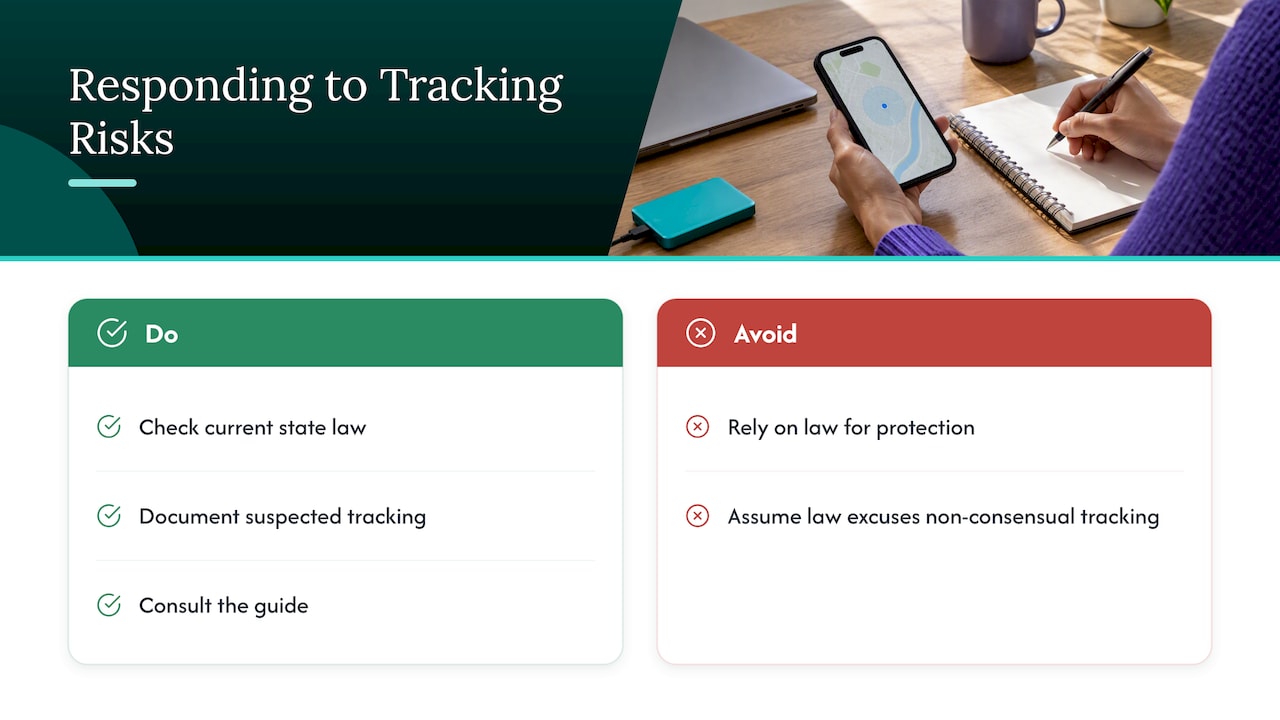
In the United States, the Government Accountability Office found that some federal laws apply or may apply to tracking apps, but may not cover some cases of covert location tracking, and that stakeholders raised concerns about limited enforcement. That is a 2016 finding, so check current state law, but the takeaway holds: do not rely on the law to protect you from a tracker you did not know about, and do not assume the law will excuse you for tracking someone who did not agree.
If you suspect someone is tracking you, or you are a caregiver worried your own arrangement looks like surveillance, our guide on when location sharing becomes stalking explains what to document and whom to consult.
Is it legal to track someone’s location?
There is no single federal rule for private individuals. Rules come from state law and depend on what is tracked (a car you own, a phone, a person) and whether the person agreed. Courts and legislators treat secret tracking of another adult very differently from a tracking arrangement the adult has accepted. As a rule of thumb:
- Consent makes it far safer. Informed, voluntary agreement is the dividing line almost everywhere.
- Secret tracking of another adult is high risk. It can lead to stalking or harassment charges in many states.
- Capacity matters. If an older adult has dementia, a legal guardian or someone holding power of attorney may be involved. An elder law attorney in your state can tell you who may consent on the person’s behalf.
This is a general overview and not legal advice. If you are making a decision for someone who cannot consent for themselves, talk to an elder law attorney in your state.
The principles behind consent are consistent around the world. The wireless industry’s trade body CTIA has long argued that meaningful user notice and consent are the fundamental principles of location-based services. Regulators abroad go further: the European Data Protection Board says that the least intrusive method must always be preferred when location data is used, and Dutch guidance asks that tracking be proportionate and limited in space and time. Those rules do not bind U.S. families, but they are a useful standard: collect the least location data that meets the goal, for the shortest time.
Patients and families who want to understand the broader ethics of digital tools in care can find more on digital advocacy for patients, including how notice, consent and data minimization fit into everyday decisions.
What GPS cannot do: accuracy and reliability
A safe tool is one you understand. Here are the limits.
It needs a view of the sky. The Alzheimer’s Association explains that GPS needs a clear line of sight to satellites, and that mountains, foliage, clouds, buildings and dense communities can hinder signals. Indoor tracking and large-city tracking may be unreliable. The Alzheimer Society of Canada likewise says GPS is most effective outdoors.
Accuracy varies. One technical overview puts standard GNSS accuracy at 2.5 to 10 meters, dropping to 10 to 50 meters in difficult places such as urban canyons. When the satellite fix is poor, devices fall back on cell-tower positioning, which is much coarser: it can be anywhere from about 100 meters to several kilometers off depending on the method. Practically, a pin can sit on the wrong side of a block. Our explainer on reading GPS fixes by radius and timestamp shows how to interpret the circle around the dot and the time it was recorded.
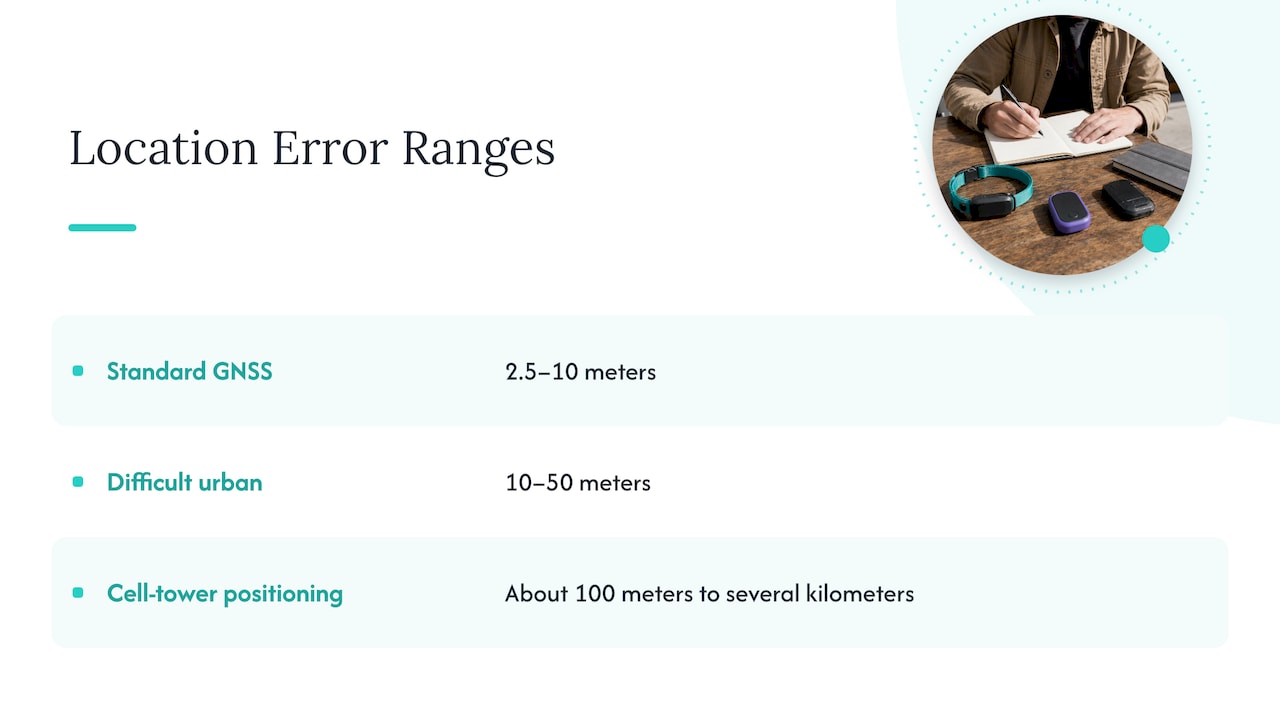
Updates are not continuous. Many apps refresh every few minutes to save battery, so the dot may be old. How often is often enough depends on the situation; see our note on GPS update frequency.
It is not a companion. The Alzheimer’s Association is direct on this point: no location-tracking system is 100% accurate, and tracking is not equivalent to a 24-hour companion. Batteries die, phones get left on the kitchen counter and watches come off.
A quick risk table
| Risk | What it looks like | What reduces it |
|---|---|---|
| Account takeover | Someone else logs in and sees the location history | Unique password, MFA, few shared logins |
| Over-collection | App asks for always-on location and contacts it does not need | Narrowest permission, review quarterly |
| Covert tracking | A device or app the person does not know about | Consent in writing, transparent settings |
| Poor accuracy | Pin in the wrong place indoors or in dense areas | Read the radius and timestamp, confirm by phone call |
| False reassurance | Family stops calling because the dot looks fine | Pair location with a daily check-in |
Do the benefits justify the risk?
For many families, yes, when it is done openly. The Alzheimer’s Association lists benefits such as supporting safety for people who may wander and notifying family when someone leaves a familiar place, including wearable options such as watches and shoe inserts.
Research points the same way. In a 2024 UK feasibility study of people with dementia at risk of wandering, carers reported greater independence for the wearer, peace of mind, a lower caregiving burden and less need to involve police or social services. A 2024 integrative review found that location-tracking devices helped people with cognitive impairment go outside more independently and feel safer, and that caregivers worried less and argued less about going out alone. The same review discusses the ethical tension between safety and privacy, which is why the setup matters as much as the technology. The UK researchers also said larger, more diverse studies are still needed, so these are encouraging results and not final proof.
How to use GPS tracking safely with an older parent
The best arrangement is one the parent helped design. Here is a sequence that works.
- Have the conversation first. Explain what worries you in specific terms (a fall on a walk, getting turned around) and ask what would make them comfortable. Listen to the objections. If they say no, that is information, not an obstacle to work around.
- Agree on what is shared, with whom, and when. Write it down. Our location sharing etiquette agreement gives you six fields to fill in together.
- Consider time-limited sharing. Location does not need to be on forever. For a trip, a doctor’s visit or a new route, one hour of sharing may be all you need.
- Limit who can see it. Two or three named people are better than the whole family group chat.
- Secure the accounts. MFA on every caregiver login, unique passwords, updates on.
- Test it together. Walk the block, check how the pin looks, and decide what happens if it shows something odd. Call first, do not rush over.
- Review every few months. Needs change. So should the settings.
For a deeper look at the standards a caregiver app should meet, see our privacy playbook with three nonnegotiables and our piece on protecting dignity in senior tracking.
Device or app?
A wearable can be worn in the shower and does not depend on remembering a phone, but it adds a gadget and a battery to charge. An app on the phone someone already carries is simpler and less stigmatizing, but it only works if the phone is with them and charged. If you are weighing the two, we compare them by daily habits in how to pick a medical alert app or device.
Our perspective: location is the supporting actor
At Well-Check, we think the question “is GPS tracking safe?” hides a better one: what is the tracking for? If the aim is to know that someone is okay, a map is an indirect way to find out. A person can be in the right place and still be unwell, or at home and in trouble. That is why our app starts with a daily check-in that the older adult controls: a single tap on “I’m okay.” If a check-in is missed, emergency contacts are alerted. Location is there as an extra layer, not the foundation.
We built it this way because we believe seniors deserve independence without surveillance. The person using the app should know what is shared, with whom and why, and should be able to see that for themselves. We would rather a family member hear “I’m fine, Mom” through a tap than watch a dot move across a screen. And we would rather have a parent switch location off for a day than switch the whole app off for good.
So our advice is the same as the research suggests: use GPS as an aid, keep it consensual and minimal, and make sure a human voice stays in the loop.
— Brian
Where Well-Check fits
Well-Check combines daily check-ins, medication reminders, missed check-in alerts to an emergency contact network, and GPS tracking in one app designed around dignity and simplicity. The Essential plan is $5.99 per month and the Complete plan is $7.99 per month. You can compare what each includes on our pricing plans page, or see the whole picture on the Well-Check home page.
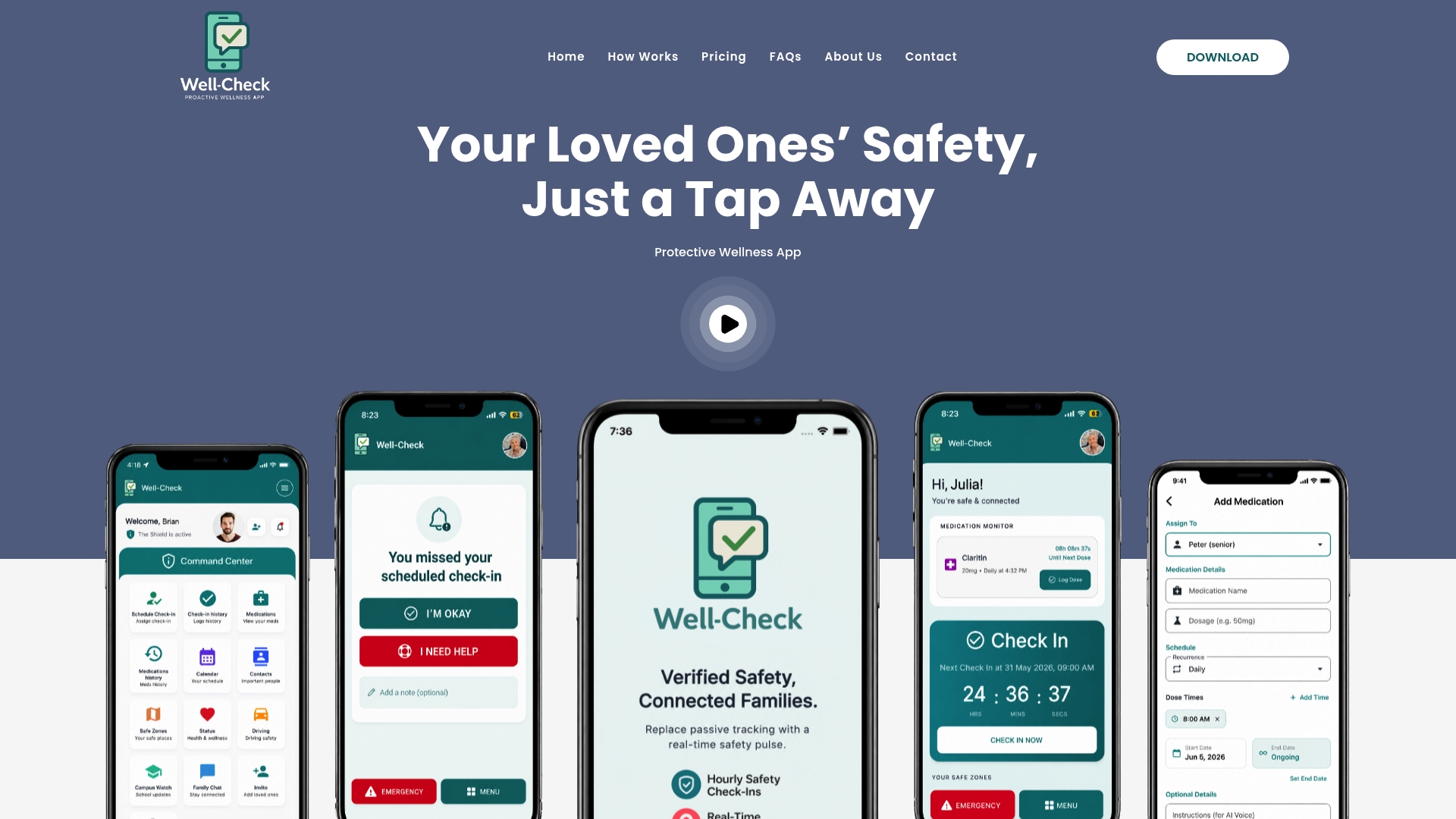
If you are setting things up tonight, our senior safety checklist lists what a caregiver can configure in one sitting, and the safety plan for seniors gives you three moves to begin with.
Frequently asked questions
Can GPS tracking be hacked?
Yes, the accounts and servers that hold location data can be compromised, and spyware can expose a phone’s location. CISA recommends software updates, multifactor authentication, installing apps only from official sources and regular reboots. Use a unique password for any tracking account.
Is it illegal to track someone’s location without their consent?
Often it is, or it can be. There is no single federal law for private parties, and state laws differ, but secretly tracking another adult can lead to stalking or harassment charges. Get informed consent, ideally in writing. If the person has dementia, ask an elder law attorney who may consent for them.
How accurate is a GPS tracker?
Outdoors with a clear sky, standard GPS is typically accurate to roughly 2.5 to 10 meters. In cities, indoors or in poor weather it can be off by tens of meters or more. Treat the pin as a good guide and confirm with a phone call.
Does GPS tracking work indoors?
Not reliably. GPS needs a line of sight to satellites, so buildings block or weaken the signal. Many devices then fall back on cell towers or Wi-Fi, which are much less precise.
Will tracking make my parent feel watched?
It can if it is imposed. Parents tend to accept it when they helped choose the settings, can see what is shared and can pause it. Pairing it with a daily check-in keeps contact personal.
Sources
- Follow Cybersecurity Best Practices to Protect Yourself from Tracking Technologies and Spyware (CISA)
- Project Hakea: Criminal use of tracking and other technologies (NSW Crime Commission, 2024)
- Smartphone Data: Information and Issues Regarding Surreptitious Tracking Apps (GAO, 2016)
- Best Practices and Guidelines for Location-Based Services (CTIA)
- Lawfulness of processing (European Data Protection Board, 2020)
- Legal bases for WiFi tracking and Bluetooth tracking (Autoriteit Persoonsgegevens)
- Technology Safety for Older Adults (Alzheimer’s Association)
- Technology 101 (Alzheimer’s Association)
- Tracking devices (Alzheimer Society of Canada)
- IoT localization technologies
- Implementing GPS trackers for people with dementia (2024)
- An Integrative Review of the Feasibility and Effects of Location-Tracking Devices (2024)



[…] you want a deeper look at one slice of this, our guide to whether GPS tracking is safe covers privacy, security and consent for location features […]
[…] same technology can serve either aim, which is why consent is the dividing line. Our guides on whether GPS tracking is safe, with privacy, security and consent and on when location sharing crosses into stalking go deeper. For families, a written understanding […]