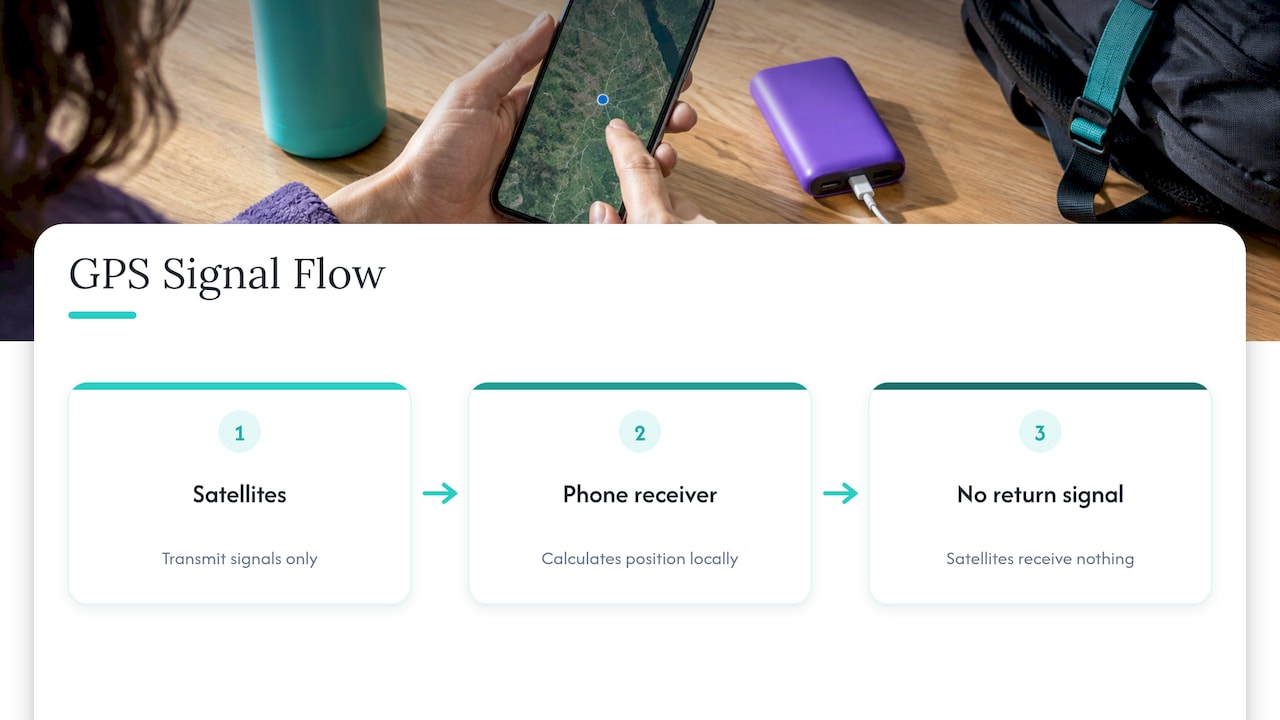
GPS tracking is a two-part process. Satellites broadcast timing signals, and your phone uses them to work out where it is. An app then decides whether to send that position to anyone else. The satellites never see you. The tracking happens in software, with your permission. Outdoors, a phone is usually accurate to within a few meters. Indoors, between tall buildings or under heavy tree cover, it can be far off.
This guide walks through each step in plain language: how a phone finds its position, what assisted GPS (A-GPS) adds, why accuracy varies, and how GPS differs from Bluetooth tracking and from ordinary location sharing. It also covers what this means if you use location features to look after an older relative.
TL;DR
- GPS satellites only transmit. Your phone listens, calculates its own position, and an app decides whether to share it.
- A-GPS uses cell network data to get a first position fix in seconds instead of minutes. It does not change who can see your location.
- Outdoors with a clear sky, expect a few meters of accuracy. Indoors and in dense cities, expect much less.
- Bluetooth trackers do not contain GPS. They borrow nearby phones, so they suit short-range finding, not continuous tracking.
- Location sharing is a permission you grant to specific people. GPS tracking is the underlying capability. Consent and clear settings decide whether it feels safe.
Table of Contents
- How GPS actually works
- So where does the “tracking” come from?
- How GPS works on a phone, and what A-GPS adds
- How accurate is GPS tracking?
- GPS tracking vs. Bluetooth tracking
- GPS tracking vs. location sharing
- Why this matters for older adults living alone
- Our perspective on GPS in senior safety
- What to look for in a GPS-based safety app
- Well-Check plans
- FAQ
- Sources
How GPS actually works
The Global Positioning System is a constellation of satellites operated by the U.S. government. According to Rohde & Schwarz, the system was officially put into operation in 1995. A receiver works out its position anywhere in the world by comparing how long radio signals from at least three satellites took to arrive, a method called trilateration.
Here is the idea in everyday terms:
- Each satellite broadcasts the exact time and its own position.
- Your phone notes the moment each signal arrives.
- The delay between sending and receiving tells the phone how far away each satellite is.
- With several distances known, only one spot on Earth fits them all. That spot is your location.
The timing has to be extremely precise. NIST explains that GPS satellites carry atomic clocks accurate to within three billionths of a second. In practice phones also use a fourth satellite to correct their own, much cheaper, clock. That is why you will often see a phone described as needing four or more satellites in view.
The satellites do not know where you are
This is the point most explainers skip, and it clears up a lot of worry. GPS is a one-way system. The EFF’s Surveillance Self-Defense guide notes that GPS satellites only transmit and do not receive anything from your phone. The satellites and the people who run them do not know where any particular device is.
An academic tutorial from Stony Brook University makes the same point from the engineering side. Because every signal flows from satellite to receiver, and position is computed at the receiver, the system can serve an unlimited number of users while protecting their privacy. And MIT’s School of Engineering says an ordinary GPS receiver, like a car dashboard navigator, does not reveal your location to anyone else, since the calculation is local.
So where does the “tracking” come from?
Tracking begins when something takes the position your phone calculated and sends it elsewhere. The EFF explains that GPS tracking is done by apps that ask the phone’s operating system for its location and, with your permission, transmit it over the internet. The same MIT page notes that most GPS devices also record time-stamped locations, and that some commercial services transmit location data to a company when you request help or after an accident.
So a tracking setup has three layers:
| Layer | What it does | Who controls it |
|---|---|---|
| Satellites | Broadcast time and position signals | Government operators, no knowledge of you |
| Phone hardware and operating system | Receives signals, calculates position | You, through device permissions |
| App and its servers | Stores or shares the position with chosen people | You, through app permissions and settings |
The practical lesson: the permission screens on your phone are where tracking is turned on or off. If you want to check them, our plain guide to location sharing privacy settings for iPhone and Android walks through both platforms, and the two-minute Android location permissions check covers the Android side in detail.
How GPS works on a phone, and what A-GPS adds
A phone’s GPS chip is a receiver, nothing more. Android Central points out that you do not send any data into space for GPS to work. You only need to receive signals from enough satellites.
There is a catch. Before a receiver can lock on quickly, it needs the almanac, a rough map of where all the satellites are. Kaspersky explains that classic GPS has to download this directly from the satellites, which takes between five and ten minutes, and that it does not work indoors. That is the long wait you may remember from old handheld units.
A-GPS in plain terms
Assisted GPS fixes the wait. Rohde & Schwarz describes A-GPS as using the coordinates of the cell tower serving your phone to give an initial approximation of your position. That shortens the time until an exact GPS fix is available. Kaspersky adds that A-GPS lets a device download the almanac from the internet within seconds.
| Standalone GPS | A-GPS | |
|---|---|---|
| First fix | Several minutes if not used recently | Seconds |
| Needs cell or internet data | No | Yes, for the assistance data |
| Works with no signal at all | Yes, outdoors | Slower to start, still works outdoors |
| Typical device | Handheld hiking unit | Smartphone |
Is A-GPS a privacy problem? Kaspersky’s analysis says no, at least for the assistance request itself. The almanac a server sends is the same anywhere on Earth, and the phone calculates its own location. A service could log that your phone made a request at a certain time, but not where you were. Separately, your carrier can generally tell roughly where your phone is because it connects to cell towers, as Android Central notes.
How accurate is GPS tracking?
In good conditions, very accurate. NIST says GPS today can locate a position to within 4.9 meters (about 16 feet), and that modern phones with advanced electronics and extra satellite signals can do better. The official GPS.gov accuracy page is the reference for that open-sky smartphone figure.
That number comes with an important condition: open sky. The Stony Brook tutorial states that GPS needs a clear view of at least four satellites, and that its signals do not penetrate well through walls, soil and water. It cannot be relied on inside buildings or underground, and tall buildings in cities (“urban canyons”) can obstruct or distort signals.
What GPS limitations look like in real life
- Indoors: the phone may show a position that jumps, or the last known outdoor spot. Apartment buildings are a common example.
- Dense downtown streets: signals bounce off buildings, so the dot can drift to the wrong side of the street.
- Heavy tree cover or canyons: fewer satellites are visible, so the fix gets less reliable.
- Best-guess positions: when GPS is weak, a phone can fall back to nearby cell towers or Wi-Fi networks. A mapping guide from OS Maps warns that these estimates can be very inaccurate.
- Stale fixes: a location is a snapshot with a time on it. An old one can look current if you do not check the timestamp.
The Stony Brook authors also make a useful point: the most important question is whether a system is accurate enough for the job. A few meters is plenty to tell whether someone is at home, at the pharmacy or at a neighbor’s. It is not enough to tell which room they are in.
The practical habit is to read a location the way the map shows it: look at the accuracy circle and the time of the last update. Our guide on reading GPS fixes by radius and timestamp shows how, and how often location updates arrive explains why a dot can lag behind a person who is moving.
GPS tracking vs. Bluetooth tracking
People often lump these together, but they work in different ways.
According to the EFF, Bluetooth trackers are small battery-powered tags meant to track property. They have no GPS built in. They talk over Bluetooth to nearby phones, which pass the tag’s position to its owner over a cell or Wi-Fi connection. The EFF notes that the range to a passing phone is about 30 feet, and that these tags are not as accurate as GPS.
A Consumer Reports comparison adds the practical difference. Bluetooth trackers rely on nearby phones in the manufacturer’s network and suit short-range situations. In most cases they do not provide real-time communication or emergency contact features. GPS trackers use cellular networks for continuous location updates, and most models offer geofencing, SOS buttons and limited messaging.
| Bluetooth tag | GPS tracker or GPS-enabled app | |
|---|---|---|
| Has its own GPS | No | Yes |
| Depends on | Other phones nearby | Satellites plus a cell or data connection |
| Best for | Keys, bags, short-range finding | A person moving around over a wide area |
| Emergency features | Usually none | Often SOS, alerts, geofencing |
| Update pattern | Only when a compatible phone passes by | Regular updates |
The American Kennel Club makes the same point from the outdoors: with no cell service and no compatible phone within about 30 feet, a Bluetooth tag has nothing to relay through. For a person who walks, drives or travels, that gap matters.
GPS tracking vs. location sharing
These two terms describe different things. GPS tracking is the capability: a device works out where it is and records or transmits it. Location sharing is a choice: you let specific people see your position, usually through a setting you can switch on and off, for a set time or indefinitely.
A useful way to separate them:
- Who decides: in location sharing, the person being located decides, and can usually stop at any time. In covert tracking, someone else decides.
- Who sees it: sharing is limited to the people you name. A tracking device can send data to whoever holds the account.
- Visibility: good sharing tools show an icon or notice when location is in use. Hidden tracking does not.
- Purpose: sharing is typically about coordination or reassurance. Tracking can serve any purpose, including harmful ones.
The same technology can serve either aim, which is why consent is the dividing line. Our guides on whether GPS tracking is safe, with privacy, security and consent and on when location sharing crosses into stalking go deeper. For families, a written understanding helps too: the six-field agreement for location sharing etiquette gives you a template.
Why this matters for older adults living alone
For an older adult living alone, location features answer a narrow set of worries: a walk that lasted longer than expected, a drive that ended somewhere unfamiliar, a person who may be confused about the way home. In each case, a position with a timestamp helps a family member decide whether to call, wait or get help.
Location is only one piece of the picture, though. Knowing where a phone is does not tell you whether someone took their medication, felt unwell, or simply forgot to charge the device. This is why many families pair location with a daily check-in and an emergency contact network. If you are weighing options, the guide on choosing a medical alert app or device by real habits can help, and anyone interested in the wider care landscape can browse Southern California senior care insights for related planning topics.
Comfort with the phone itself matters just as much. If the senior in your life is new to smartphones, start with our calm, practical guide to grandparents using smartphones.
Our perspective on GPS in senior safety
We build Well-Check around one belief: safety features should help a person stay independent, not make them feel watched. GPS is a good example. The technology is passive and precise outdoors, but what matters to a family is the arrangement around it: who agrees to see what, and when.
That is why our app is designed for simplicity and dignity. One tap lets someone say “I’m okay” or ask for help. Contacts are customizable, so the right people hear about a missed check-in and nobody else does. Location is one tool among several, alongside medication reminders and smart caregiver analysis, and it is meant to support independence without surveillance.
Our advice for any family: agree on the purpose first, read the permission screens together, and treat a location as a clue to act on with a phone call, not a verdict. A daily check-in gives you the context that a map dot cannot.
Brian
What to look for in a GPS-based safety app
Once you understand how the technology works, the checklist writes itself:
- Clear permissions. The app should ask for location in plain words and let the user change it later.
- Visible timestamps. A location without a time is easy to misread.
- Alerts that fit the person. Notifications for a missed check-in are more useful than a constant stream of movement. Our piece on stopping false alarms with smart caregiver analysis explains the thinking.
- A real contact network. Build a list of three to five people who will answer, as in our verified emergency contact list guide.
- Respect for privacy. Our caregivers’ privacy playbook lays out three nonnegotiables for senior GPS apps, and the piece on privacy for senior tracking covers dignity.
- A calm trial run. Our six onboarding tests for senior isolation solutions help families set things up well.
Well-Check plans
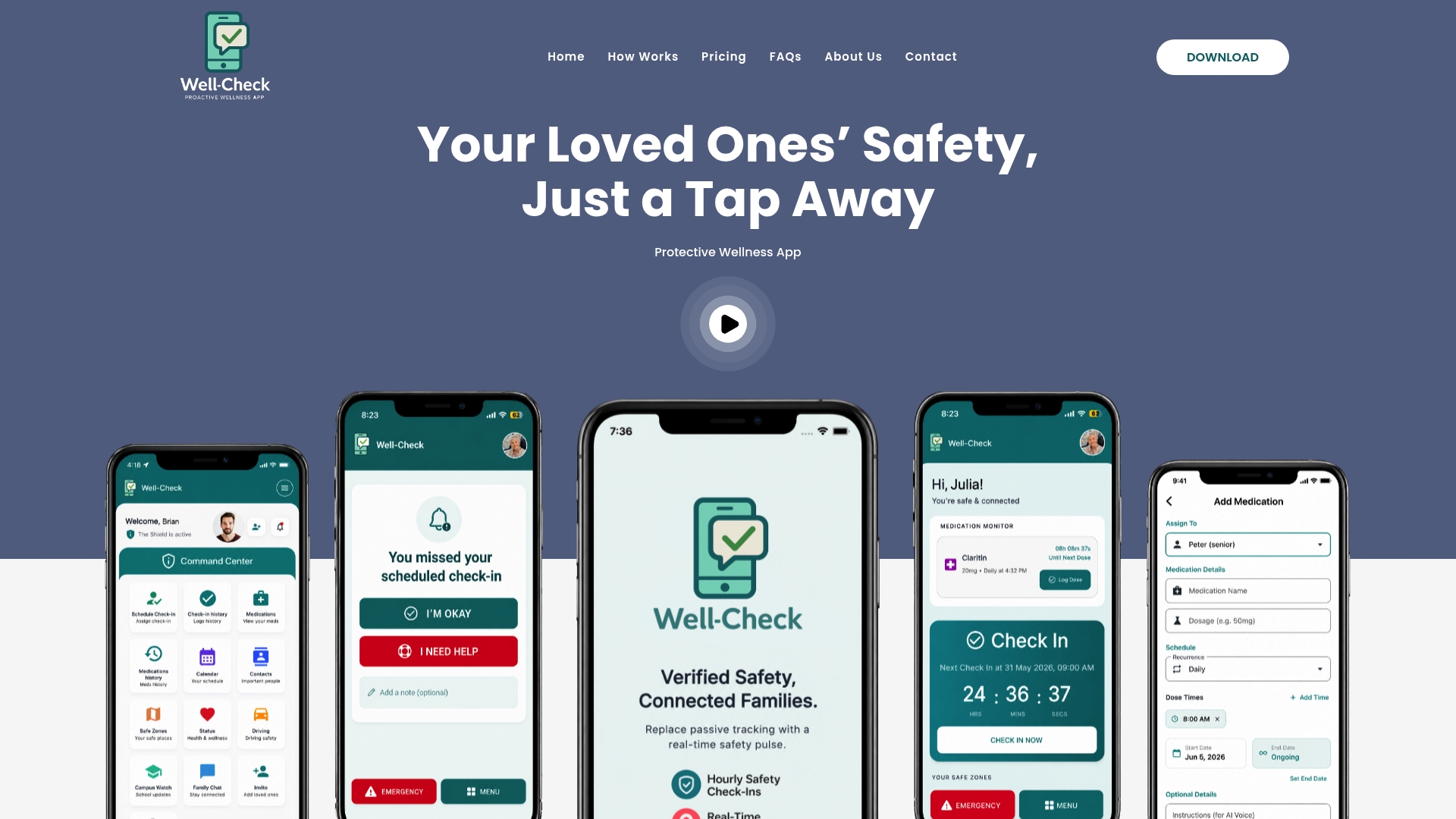
Well-Check combines one-tap check-ins, medication reminders, missed check-in alerts to emergency contacts, GPS tracking and smart caregiver analysis in one app. Two plans are published on our site: Essential at $5.99 per month and Complete at $7.99 per month. You can compare them on the Well-Check pricing page.
If you would like to see how the pieces fit a real week, start with our app-ready senior safety checklist, which you can complete in one sitting.
FAQ
Can someone track my phone with GPS without me knowing?
The GPS signal itself cannot be used that way, because satellites only transmit. Tracking requires an app or service on the phone that has location permission and a way to send the data. Review the permission list in your phone settings and remove anything you do not recognize. Our guide to location sharing privacy settings shows where to look.
Is GPS the same as A-GPS?
No. GPS is the satellite system. A-GPS adds help from the cellular network, such as the serving tower’s position and satellite data downloaded over the internet. The result is a first fix in seconds rather than minutes. Your phone still calculates its own location.
Does GPS work indoors?
Not reliably. Satellite signals do not penetrate walls well, so indoors a phone may rely on cell tower or Wi-Fi estimates, which can be much less accurate. GPS is best at telling you which place someone is at, not which room.
Why does my location sometimes look wrong?
Usually because the phone had few satellites in view, as happens between tall buildings, under trees or inside a building. It may also be showing an older fix. Check the accuracy circle and the time of the last update before drawing conclusions.
Is Bluetooth tracking good enough for a person?
Bluetooth tags are designed for objects and short ranges, since they depend on other phones passing nearby. For someone who moves around widely, a GPS-based approach with alerts and emergency contacts is the better fit.
Sources
- Mobile Phones: Phone Components and Sensors, EFF Surveillance Self-Defense
- How to: Detect Bluetooth Trackers, EFF Surveillance Self-Defense
- GPS / A-GPS Technology, Rohde & Schwarz
- Location Systems tutorial, Stony Brook University
- Could a GPS device reveal my location to others? MIT School of Engineering
- How Do You Measure Your Location Using GPS? NIST
- How does GPS work on my phone? Android Central
- How the A-GPS in your smartphone works, Kaspersky
- Beginners guide to choosing a GPS device, OS Maps
- Should You Track Your Child With a GPS Tracker or Bluetooth Tracker? Consumer Reports
- Dog GPS Trackers vs Bluetooth Trackers, American Kennel Club